EasyManua.ls Logo

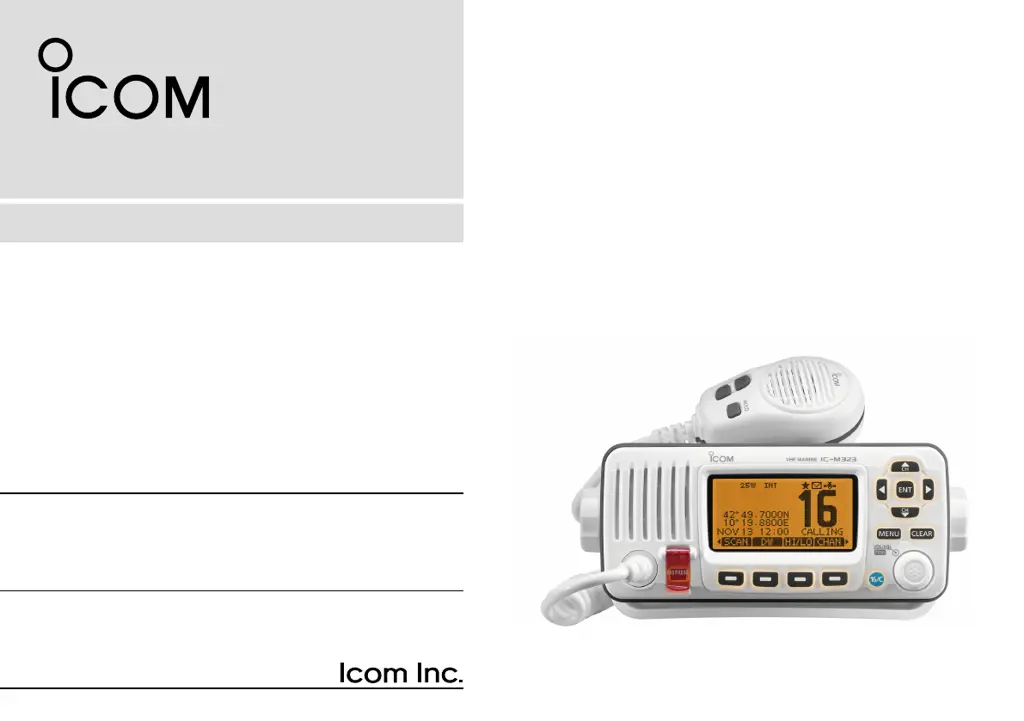
Icom IC-M323 - User Manual

Icom IC-M323
100 pages
Print Icon
To Next Page IconTo Next Page
Loading...
INSTRUCTION MANUAL
iM323
iM323G
iM324
iM324G
VHF MARINE TRANSCEIVER
This device complies with Part 15 of the FCC
Rules. Operation is subject to the condition that
this device does not cause harmful interference.

Table of Contents

Other manuals for Icom IC-M323

Questions and Answers

  • K
    kaufmanadamAug 17, 2025
    What to do if Icom IC-M323 has no sound?
    • A
      ashley70Aug 17, 2025
      If you're experiencing little to no sound from your Icom Transceiver's speaker, there are a few potential causes. First, the squelch level might be set too high; try setting the squelch to the threshold point. Alternatively, the volume level could be set too low; adjust the volume to a suitable level. Finally, if the speaker has been exposed to water, use the AquaQuake function to remove it.
  • P
    portercatherineAug 19, 2025
    Why Icom IC-M323 Transceiver won't transmit or select high power?
    • M
      Matthew AlvarezAug 19, 2025
      If your Icom Transceiver is unable to transmit or select high power, it could be due to a couple of reasons. Some channels might be programmed for low power or receive-only operation due to regulations; in this case, try changing channels. Another possibility is that the output power is set to low; push the [HI/LO] button to select high power.
  • J
    Jeremiah GrayAug 22, 2025
    What to do if there is no sound from the Icom Transceiver speaker?
    • C
      Christie HuntAug 22, 2025
      If you experience little or no sound from the Icom Transceiver's speaker, there are several potential causes. First, the squelch level might be set too high; try setting the squelch to the threshold point. Second, the volume level could be too low; adjust the volume to a suitable level. Finally, if the speaker has been exposed to water, use the AquaQuake function to remove it.
  • D
    Douglas GreenAug 25, 2025
    How to fix Icom IC-M323 when it does not turn ON?
    • L
      Laura VasquezAug 26, 2025
      If your Icom Transceiver does not turn on, the cause might be a bad connection to the power source. Check the connection to both the transceiver and the power source to ensure they are properly connected.
  • Z
    zbrennanAug 28, 2025
    Why Icom IC-M323 Transceiver transmitting is impossible?
    • S
      steven04Aug 28, 2025
      If transmitting is impossible or high power cannot be selected on your Icom Transceiver, it could be due to a couple of reasons. Some channels might be restricted to low power or receive only by regulations, so try changing channels. Alternatively, the output power might be set to low; push the [HI/LO] button to select high power.
  • L
    leederrickAug 30, 2025
    What to do if distress calls cannot be transmitted on Icom Transceiver?
    • D
      Dr. Rodney Mejia MDAug 30, 2025
      If distress calls cannot be transmitted on your Icom Transceiver, the cause might be that the MMSI (DSC self ID) code is not entered. Enter the MMSI (DSC self ID) code to resolve this issue.
  • S
    Susan VillarrealSep 2, 2025
    Why is Icom IC-M323 Transceiver GPS receiver not receiving valid position data?
    • H
      hnelsonSep 2, 2025
      If the built-in GPS receiver in your Icom Transceiver (IC-M323G and IC-M324G models only) is not receiving valid position data, it may be because the built-in GPS antenna is covered by an object that interrupts the GPS signals from the satellites. Mount the transceiver in a location where no objects interrupt the satellite signal.
  • R
    Robert HawkinsSep 4, 2025
    How to start scan on Icom IC-M323 Transceiver?
    • A
      Anthony WilliamsSep 4, 2025
      If the scan function does not start on your Icom Transceiver, it might be because favorite channels are not entered. Set the desired channels as favorite channels to enable the scan function.
  • L
    luismurphySep 7, 2025
    How to turn on beep sounds on Icom Transceiver?
    • A
      Alicia MartinezSep 7, 2025
      If there are no beep sounds on your Icom Transceiver, it is likely that the beep tones are turned OFF. Turn ON the beep tones in the CONFIGURATION menu to restore the beep sounds.
  • R
    roy33Sep 12, 2025
    What to do if my Icom IC-M323 Transceiver has no beep sounds?
    • E
      Erin LambertSep 12, 2025
      If your Icom Transceiver isn't producing any beep sounds, it's likely that the beep tones are turned OFF. To resolve this, turn the beep tones ON in the CONFIGURATION menu.

Summary

IN CASE OF EMERGENCY

USING CHANNEL 16

Details distress call procedure using Channel 16.

RADIO OPERATOR WARNING

Determining MPE Radius

Explains how to calculate the Maximum Permissible Exposure radius.

PRECAUTIONS

OPERATING RULES

PREPARATION

Entering the MMSI code

Step-by-step guide to inputting the Maritime Mobile Service Identity code.

BASIC OPERATION

Receiving and transmitting

Procedures for operating the transceiver for communication.

SCAN OPERATION

DUALWATCH;TRI-WATCH

DSC OPERATION

DSC address ID

Managing individual and group DSC addresses.

Entering position and time

Manual input of ship's position and UTC time for distress calls.

Making a Distress call

Step-by-step guide to initiating a distress call.

Making an individual call

How to make a DSC call to a specific station.

Making a Group call

How to make a DSC call to a specific group.

Making an All Ships call

How to broadcast a message to all ships.

Making a Position Request Call

Requesting the position of a specific ship.

Making a Position Report Call

Announcing your ship's position to another vessel.

Making a Polling Request Call

Checking if a specific vessel is in the communication area.

Making a Distress Relay Call;Distress Relay Acknowledgement

Handling distress relay calls and their acknowledgements.

Receiving an Individual Call

Procedures for handling incoming individual DSC calls.

Receiving a Group Call;Geographical Area Call;All Ships Call

Handling incoming group, area, or all ships DSC calls.

Receiving a Position Request Call

Procedures for handling incoming position request calls.

Receiving a Position Report Call

Procedures for handling incoming position report calls.

Receiving a Polling Request Call;Test Call

Handling incoming polling requests and test calls.

TROUBLESHOOTING

Icom IC-M323 Specifications

General IconGeneral
BrandIcom
ModelIC-M323
CategoryTransceiver
LanguageEnglish

Related product manuals