EasyManua.ls Logo

Icom IC-M324 - User Manual

Icom IC-M324
100 pages
Print Icon
To Next Page IconTo Next Page
Loading...
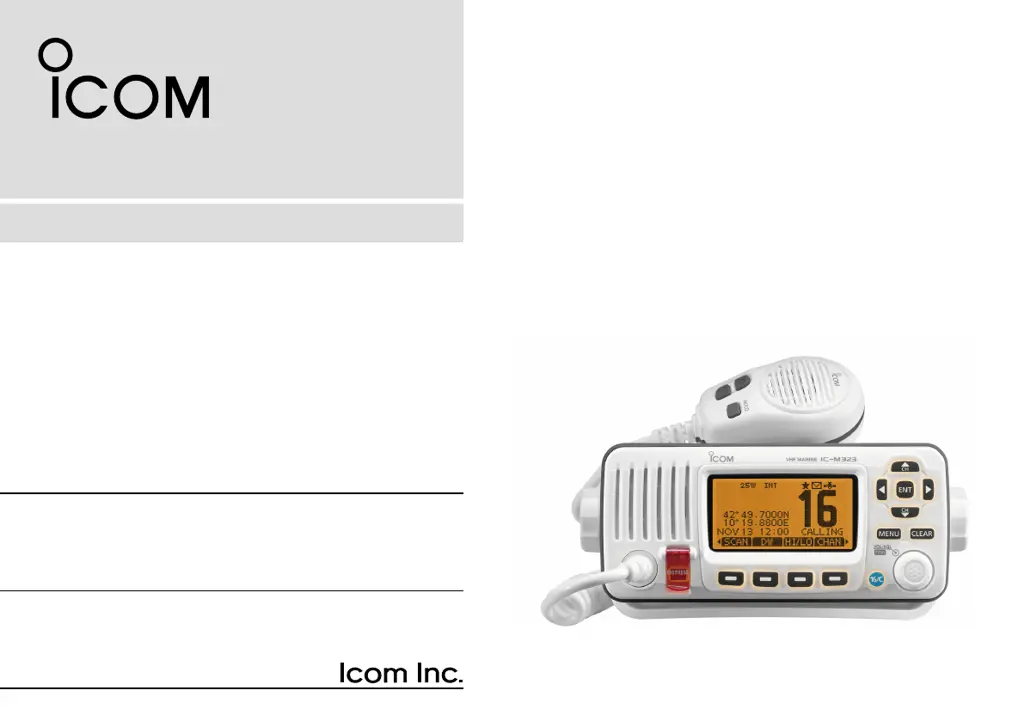
INSTRUCTION MANUAL
iM323
iM323G
iM324
iM324G
VHF MARINE TRANSCEIVER
This device complies with Part 15 of the FCC
Rules. Operation is subject to the condition that
this device does not cause harmful interference.

Table of Contents

Questions and Answers

  • M
    Michele HendrixAug 4, 2025
    What to do if there is no sound from the Icom IC-M324 Transceiver speaker?
    • K
      Kevin SmithAug 4, 2025
      If you experience little or no sound from the Icom Transceiver's speaker, there are several potential causes. First, the squelch level might be set too high; try setting the squelch to the threshold point. Second, the volume level could be too low; adjust the volume to a suitable level. Finally, if the speaker has been exposed to water, use the AquaQuake function to remove it.
  • W
    whitecherylAug 8, 2025
    How to fix Icom IC-M324 when it does not turn ON?
    • G
      Gregory SerranoAug 8, 2025
      If your Icom Transceiver does not turn on, the cause might be a bad connection to the power source. Check the connection to both the transceiver and the power source to ensure they are properly connected.
  • L
    ldaltonAug 13, 2025
    Why Icom IC-M324 transmitting is impossible?
    • W
      Wesley GrayAug 13, 2025
      If transmitting is impossible or high power cannot be selected on your Icom Transceiver, it could be due to a couple of reasons. Some channels might be restricted to low power or receive only by regulations, so try changing channels. Alternatively, the output power might be set to low; push the [HI/LO] button to select high power.
  • B
    Brandon ThorntonAug 17, 2025
    What to do if distress calls cannot be transmitted on Icom Transceiver?
    • M
      Matthew RichardsAug 17, 2025
      If distress calls cannot be transmitted on your Icom Transceiver, the cause might be that the MMSI (DSC self ID) code is not entered. Enter the MMSI (DSC self ID) code to resolve this issue.
  • J
    Jane AliAug 21, 2025
    Why is Icom IC-M324 Transceiver GPS receiver not receiving valid position data?
    • T
      Tonya HahnAug 21, 2025
      If the built-in GPS receiver in your Icom Transceiver (IC-M323G and IC-M324G models only) is not receiving valid position data, it may be because the built-in GPS antenna is covered by an object that interrupts the GPS signals from the satellites. Mount the transceiver in a location where no objects interrupt the satellite signal.
  • N
    Nicholas JacksonAug 26, 2025
    How to start scan on Icom IC-M324 Transceiver?
    • S
      Sarah CoxAug 26, 2025
      If the scan function does not start on your Icom Transceiver, it might be because favorite channels are not entered. Set the desired channels as favorite channels to enable the scan function.
  • U
    urussellAug 30, 2025
    How to turn on beep sounds on Icom IC-M324 Transceiver?
    • T
      Theresa RamirezAug 30, 2025
      If there are no beep sounds on your Icom Transceiver, it is likely that the beep tones are turned OFF. Turn ON the beep tones in the CONFIGURATION menu to restore the beep sounds.

Summary

IMPORTANT INFORMATION

EXPLICIT DEFINITIONS

Defines warning, caution, and note terms for user safety.

EMERGENCY PROCEDURES

Distress Call Procedures

Steps for making distress calls on Channel 16 or via DSC.

INSTALLATION GUIDELINES

Installation Requirements

Guidelines for transceiver installation and RF exposure limits.

RADIO OPERATOR SAFETY

RF Exposure Compliance

FCC RF exposure compliance requirements for radio operators.

REGULATORY COMPLIANCE

FCC Information

Compliance statements regarding FCC rules for unintentional radiators.

GENERAL PRECAUTIONS

Operational Warnings

Essential warnings and cautions for operating and maintaining the transceiver.

OPERATING RULES

Priorities, Privacy, and Licenses

Rules for call priorities, privacy, and licensing requirements.

PANEL DESCRIPTION

Front Panel Controls

Identification and function of the front panel buttons and display.

Microphone and Softkeys

Description of the microphone and softkey functionality.

PREPARATION

MMSI and ATIS Code Entry

Steps to input crucial identification codes for operation.

BASIC OPERATION

Channel Selection

How to choose operating channels, groups, and weather channels.

Volume, Squelch, and Transmit

Adjusting audio levels and managing transmission.

Scanning and Monitoring

Using priority, normal scanning, and Dualwatch/Tri-watch.

Other Basic Operations

Entering names, managing call channels, and microphone lock.

DSC OPERATION

DSC Address Management

Entering, deleting, and managing individual and group DSC IDs.

Position and Time Input

Manually entering ship's location and time for DSC calls.

Distress Call Procedures

Steps for making and managing distress calls.

Other DSC Call Types

Instructions for individual, group, all ships, and other DSC calls.

Receiving and Logging DSC Calls

Handling incoming DSC messages and managing call logs.

DSC Settings and Configuration

Configuring DSC parameters and functions.

MENU SCREEN OPERATION

Navigating the Menu

How to use the menu system to access settings.

Radio and Configuration Settings

Options for radio setup, display, and key behavior.

NMEA Output and Remote ID

Setting up data output and remote identification.

CONNECTIONS AND MAINTENANCE

Physical Connections

Details on connecting antennas, NMEA, AF, and AIS transponders.

Maintenance Procedures

Guidelines for fuse replacement, cleaning, and transceiver mounting.

SPECIFICATIONS AND OPTIONS

Technical Specifications

Detailed electrical and physical specifications of the transceiver.

Available Options

List of optional accessories compatible with the transceiver.

TROUBLESHOOTING

CHANNEL LIST

INFORMATION

Country Code List

A list of country codes and their corresponding ISO 3166-1 identifiers.

TEMPLATE

Icom IC-M324 Specifications

General IconGeneral
TypeMarine VHF Transceiver
Frequency Range156.000 - 163.425 MHz
Weight1.2 kg
Waterproof RatingIPX7
Power Supply13.8V DC
Operating Temperature Range-15°C to +55°C
ModulationFM (16K0G3E)
Output Power25W
Current ConsumptionStandby: 500mA

Related product manuals