EasyManua.ls Logo

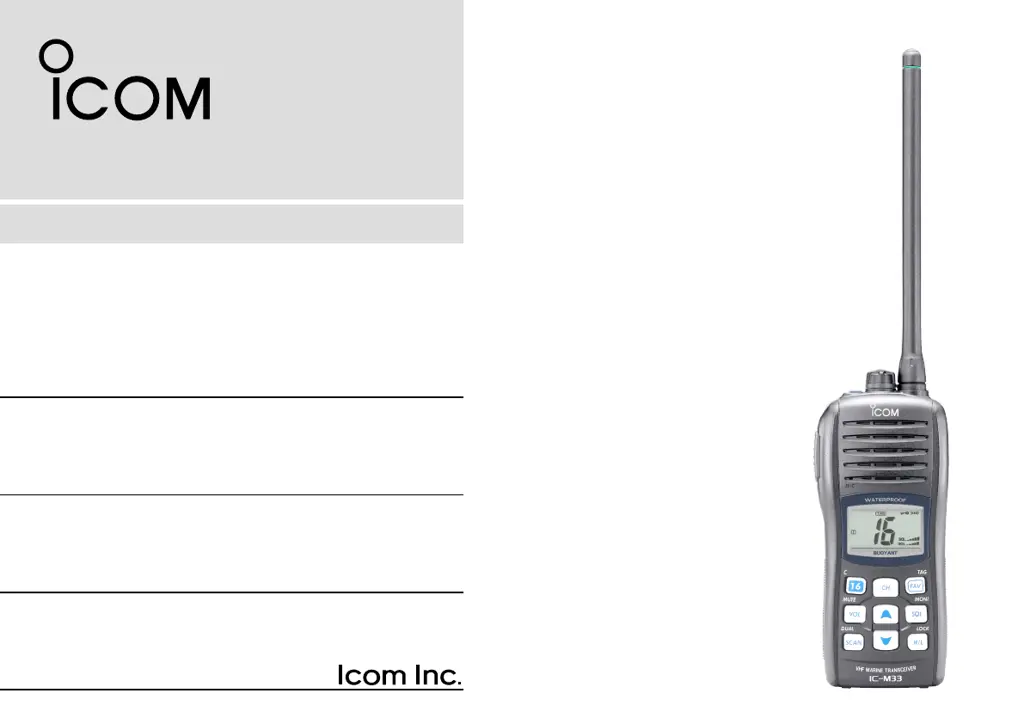
Icom IC-M33 - User Manual

Icom IC-M33
40 pages
Print Icon
To Next Page IconTo Next Page
Loading...
INSTRUCTION MANUAL
iM33
VHF MARINE TRANSCEIVER

Questions and Answers

  • L
    Lindsay CruzAug 19, 2025
    How to unlock Icom IC-M33 channel?
    • K
      Kelly SnyderAug 19, 2025
      If the displayed channel on your Icom Transceiver cannot be changed, it's likely that the lock function is activated. To cancel this function, push and hold [LOCK] (H/L) for 1 second.
  • T
    Timothy ShahAug 21, 2025
    How to unlock channels on my Icom IC-M33 Transceiver?
    • M
      Mary VasquezAug 21, 2025
      If the displayed channel on your Icom Transceiver cannot be changed, the lock function may be activated. To deactivate it, push and hold [LOCK] (H/L) for 1 second.
  • M
    Michael TaylorAug 25, 2025
    Why is my Icom Transceiver transmitting impossible, or high power cannot be selected?
    • D
      Dennis DavidsonAug 25, 2025
      The inability to transmit or select high power on your Icom Transceiver may be due to several reasons. Some channels might be designated for low power or receive-only, in which case you should try changing channels. The battery might be exhausted, requiring you to recharge it. Also, verify the battery voltage if it is overcharged. Finally, check if the output power is set to low, and if so, push [H/L] to select high power.
  • C
    Charles MahoneyAug 26, 2025
    What to do if there is no sound from the Icom IC-M33 speaker?
    • L
      Laura CoxAug 26, 2025
      If you're not getting any sound from your Icom Transceiver's speaker, there are a few potential causes. First, the squelch level may be set too high; try setting the squelch to the threshold point. Second, the volume level might be too low; adjust it by pushing [Y]/[Z] after pushing [VOL] to set a suitable level. Lastly, if the speaker has been exposed to water, drain the water from the speaker.
  • D
    dominguezchristianAug 28, 2025
    How to fix Icom Transceiver if it does not turn ON?
    • K
      Kenneth HinesAug 28, 2025
      If your Icom Transceiver isn't turning on, it could be due to a couple of reasons. The battery might be exhausted, so try recharging it. Alternatively, the battery pack might not be attached correctly, so ensure it is properly attached.
  • B
    Billy WilliamsAug 30, 2025
    Why Icom IC-M33 Transceiver scan does not start?
    • S
      Steven WhiteAug 30, 2025
      If the scan function on your Icom Transceiver isn't starting, it's possible that “TAG” channels are not programmed. To resolve this, set the desired channels as “TAG” channels.
  • C
    Christine LiSep 1, 2025
    What causes battery voltage error in Icom IC-M33?
    • K
      kyleroseSep 1, 2025
      A battery voltage error in your Icom Transceiver indicates that the connected battery pack’s voltage is more than 11 V. Verify the battery voltage is correct.
  • J
    johnsonrichardSep 3, 2025
    How to turn on beep on Icom IC-M33 Transceiver?
    • J
      Jeremy RogersSep 3, 2025
      If you are not hearing any beeps from your Icom Transceiver, it's likely that the beep tone function is turned OFF. To enable it, set the beep tone to ON (Fix Beep/User Beep) in set mode.
  • K
    Kenneth BrownSep 6, 2025
    Why is there no sound from my Icom IC-M33 speaker?
    • L
      Laura WongSep 6, 2025
      If you can't hear any sound from the Icom Transceiver's speaker, ensure that the squelch level isn't set too high by adjusting it to the threshold point. Also, verify that the volume level isn't too low by pushing [Y]/[Z] after pushing [VOL] to set a suitable level. If the speaker has been exposed to water, drain the water from the speaker.
  • C
    carollevineSep 7, 2025
    How to fix an Icom IC-M33 that does not turn on?
    • B
      Brandon ThomasSep 8, 2025
      If your Icom Transceiver won't turn on, the battery may be exhausted. Try recharging the battery pack. Also, make sure the battery pack is correctly attached.

Summary

Operating Rules

Priorities

Rules and regulations, distress calls, and monitoring Channel 16.

Privacy

Information privacy and prohibited language.

Radio Licenses

Ship station license and operator's license requirements.

Supplied Accessories and Attachments

Supplied Accessories

Lists items included with the transceiver: handstrap, battery, charger, antenna, belt clip.

Attachments

Details how to attach the flexible antenna and belt clip.

Panel Description

Front, Top, and Side Panels

Identifies and describes the physical controls and indicators on the transceiver's exterior.

Key Operations

Details the functions of individual buttons like PTT, CH, SCAN, VOL, etc.

Function Display

Explains the various indicators and readouts shown on the transceiver's LCD screen.

Basic Operation

Channel Selection

How to select channels, including Channel 16 and call channels.

Channel Groups

Explains how to switch between USA, International, Canadian, and ATIS channel groups.

Receiving and Transmitting

Step-by-step guide on how to receive and transmit signals.

Call Channel Programming

Process for programming custom call channels for quick access.

Volume and Mute Functions

How to adjust audio volume and use the volume mute function.

Squelch Level Adjustment

Guide to setting the squelch level to properly receive signals.

Lock and Backlighting Functions

How to activate key lock and automatic backlighting.

Monitor and AquaQuake Functions

How to use the monitor function and activate the water draining feature.

Scan Operation

Scan Types

Overview of Priority Scan and Normal Scan modes.

Setting TAG Channels

How to assign channels for scanning (TAG).

Starting a Scan

Steps to initiate priority or normal scan mode.

Dualwatch;Tri-watch

Description and Operation

Explains and guides on using Dualwatch and Tri-watch monitoring features.

Set Mode

Set Mode Programming

Overview of how to enter and navigate set mode for transceiver settings.

Set Mode Operation

Steps for entering set mode and selecting desired items/settings.

Beep Tone and Scan Resume Timer

Settings for beep tone and scan resume timer functions.

Priority and Auto Scan Functions

Settings for priority scan and auto scan features.

Dual;Tri-watch and Backlighting

Settings for dual/tri-watch and automatic backlighting.

Monitor Key and LCD Contrast

Settings for monitor key action and LCD contrast.

Power Save and Low Fix Functions

Settings for power save and low fix functions.

Squelch Sensitivity

Setting for squelch sensitivity to improve noise rejection.

Battery Charging

Battery Cautions

Important safety warnings regarding Lithium-Ion battery misuse and handling.

Charging Cautions

Precautions to take during the battery charging process and temperature limits.

Supplied Battery Charger

Instructions for connecting and using the supplied BC-173 battery charger.

Optional Battery Case

How to install batteries in the optional BP-251 battery case.

Optional Battery Charger

Installation and charging instructions for the BC-162 optional charger.

Optional Speaker-Microphone

HM-165 Descriptions

Details the features of the HM-165 speaker-microphone.

Attachment and Detachment

Instructions for connecting and detaching the speaker-microphone.

Troubleshooting

VHF Marine Channel List

International Channels

Lists frequencies for international VHF marine channels.

USA Channels

Lists frequencies for USA VHF marine channels, specific to U.K. and China versions.

Canadian Channels

Lists frequencies for Canadian VHF marine channels, for China versions.

Specifications

General Specifications

Covers frequency coverage, mode, channel spacing, power supply, and dimensions.

Receiver Specifications

Details sensitivity, squelch, intermodulation, and other receiver parameters.

Transmitter Specifications

Outlines output power, modulation system, and frequency deviation.

Options

Battery Case and Pack

Information on optional battery cases and Li-Ion battery packs.

Chargers and Belt Clip

Details optional chargers and belt clip accessories.

Other Options

Lists additional optional items like speaker-microphones and antennas.

Icom IC-M33 Specifications

General IconGeneral
BrandIcom
ModelIC-M33
CategoryTransceiver
LanguageEnglish

Related product manuals