EasyManua.ls Logo

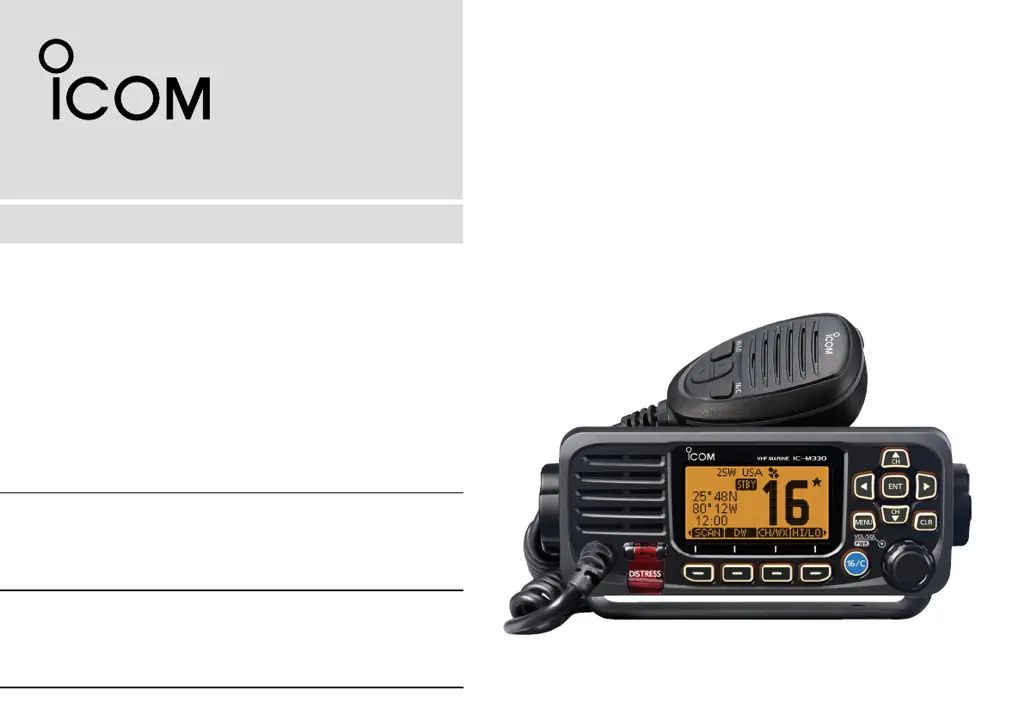
Icom IC-M330 - User Manual

Icom IC-M330
80 pages
Print Icon
To Next Page IconTo Next Page
Loading...
VHF MARINE TRANSCEIVERS
iM330
iM330E
iM330G
iM330GE
INSTRUCTION MANUAL
INSTRUCTION MANUAL
1-1-32 Kamiminami, Hirano-ku, Osaka 547-0003, Japan

Table of Contents

Questions and Answers

  • R
    ronaldtownsendAug 20, 2025
    Why Icom IC-M330 Transceiver does not turn ON?
    • S
      Stephanie MartinAug 20, 2025
      If your Icom Transceiver isn't turning on, there could be a bad connection to the power supply. Check the connection to both the transceiver and the power supply. Alternatively, the fuse might be blown. If so, repair the underlying problem and then replace the fuse.
  • S
    Sean GreerAug 21, 2025
    What to do if there is little or no sound from the Icom IC-M330 speaker?
    • J
      James CollinsAug 22, 2025
      If you're experiencing little to no sound from your Icom Transceiver's speaker, the squelch level might be set too high. Try setting the squelch to the threshold point. Another possibility is that the volume level is set too low; in that case, adjust the volume to a suitable level.
  • A
    Amanda HaleAug 25, 2025
    What to do if Icom Transceiver scan does not start?
    • M
      mmcconnellAug 25, 2025
      If the scan function on your Icom Transceiver isn't starting, it might be because more than two favorite channels are not set. To resolve this, set the Favorite channels.
  • J
    Joshua StokesAug 26, 2025
    How to fix Icom Transceiver when you cannot transmit with high power?
    • B
      bowersmarieAug 26, 2025
      If you cannot transmit with high power on your Icom Transceiver, it could be due to some channels being set for low power or receive only by regulations. Try changing channels. Another reason could be that the output power is set to low. Push [HI/LO] to select high power.
  • J
    Jennifer NielsenAug 28, 2025
    What to do if “??” blinks on Icom Transceiver instead of the position and time?
    • N
      Nicolas PhillipsAug 28, 2025
      If your Icom Transceiver displays blinking “??” instead of the position and time, it could be because 23.5 hours have passed since you manually entered the position, or the GPS position is invalid. To fix this, enter the position and time again.
  • D
    David FosterAug 30, 2025
    What to do if Icom IC-M330 Transceiver displays “NO POSITION” and “NO TIME”?
    • M
      Maxwell MccoyAug 30, 2025
      If your Icom Transceiver shows “NO POSITION” and “NO TIME” instead of the actual data, it might be due to the GPS signal not being correctly received, so check the GPS antenna connection and position. Alternatively, the position and time may not have been manually entered. In this case, enter the position and time.
  • S
    Steven GoldenSep 1, 2025
    Why there are no beep sounds on my Icom Transceiver?
    • M
      Mary Martinez DDSSep 1, 2025
      If you're not hearing any beep sounds on your Icom Transceiver, it's likely that the Key Beep function is turned OFF. To resolve this, simply turn ON the Key Beep function.
  • J
    James BaileySep 3, 2025
    What to do if my Icom Transceiver displays “NO POSITION” and “NO TIME”?
    • M
      Miss Brandy MillsSep 3, 2025
      If your Icom Transceiver displays “NO POSITION” and “NO TIME” instead of the position and time, this could be due to a couple of reasons. First, the GPS signal might not be received correctly. Ensure that the GPS antenna connection is secure and properly positioned. Also, verify the NMEA input connection. Alternatively, the position and time may not have been manually entered. In this case, you should manually enter the position and time.
  • A
    Angela SchmittSep 5, 2025
    How to fix Icom Transceiver that does not turn ON?
    • L
      laurenroweSep 5, 2025
      If your Icom Transceiver does not turn on, there could be a bad connection to the power supply. Check the connection to both the transceiver and the power supply. Also, the fuse may be blown. If this is the case, repair the underlying problem and then replace the fuse.
  • S
    shannonwashingtonSep 6, 2025
    Why does my Icom Transceiver have little or no sound?
    • K
      Kenneth MendozaSep 7, 2025
      If you're getting little or no sound from the speaker of your Icom Transceiver, it might be because the squelch level is set too high. Try setting the squelch to the threshold point. Alternatively, the volume level may be set too low. Adjust the volume to a suitable level.

Summary

In Case of Emergency

Distress Call Procedure (Channel 16)

Step-by-step guide for making a distress call on Channel 16.

Distress Call Procedure (DSC Channel 70)

Procedure for transmitting a distress call using Digital Selective Calling.

Radio Operation Warning

RF Exposure Limits

Information on FCC RF exposure requirements and safe operating distances.

Precautions

General Safety Warnings

Critical warnings for power connection, operation during storms, and placement.

Operating Rules

Panel Description

Preparations

Entering the MMSI Code

Procedure to register the Maritime Mobile Service Identity code.

Basic Operation

Channel Selection

How to select regular, Channel 16, and Call channels.

Transmitting, Receiving, and Mic Lock

Procedures for sending/receiving signals and microphone lock function.

Scan Operation

Scan Types and Configuration

Understanding Normal and Priority scans and setting them up.

Favorite Channels and Starting Scans

Marking channels as favorites and initiating scanning procedures.

Dualwatch;Tri-watch

Description and Operation

How to monitor Channel 16 while operating on another channel.

DSC Operation

DSC Address ID Management

Entering, editing, and deleting Individual and Group DSC IDs.

Entering Position and Time

Manually inputting vessel position and UTC time for DSC calls.

Sending Distress Calls

Procedures for making Distress calls via Channel 16 and DSC.

Sending Other DSC Calls

How to send Individual, All Ships, Group, and Test calls.

Receiving DSC Calls

Handling incoming Distress, Group, All Ships, and Individual calls.

Menu Screen

Connections and Maintenance

Specifications and Options

Troubleshooting

Common Problems and Solutions

Guide to identifying and resolving common operational issues.

Channel List

Icom IC-M330 Specifications

General IconGeneral
TypeMarine VHF Transceiver
Output Power25 W / 1 W
Waterproof RatingIPX7
DisplayLCD
Power Supply13.8 V DC
Operating Temperature Range-15°C to +55°C
ChannelsUSA, INT, CAN channels
Current Drain5.5 A (at 25 W)
DSCYes, Class D
Modulation16K0G3E

Related product manuals