34
7
DSC OPERATION
New2001
D Receiving a Group call
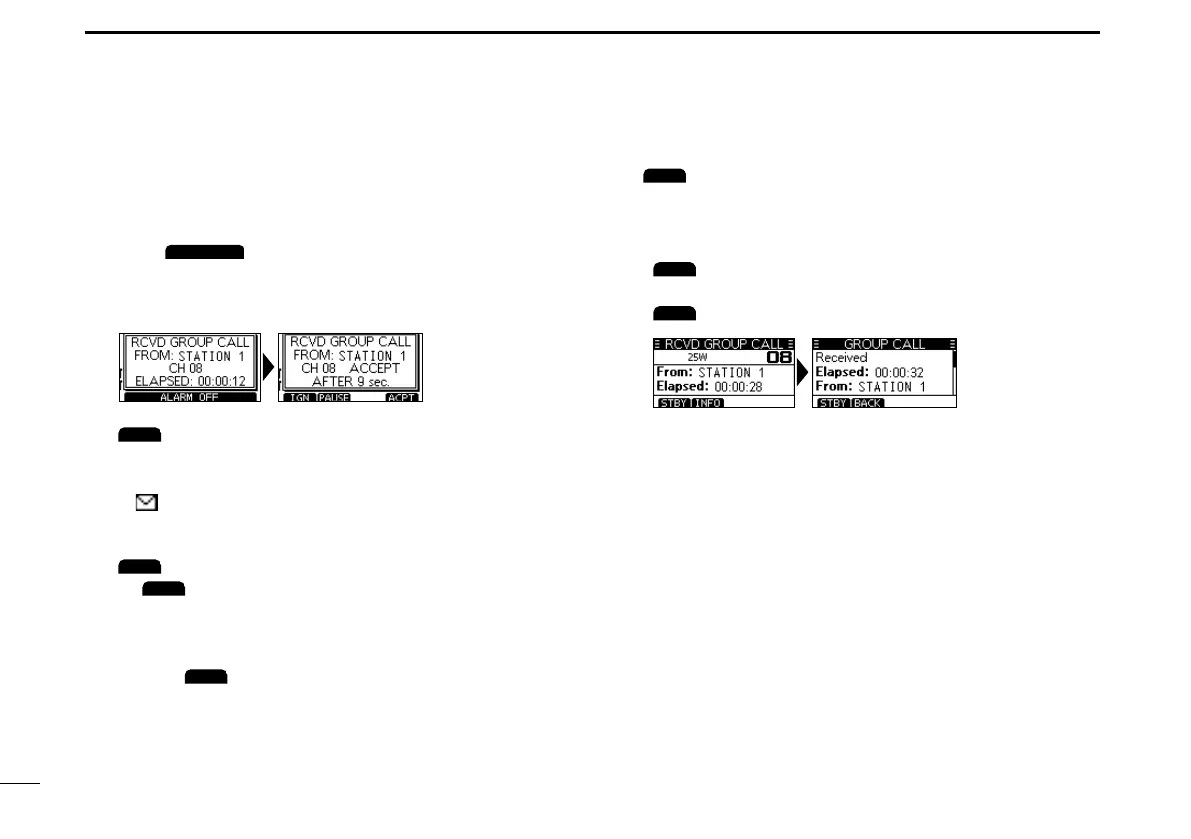
When a Group call is received:
• The alarm sounds for 2 minutes.
• “RCVDGROUPCALL”isdisplayed.
1. Push
to turn OFF the alarm.
L The channel that is assigned by the caller is automatically
selected after 10 seconds by default.
2. Pushthesoftwarekeybelowyournextoperation.
(Ignore):
• Ignores the call and returns to the operating screen.
• The call is saved in the DSC Log.
• “
” blinks continuously until you display the call
message.
(Pause):
L
is not displayed if the “CH Auto SW” item is set to
“Manual.” (p.42)
• Pausesthecountdownuntiltheassignedchannelis
automatically selected.
• Select
toresumethecountdown.
• The call is saved in the DSC Log.
(Accept):
• Accepts the call.
• The assigned channel is selected.
• The call is saved in the DSC Log.
:ClosestheGroupcall,andthenreturnstothe
operating screen.
:Thereceivedcall’sinformationisdisplayed.



 To Next Page