EasyManua.ls Logo

Icom IC-M324G - User Manual

Icom IC-M324G
100 pages
Print Icon
To Next Page IconTo Next Page
Loading...
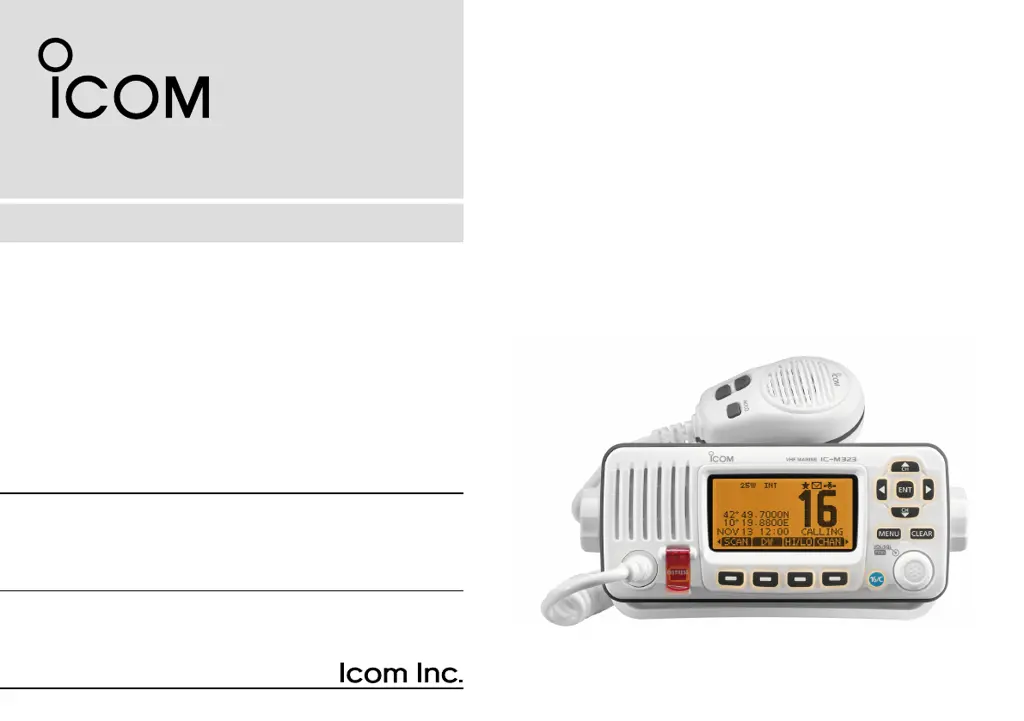
INSTRUCTION MANUAL
iM323
iM323G
iM324
iM324G
VHF MARINE TRANSCEIVER
This device complies with Part 15 of the FCC
Rules. Operation is subject to the condition that
this device does not cause harmful interference.

Table of Contents

Questions and Answers

  • K
    Kevin SanchezAug 4, 2025
    What to do if there is no sound from the Icom IC-M324G speaker?
    • C
      Charles PageAug 4, 2025
      If you experience little or no sound from the Icom Transceiver's speaker, there are several potential causes. First, the squelch level might be set too high; try setting the squelch to the threshold point. Second, the volume level could be too low; adjust the volume to a suitable level. Finally, if the speaker has been exposed to water, use the AquaQuake function to remove it.
  • M
    Mary JacksonAug 8, 2025
    How to fix Icom IC-M324G when it does not turn ON?
    • D
      Diana KnightAug 8, 2025
      If your Icom Transceiver does not turn on, the cause might be a bad connection to the power source. Check the connection to both the transceiver and the power source to ensure they are properly connected.
  • D
    destiny46Aug 12, 2025
    Why Icom IC-M324G transmitting is impossible?
    • J
      Jennifer LopezAug 13, 2025
      If transmitting is impossible or high power cannot be selected on your Icom Transceiver, it could be due to a couple of reasons. Some channels might be restricted to low power or receive only by regulations, so try changing channels. Alternatively, the output power might be set to low; push the [HI/LO] button to select high power.
  • F
    figueroasaraAug 17, 2025
    What to do if distress calls cannot be transmitted on Icom IC-M324G Transceiver?
    • S
      Sarah HuntAug 17, 2025
      If distress calls cannot be transmitted on your Icom Transceiver, the cause might be that the MMSI (DSC self ID) code is not entered. Enter the MMSI (DSC self ID) code to resolve this issue.
  • C
    Christopher HatfieldAug 21, 2025
    Why is Icom IC-M324G Transceiver GPS receiver not receiving valid position data?
    • M
      Matthew WolfeAug 21, 2025
      If the built-in GPS receiver in your Icom Transceiver (IC-M323G and IC-M324G models only) is not receiving valid position data, it may be because the built-in GPS antenna is covered by an object that interrupts the GPS signals from the satellites. Mount the transceiver in a location where no objects interrupt the satellite signal.
  • J
    Jay DavisAug 26, 2025
    How to start scan on Icom IC-M324G Transceiver?
    • M
      Mr. Robert MendezAug 26, 2025
      If the scan function does not start on your Icom Transceiver, it might be because favorite channels are not entered. Set the desired channels as favorite channels to enable the scan function.
  • C
    Christopher AtkinsonAug 29, 2025
    How to turn on beep sounds on Icom Transceiver?
    • D
      Diamond JohnsonAug 29, 2025
      If there are no beep sounds on your Icom Transceiver, it is likely that the beep tones are turned OFF. Turn ON the beep tones in the CONFIGURATION menu to restore the beep sounds.

Summary

FOREWORD

IMPORTANT

Essential safety and usage information for the transceiver.

EXPLICIT DEFINITIONS

Explains specific terms and symbols used in the manual.

FEATURES

Highlights key capabilities and design aspects of the transceiver.

IN CASE OF EMERGENCY

INSTALLATION NOTE

Guidelines for proper installation and RF exposure compliance.

RADIO OPERATOR WARNING

Determining MPE Radius

Explains how the Maximum Permissible Exposure radius is calculated.

FCC INFORMATION

NOTE

PRECAUTIONS

1 OPERATING RULES

Priorities

Rules for call priorities, including distress and safety calls.

Privacy

Guidelines on information overheard and appropriate language.

Radio licenses

Requirements for ship station and operator licenses.

2 PANEL DESCRIPTION

Front panel

Identification and function of front panel controls.

Function display

Explanation of icons and information shown on the transceiver's display.

Microphone

Details on the microphone's buttons and operation.

Softkey function

Explanation of how to assign and use softkey functions.

3 PREPARATION

Entering the MMSI code

Procedure for inputting the Maritime Mobile Service Identity code.

Entering the ATIS code

Procedure for inputting the Automatic Transmitter Identification System code.

4 BASIC OPERATION

Selecting a Channel

How to choose between different operating channels.

Selecting the Channel group

How to select appropriate channel groups for different regions.

Selecting a Weather channel

How to access and monitor weather channels.

Adjusting the volume and squelch levels

How to set audio volume and background noise suppression.

Receiving and transmitting

Step-by-step guide for sending and receiving radio communications.

Entering a Channel name

How to assign custom names to channels for easier identification.

Entering a Call channel data

Procedure to store frequently used channels for quick recall.

Microphone Lock function

How to prevent accidental button presses on the microphone.

Adjusting the Backlight level

How to set the brightness of the display and keys.

Using the AquaQuake water draining function

How to clear water from the speaker grill using a vibration function.

5 SCAN OPERATION

Scan types

Explanation of Priority and Normal scanning modes.

Setting Favorite channels

How to mark channels for inclusion in scan lists.

Starting a scan

Steps to initiate and manage channel scanning.

6 DUALWATCH;TRI-WATCH

Description

Overview of how Dualwatch and Tri-watch functions operate.

Operation

How to activate and use Dualwatch and Tri-watch modes.

7 DSC OPERATION

DSC address ID

How to enter and manage individual and group DSC addresses.

Entering a Group ID

Procedure for adding a 9-digit Group ID for DSC communication.

Deleting Individual and Group IDs

How to remove previously entered DSC addresses.

Entering position and time

Manual input of ship's location and UTC time for DSC calls.

Making a Distress call

Steps to initiate an emergency distress transmission.

Making a Regular call

How to specify the nature of distress for a distress call.

Canceling a Distress call

Procedure to cancel a distress call before acknowledgment.

Making an individual call

How to initiate a DSC call to a specific station.

Making a Group call

How to initiate a DSC call to a pre-defined group of stations.

Making an Individual Acknowledgement

How to respond to an incoming individual DSC call.

Making an All Ships call

How to broadcast a DSC message to all ships.

Making a Position Request Call

How to request a specific ship's location via DSC.

Making a Position Report Call

How to send your ship's location via DSC.

Making a Polling Request Call

How to check if a specific vessel is within communication range via DSC.

Making a Polling Request Reply call

How to respond to a polling request.

RECEIVING DSC calls

Receiving a Distress Call;Distress Acknowledgement

Procedures for handling distress alerts and acknowledgments.

Receiving an Individual Call

How to process incoming individual DSC calls.

Receiving a Group Call;Geographical Area Call;All Ships Call

How to handle group, area, or all ships DSC broadcasts.

Receiving a Position Request Call

How to process incoming position requests.

Receiving a Position Report Call

How to process incoming position reports.

Receiving a Polling Request call;Test Call

How to handle polling requests and test calls.

Receiving a Test Acknowledgement Call

How to process test call acknowledgments.

Transmitted Call log

Accessing and managing records of outgoing DSC calls.

Received Call log

Accessing and managing records of incoming DSC calls.

DSC Settings

Automatic Acknowledgement

Setting up automatic responses to incoming DSC calls.

Channel 16 Switch function

Configuration for automatic channel switching after distress calls.

Alarm

Setting DSC alarm types and their activation.

Channel 70 Squelch level

Adjusting the squelch sensitivity for Channel 70.

DSC Loop Test

Performing a diagnostic test on the DSC circuit.

Making an Individual call using an AIS transponder

How to make DSC calls via an connected AIS transponder.

8 MENU SCREEN OPERATION

Using the Menu screen

General guidance on accessing and navigating menu options.

Entering the Menu screen

Step-by-step process to open the main menu.

Menu screen items

An overview of all available options within the menu system.

MMSI;GPS Info

Display of preset MMSI, ATIS codes, and GPS data.

Radio Settings items

Scan type

Selecting between Normal and Priority scan modes.

Scan resume timer

Setting how long a scan pauses upon receiving a signal.

Dual;Tri-watch

Configuring simultaneous monitoring of multiple channels.

Channel Group

Selecting channel sets based on region or type.

Configuration items

Weather alert

Setting up alerts for NOAA weather broadcasts.

Backlight

Adjusting the brightness of the display and keys.

Display contrast

Adjusting the contrast level of the LCD screen.

Key Beep

Enabling or disabling audible feedback for button presses.

Key Assignment

Softkey assignment

UTC Offset

Inactivity Timer

NMEA Output

Remote ID

9 CONNECTIONS AND MAINTENANCE

Connections

Details on wiring and port connections for various devices.

Connect to the MA-500 TR

Instructions for connecting the MA-500TR AIS transponder.

Antenna

Importance of the antenna and advice on selection and mounting.

Fuse replacement

Procedure for replacing a blown fuse in the power cable.

Cleaning

Guidelines for cleaning the transceiver safely.

Supplied accessories

List of items included with the transceiver.

Mounting the transceiver

MB-132 installation

10 SPECIFICATIONS AND OPTIONS

General

Overview of general technical specifications like frequency and power.

Transmitter

Technical details related to the transmitter's performance.

Receiver

Technical details related to the receiver's performance.

Squelch sensitivity

Specifications for the squelch function's sensitivity.

Dimensions

Physical measurements of the transceiver unit.

Options

List and description of optional accessories for the transceiver.

11 TROUBLESHOOTING

13 INFORMATION

Country Code List

A list of country codes used for identification.

14 TEMPLATE

Icom IC-M324G Specifications

General IconGeneral
BrandIcom
ModelIC-M324G
CategoryTransceiver
LanguageEnglish

Related product manuals