21
7
DSC OPERATION
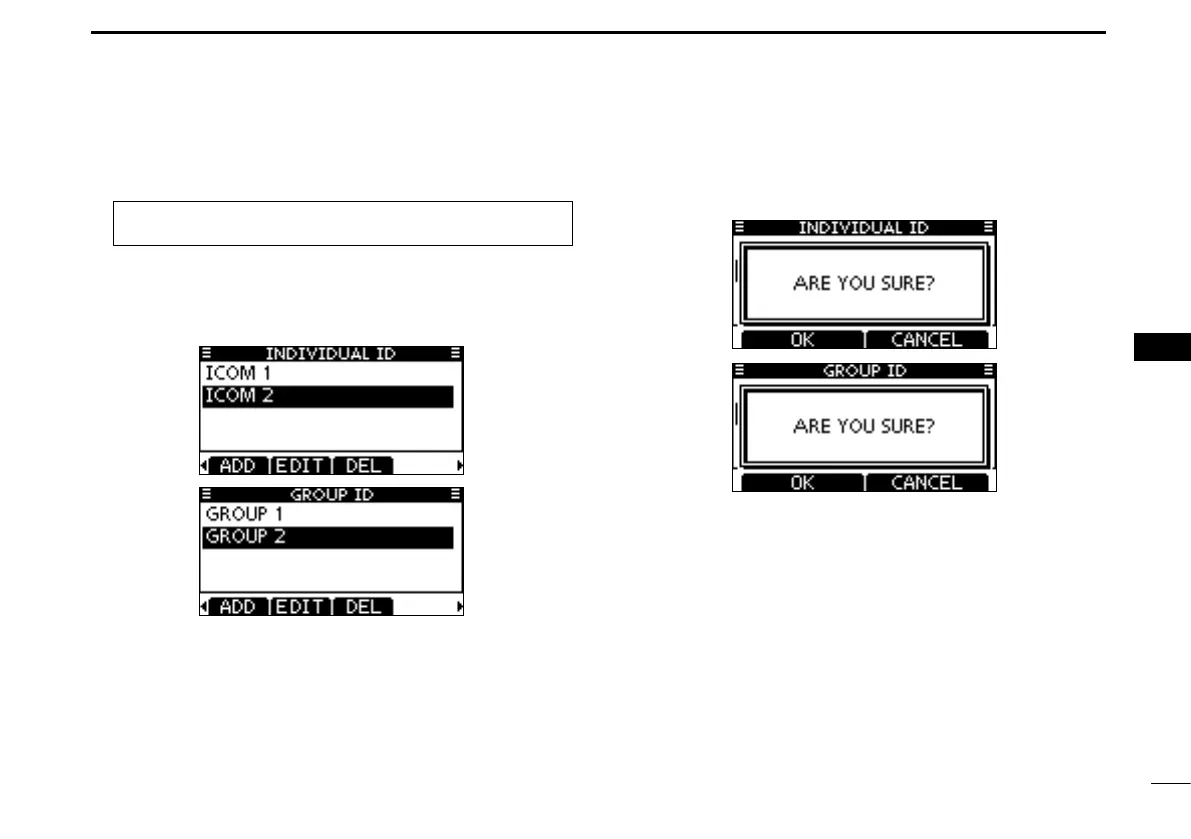
D Deleting Individual and Group IDs
Enter “INDIVIDUAL ID” or “GROUP ID” in the DSC SET- q
TINGS menu.
•WhennoaddressIDisentered,“NoID”isdisplayed.Inthiscase,
push [MENU] to exit the MENU screen.
Rotate Dial or push [ w Y]/[Z] to select a desired ID name,
then push [DEL].
Push [OK] to delete the ID, and return to the “INDIVIDUAL e
ID” or “GROUP ID” list screen.
•Push[CANCEL]tocancelit.
Push [MENU] to exit the MENU screen. r
1
2
3
4
5
6
7
8
9
10
11
12
13
14
15
16
MENU ➪ DSC Settings ➪
Individual ID
/
Group ID
(Push [MENU].)
(Rotate Dial, then push [ENT].)



 To Next Page