32
7
DSC OPERATION
New2001
■ Receiving DSC calls (Distress)
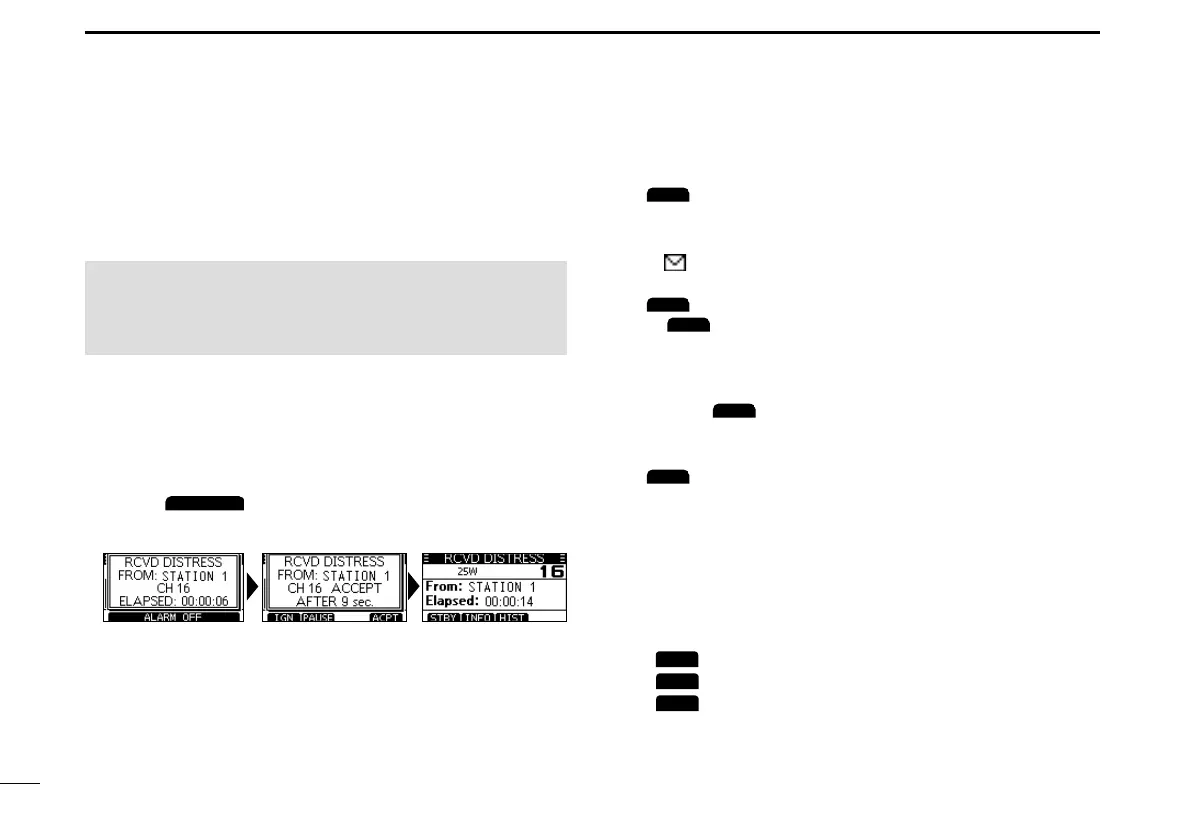
The transceiver receives Distress calls, Distress
Acknowledgementcalls,andDistressCancelcalls.
L When you receive a call, an emergency alarm sounds.
When a Distress call is received:
• The emergency alarm sounds until you turn it OFF.
• “RCVD DISTRESS” is displayed.
1. Push
to turn OFF the alarm.
2. Pushthesoftwarekeybelowtheintendedoperation.
(Ignore):
• Returns to the operating screen.
• The call is saved in the DSC Log.
• “
” blinks continuously until you display the call
message.
(Pause):
L
is not displayed if the “CH Auto SW” item is set to
“Manual.” (p.42)
• Pausesthecountdownuntiltheassignedchannelis
automatically selected.
• Select
toresumethecountdown.
• The call is saved in the DSC Log.
(Accept):
• Accepts the call.
• Channel 16 is automatically selected.
• Monitor Channel 16 as a coast station may require
assistance.
• After Channel 16 is selected, you can select your
nextoperationbypushingthesoftwarekeybelowthe
followingoptions.
EXIT
:Returnstotheoperatingscreen.
HIST
:
Displays the “DISTRESS HISTORY” screen.
INFO
:DisplaystheinformationofthereceivedDistresscall.
NOTE:ThescreensthataredisplayedwhenaDistress
calloranAcknowledgementcallisreceivedslightlydiffer
fromoneanother.Thefollowingstepsaredescribedusing
anexampleofreceivingaDistresscall.



 To Next Page