50
7
DSC OPERATION
New2001
■ Making DSC calls (Continued)
Making a D Polling Request Reply call
Make a Polling Request Reply call when a Polling Request
call is received.
When the “POSITION ACK” in DSC Settings is set to ‘Auto
TX’ (p. 62), the transceiver automatically transmits a reply call
when receiving a Polling Request call.
Quick Reply:
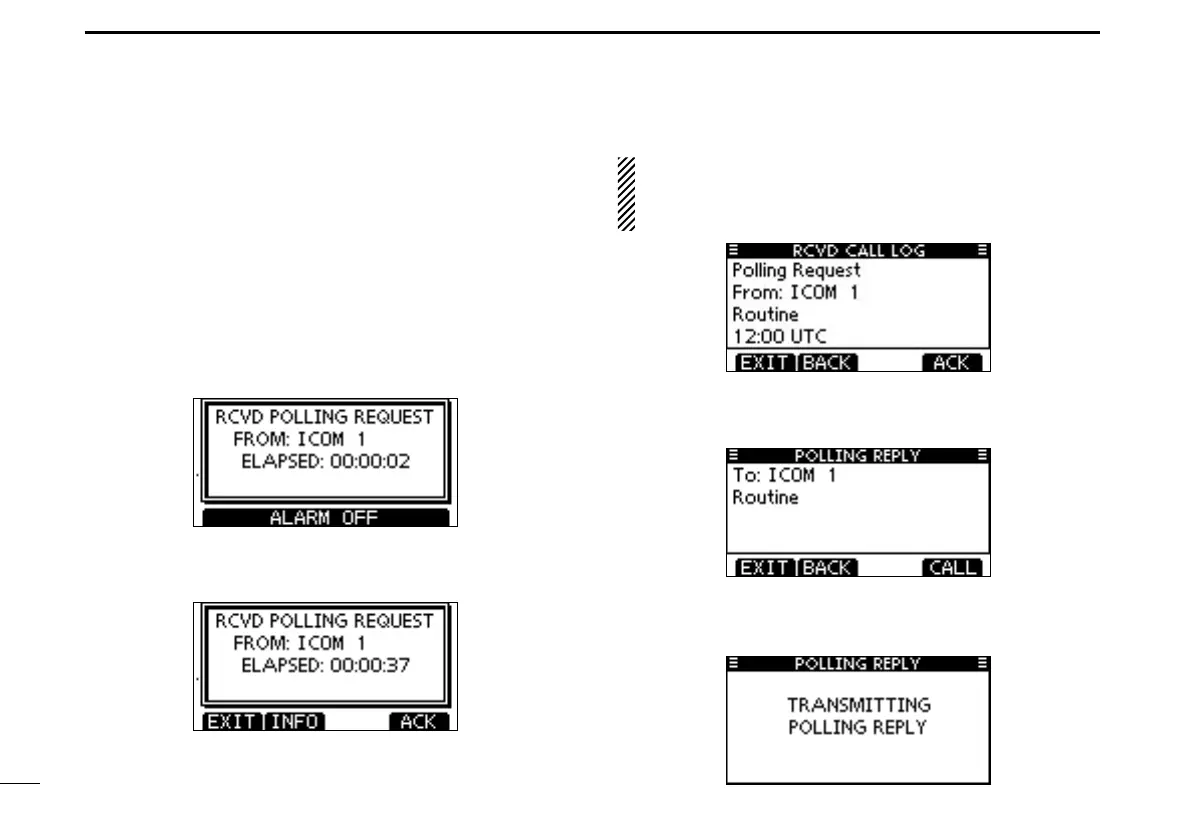
When a Polling Request call is received, alarm sounds q
and the screen as shown below is displayed.
Push [ALARM OFF] to stop the alarm.
Push [ACK]. w
•Push[EXIT]toreturntothenormaloperatingmode.
•Push[INFO]todisplaythePollingRequestcallinformation.
About Received call information:
•Push[EXIT]toreturntothenormaloperatingmode.
•Push[BACK]toreturntothepreviousscreen.
•Push[ACK]togotothenextstep.
The Polling Request Reply confirmation screen is dis- e
played.
Push [CALL] to make a reply call.
While transmitting the reply call, the screen shown below r
is displayed, and then returns to the normal operating
mode.



 To Next Page