22
7
DSC OPERATION
A Distress call should include the ship’s position and time.
If no GPS receiver is connected and built-in GPS receiver*
is not receiving valid position data, your position and UTC
(Universal Time Coordinated) time should be manually en-
tered. They are automatically included when a GPS receiver
compatible with the NMEA 0183 (ver. 2.0 or later) format is
connected.
*For only IC-M323G and IC-M324G.
•Manual entry is disabledwhen a GPS receiveris con-
nected.
•Manuallyenteredpositionandtimewillbeheldforonly
23.5 hours.
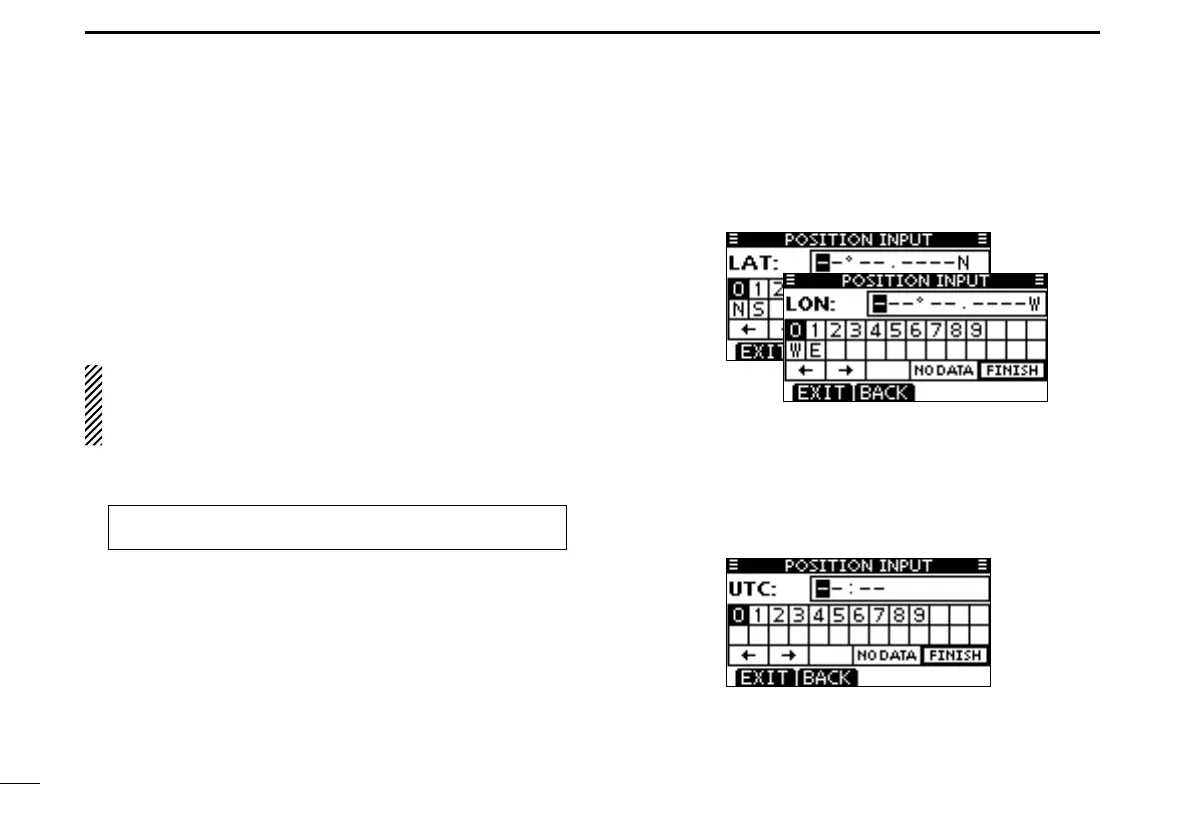
Enter “POSITION INPUT” in the DSC SETTINGS menu. q
Enter your latitude and longitude position using Dial, and w
[
Y]/[Z]/[Ω]/[≈].
•SelectadesirednumberusingDial,or[Y]/[Z]/[Ω]/[≈].
•Push[ENT]orDialtosetit.
•Tomovethecursor,selecteitherarrow,“←” or “→,” then push
[ENT] or Dial.
•SelectN(Northlatitude)orS(Southlatitude)whenthecursoris
on the ‘N’ or ‘S’ position.
•SelectW(Westlongitude)orE(Eastlongitude)whenthecursor
is on the ‘W’ or ‘E’ position.
•Push[EXIT]toreturntothenormaloperatingmode.
•Push[BACK]toreturntothepreviousscreen.
After entering the position, push [ENT] to save it. e
The UTC time entry screen is displayed, enter the UTC r
time in the following way:
•SelectadesirednumberusingDial,or[Y]/[Z]/[Ω]/[≈].
•Push[ENT]orDialtosetit.
•Tomovethecursor,selecteitherarrow,“←” or “→,” then push
[ENT] or Dial.
Push [ENT] or Dial to save your position and time. t
•Returntothe“DSCSETTINGS”screen.
Entering ■ position and time
MENU ➪ DSC Settings ➪ Position Input
(Push [MENU].)
(Rotate Dial, then push [ENT].)



 To Next Page