11
4
BASIC OPERATION
4
■ Call channel programming
Call channel is used to access Channel 9 (default), however,
you can program the call channel with your most often-used
channels in each channel group for quick recall.
q Push and hold [U/I/C] (CH/WX) for 1 sec. several times to
select the desired channel group (U.S.A., International or
Canada) to be programmed. (p. 9)
w Push and hold [9] (16) for 1 sec. to select the call channel
of the selected channel group.
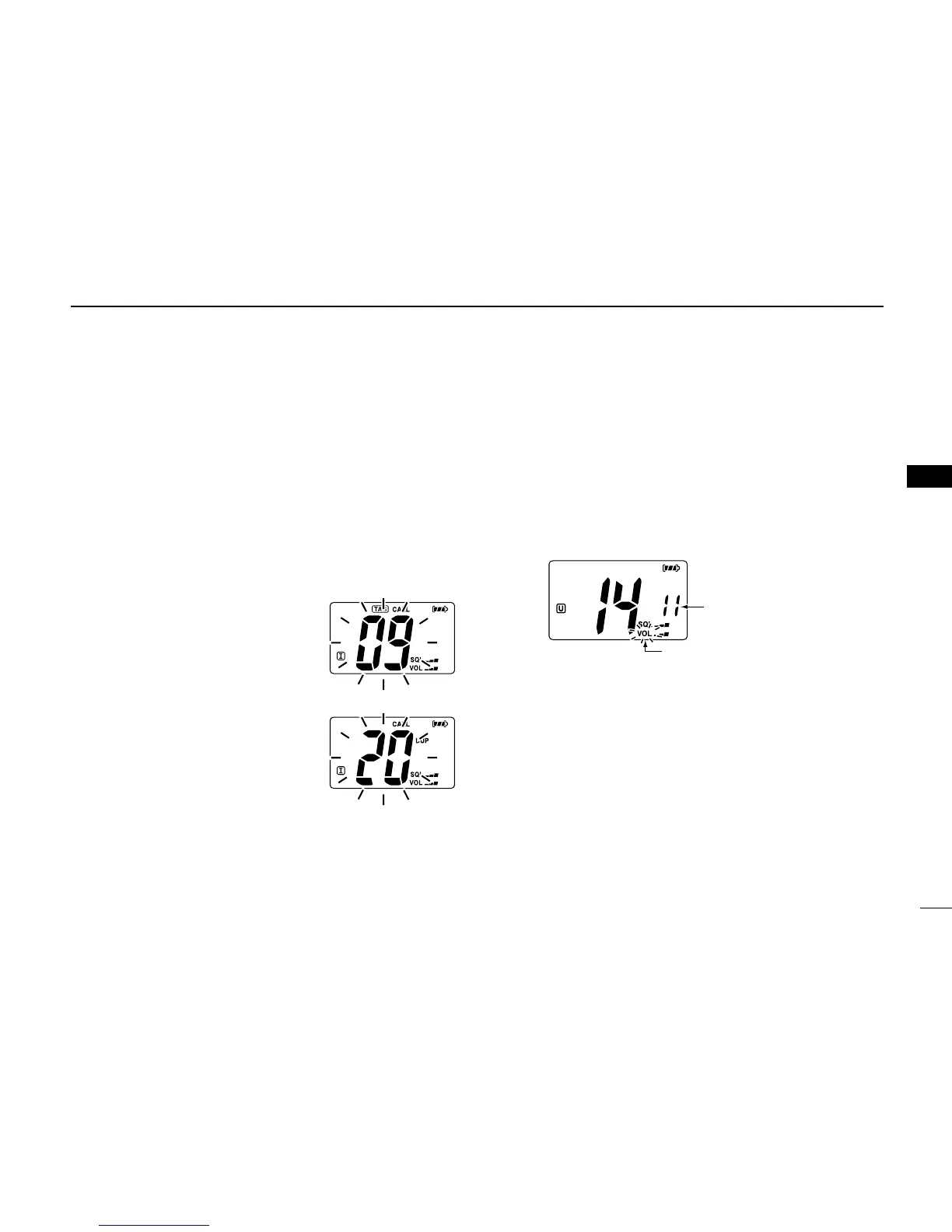
•“CALL” and call channel number appear.
e Push and hold [9] (16) again for 3
sec. (until a long beep changes to
2 short beeps) to begin call chan-
nel programming.
• Channel number starts blinking.
r Push [
YY
]/[
ZZ
] to select the desired
channel.
t Push [16] to program the dis-
played channel as the call chan-
nel.
• The channel number stops blinking.
■ Adjusting the volume level
The volume level can be adjusted with [VOL] and [
YY
]/[
ZZ
].
q Push [VOL], then adjust the volume level with [
YY
]/[
ZZ
].
•“VOL” indicator starts blinking.
• There are 31 volume levels and OFF.
• When no key is pushed for 5 sec., the transceiver returns to nor-
mal condition.
w Push [VOL] again to return to normal condition.
■ Volume mute function
The volume mute function can be activated temporarily with
[MUTE] (VOL).
q Push and hold [MUTE] (VOL) for 1 sec to activate the vol-
ume mute function.
• The audio is muted.
• The volume level indicator starts blinking.
w Push [VOL] again or turn power OFF to turn the volume
mute function OFF.



 To Next Page