12
4 BASIC OPERATION
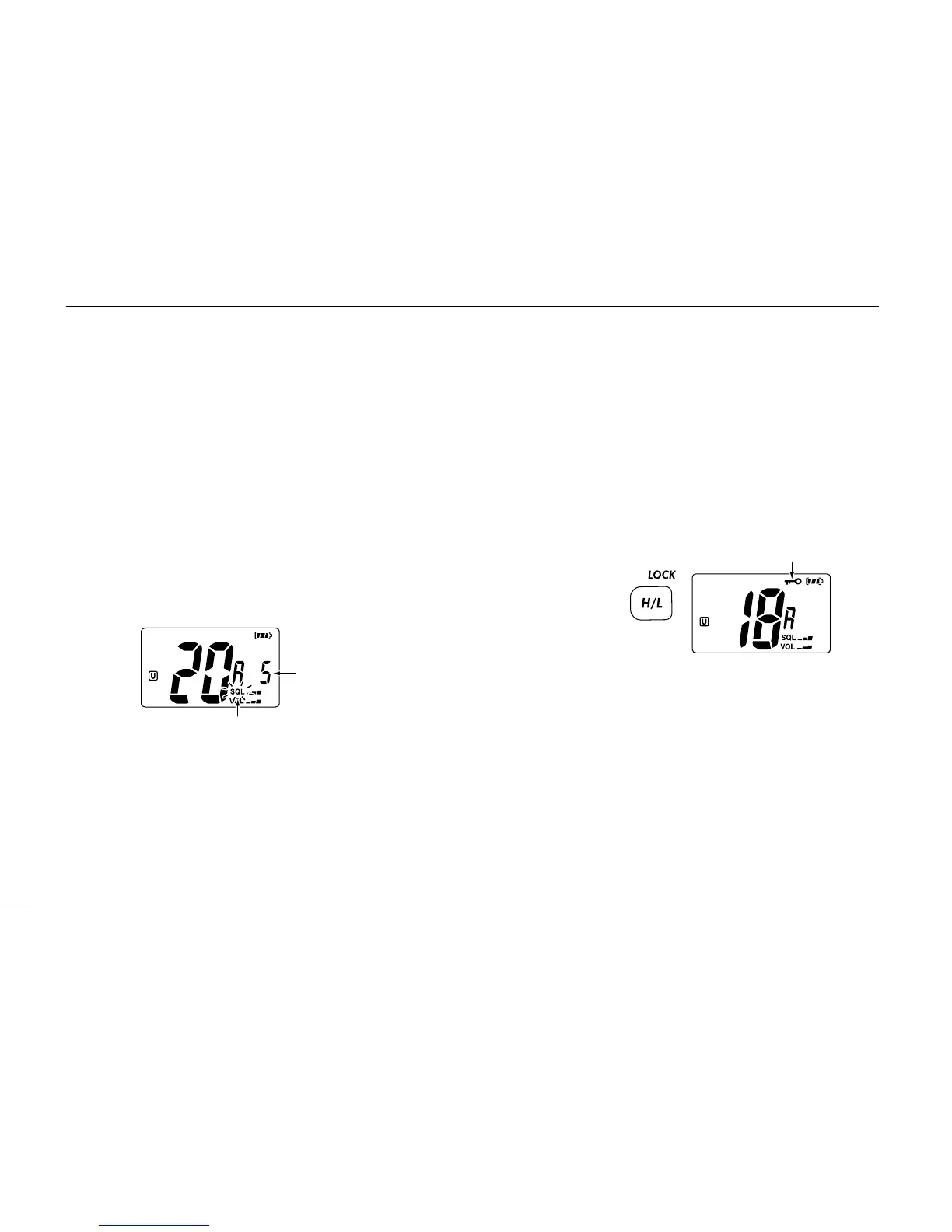
■ Adjusting the squelch level
To adjust the IC-M34’s squelch level, use the [
YY
]/[
ZZ
] keys as
described below. In order to receive signals properly, as well
as for the scan to function effectively, the squelch must be ad-
justed to the proper level.
q Push [SQL], then adjust the squelch level with [
YY
]/[
ZZ
].
• “SQL” indicator starts blinking.
• There are 11 squelch levels to choose from: OP is completely
open; 10 is tight squelch; 1 is loose squelch.
• If no key is pushed for 5 sec., the transceiver returns to normal
operation.
w Push [SQL] again to return to normal condition.
■ Lock function
This function electronically locks all keys (except for [PTT],
[SQL•MONI], [VOL•MUTE], [H/L•LOCK] and [
YY
]/[
ZZ
]*) to
prevent accidental channel changes and function access.
* After pushing [VOL•MUTE] or [SQL•MONI] only.
➥ Push and hold [LOCK] (H/L) for 1 sec. to turn the lock
function ON and OFF.
■ Automatic backlighting
This function is convenient for nighttime operation. The auto-
matic backlighting can be activated in set mode. (p. 19)
➥ Push any key except for [PTT] to turn the backlighting ON.
• The backlighting is automatically turned OFF after 5 sec. of in-
activity.



 To Next Page