24
8 BATTERY CHARGING
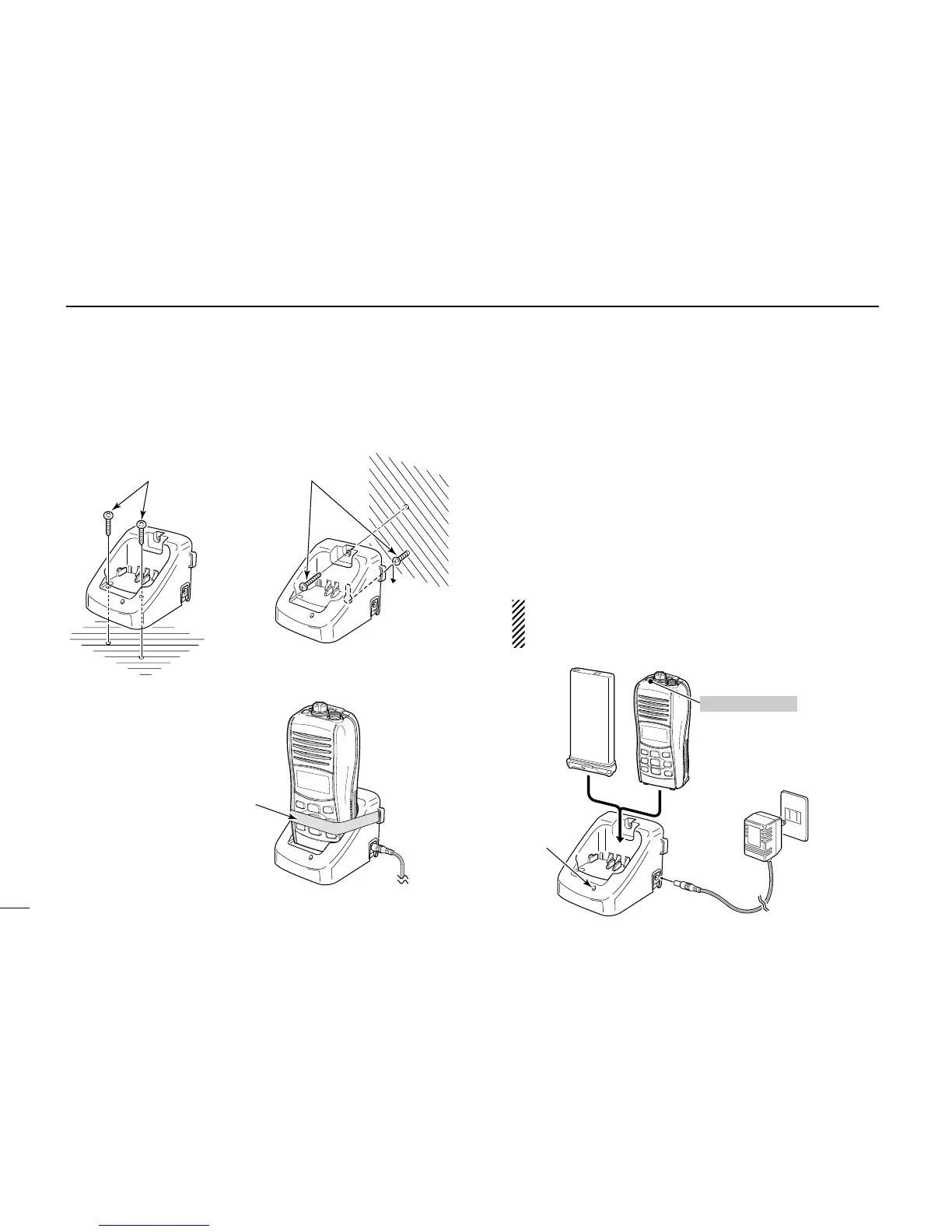
■ Optional battery charger
D BC-162 installation D Charging
q Connect the AC adapter as shown below.
w Insert the battery pack with/without the transceiver into the
charger.
• The charge indicator lights orange.
• The charge indicator blinks orange (or red) when the protector
is activated.
e Charge the battery pack approx. 2 hours, depending on
the remaining battery charge.
• The charge indicator lights green when charging is completed.
NOTE: The battery charger, BC-162, has a charging
timer. The timer stops the charging process after 4
hours (approx.).



 To Next Page