25
9
OPTIONAL SPEAKER-MICROPHONE
1
2
3
4
5
6
7
8
9
10
11
12
13
14
15
16
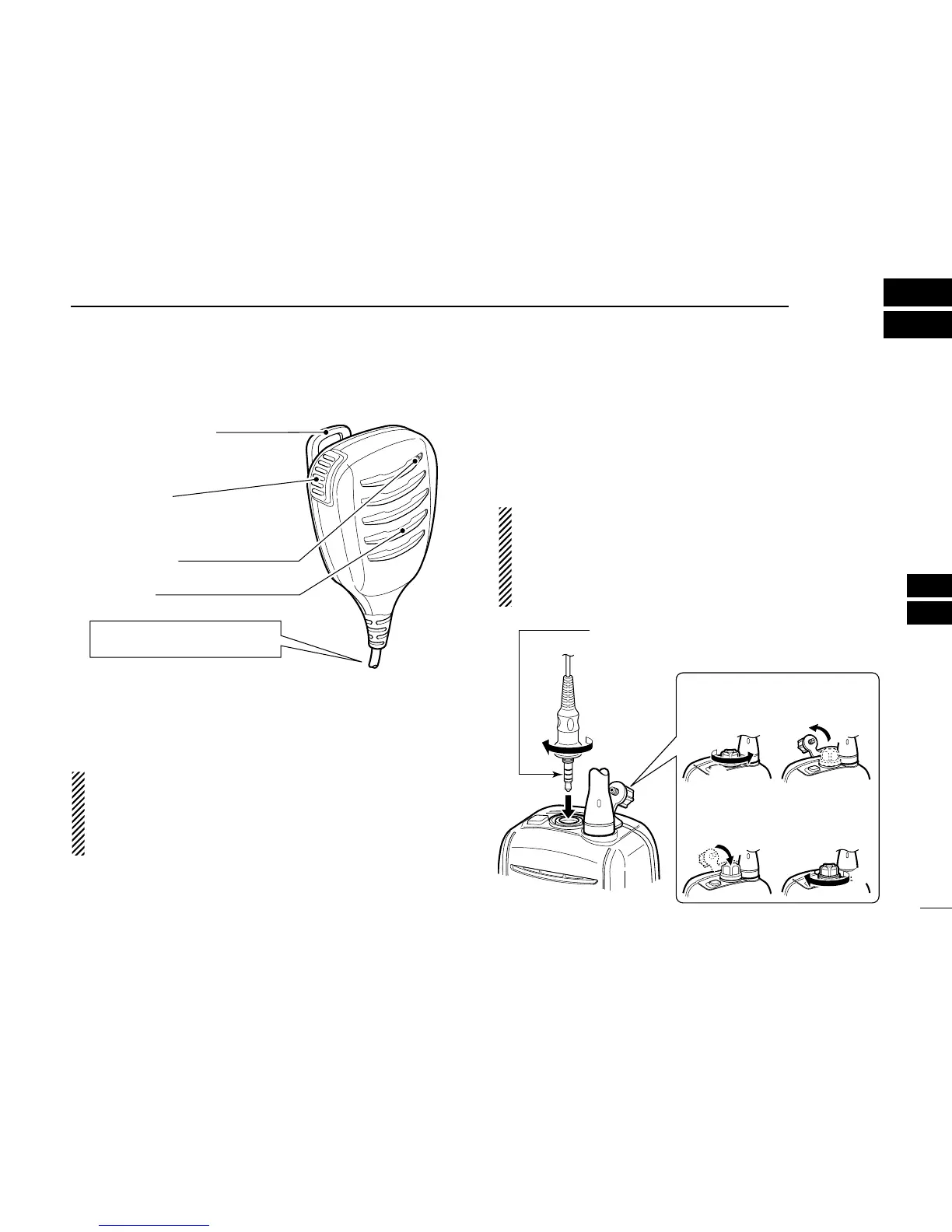
■ HM-165 descriptions
NEVER immerse the connector in water. If the connector be-
comes wet, be sure to dry it BEFORE attaching it to the trans-
ceiver.
NOTE: The microphone is located at the top of the
speaker-microphone, as shown in the diagram above. To
maximize the readability of your transmitted signal (voice),
hold the microphone approx. 2.5 cm (1 inch) from your
mouth, and speak in a normal voice level.
■ Attachment
Turn power OFF before attaching the speaker-microphone.
Then, insert the speaker-mic connector onto the [SP MIC]
connector and carefully screw it tight, as shown in the dia-
gram below. Be careful not to cross-thread the connection.
IMPORTANT: KEEP the transceiver’s [SP MIC] connector
cap attached when the speaker-microphone is not in use.
If the cover is not attached, water will get into the trans-
ceiver. Moreover, the terminals (pins) will become rusty, or
the transceiver will function abnormally if the connector has
become wet.
CAUTION: Attach the speaker-microphone’s
connector securely to prevent accidental
loss, or water intrusion in the connector.
Detaching:
Rotate the [SP MIC] cap counter-
clockwise (q), then detach it (w).
Attaching:
Attach the
[SP MIC]
cap (
q
), then
rotate it clockwise completely (
w
).
q
w
q
w
PTT switch
Transmits during push.
Receives during release.
Microphone
Speaker
Alligator type clip
To attach the speaker-mic.
to your shirt or collar, etc.
Turn the transceiver power OFF
when connecting the HM-165.



 To Next Page