EasyManua.ls Logo

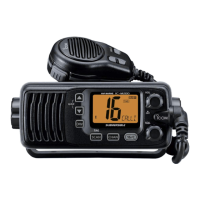
Icom IC-M24 - Service Manual

Icom IC-M24
27 pages
Print Icon
To Next Page IconTo Next Page
Loading...
S-14720XZ-C1
Apr. 2011
VHF MARINE TRANSCEIVER

Other manuals for Icom IC-M24

Questions and Answers

  • R
    Raymond HendersonJul 31, 2025
    How to unlock channels on Icom IC-M24?
    • D
      debbieclineJul 31, 2025
      If the displayed channel on your Icom Transceiver cannot be changed, the Lock function may be activated. To turn it OFF, hold down [ ] (Hi/Lo) for 1 second.
  • J
    Jeffrey CampbellAug 4, 2025
    Why is there no sound from my Icom IC-M24 speaker?
    • V
      Victor WhiteAug 5, 2025
      If there's no sound coming from the speaker of your Icom Transceiver, the squelch level might be set too high; try adjusting it to the threshold level. Alternatively, the volume level could be too low, so increase it to a suitable level. Finally, if the speaker has been exposed to water, remove the water from the speaker grill.
  • X
    xfordAug 10, 2025
    How to fix Icom IC-M24 that does not turn ON?
    • C
      Christina RandolphAug 10, 2025
      If your Icom Transceiver won't turn on, the battery may be exhausted; try recharging it. Also, ensure the battery pack is correctly inserted into the transceiver.
  • J
    Jerry CampbellAug 14, 2025
    What to do if transmitting is impossible or high power can not be selected on Icom IC-M24 Transceiver?
    • U
      uwoodwardAug 15, 2025
      If you can't transmit or select high power on your Icom Transceiver, some channels may be limited to low power or receive-only; try changing the channel. Also, check if the output power is set to low; push [Hi/Lo] to select high power. Finally, the battery may be exhausted; recharge it.
  • M
    Matthew MaloneAug 20, 2025
    How to turn on beep sounds on Icom IC-M24?
    • H
      Heather MartinezAug 20, 2025
      If there are no beep sounds on your Icom Transceiver, the Beep Tone function may be turned OFF. Turn ON the Beep Tone in the set mode.
  • C
    Calvin KeithAug 25, 2025
    Why scan does not start on Icom IC-M24?
    • K
      Kayla WilliamsAug 26, 2025
      If the scan does not start on your Icom Transceiver, desired channels may not be programmed as “TAG” channels. Set desired channels as “TAG” channels.

Summary

Section 3 Disassembly Instruction

Section 4 Circuit Description

Receiver Circuits

Description of the transceiver's receiver circuit blocks and functions.

Section 4 Circuit Description (Continued)

Section 5 Adjustment Procedure

Preparation

Lists required equipment and connection setup for adjustments.

Section 5 Adjustment Procedure (Continued)

Adjustment Utility Screen

Overview of the software interface for adjustments.

Receive Adjustments

Procedure for adjusting RX sensitivity and squelch.

Frequency Adjustments

Procedure for adjusting reference frequency and PLL lock voltage.

Transmit Adjustments

Procedure for adjusting TX output power levels.

Section 8 Board Layouts

Section 8 Board Layouts (Continued)

Section 9 Block Diagram

Icom IC-M24 Specifications

General IconGeneral
TypeHandheld VHF Marine Transceiver
Frequency Range156.000 - 163.425 MHz
Output Power5W / 1W
Waterproof RatingIPX7
Type of Emission16K0G3E
Battery LifeApprox. 10 hours (with BP-288)

Related product manuals