EasyManua.ls Logo

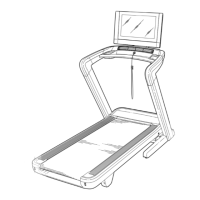
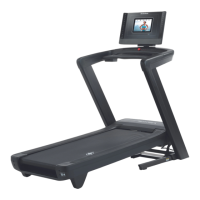
ICON Health & Fitness NORDICTRACK COMMERCIAL 2950 User Manual

ICON Health & Fitness NORDICTRACK COMMERCIAL 2950
44 pages
To Next Page IconTo Next Page
Page #1 background imageLoading...
Page #1 background image
Serial Number
Decal
Model No. NTL22115.1
Serial No.
Write the serial number in the space
above for reference.
CAUTION
Read all precautions and instruc-
tions in this manual before using
this equipment. Save this manual
for future reference.
www.nordictrack.com
USER’S MANUAL
ACTIVATE YOUR
WARRANTY
To register your product and
activate your warranty today, go
to www.nordictrackservice.com/
registration.
CUSTOMER CARE
For service at any time, go to
www.nordictrackservice.com.
Or call 1-800-TO-BE-FIT
(1-800-862-3348)
Mon.–Fri. 6 a.m.–6 p.m. MT
Sat. 8 a.m.–12 p.m. MT
Please do not contact the store.

Questions and Answers:

ICON Health & Fitness NORDICTRACK COMMERCIAL 2950 Specifications

General IconGeneral
Running Area22" x 60"
Speed0-12 MPH
Weight Capacity300 Lbs
Warranty10-Year Frame, 2-Year Parts, 1-Year Labor
FoldingYes
Heart Rate MonitoringYes
Cooling FanYes
iFit CompatibilityiFit Enabled

Summary

Warning Decal Placement

Important Precautions

Before You Begin

Assembly

The Chest Heart Rate Monitor

How to Put on the Heart Rate Monitor

Step-by-step guide for wearing the heart rate monitor correctly.

How to Use the Treadmill

How to Connect the Power Cord

Detailed steps for connecting the treadmill's power cord safely.

Use a Surge Suppressor

Emphasizes the importance and specifications of a surge suppressor.

How to Upgrade the Console

Features of the Console

How to Turn on the Power

How to Use the Touch Screen

How to Set Up the Console

How to Use the Manual Mode

Change the incline of the treadmill as desired

How to adjust the treadmill's incline level during a workout.

How to Use an Onboard Workout

How to Use a Set-a-Goal Workout

How to Use an iFit Workout

How to Use the Equipment Settings Mode

How to Use the Internet Browser

How to Use the Maintenance Mode

Update the console firmware

Guide for checking and installing console firmware updates.

Calibrate the incline system of the treadmill

Detailed steps for calibrating the treadmill's incline mechanism.

How to Use the Wireless Network Mode

Set up and manage a wireless network connection

Connecting to a specific Wi-Fi network and managing settings.

How to Adjust the Cushioning System

How to Fold and Move the Treadmill

How to Fold the Treadmill

Instructions on how to properly fold the treadmill for storage.

Maintenance and Troubleshooting

Maintenance

Guidelines for regular cleaning and upkeep of the treadmill.

Symptom: The power does not turn on

Troubleshooting steps for when the treadmill fails to power on.

Symptom: The power turns off during use

Solutions for the treadmill unexpectedly shutting off during operation.

Symptom: The incline of the treadmill does not change correctly

Steps to resolve issues with the treadmill's incline system.

Symptom: The walking belt slows when walked on

Troubleshooting steps for a walking belt that loses speed.

Symptom: The walking belt is off-center or slips when walked on

How to adjust the walking belt if it drifts or slips.

Symptom: The walking belt slips when walked on

Further troubleshooting for a slipping walking belt.

Exercise Guidelines

Related product manuals