9
6
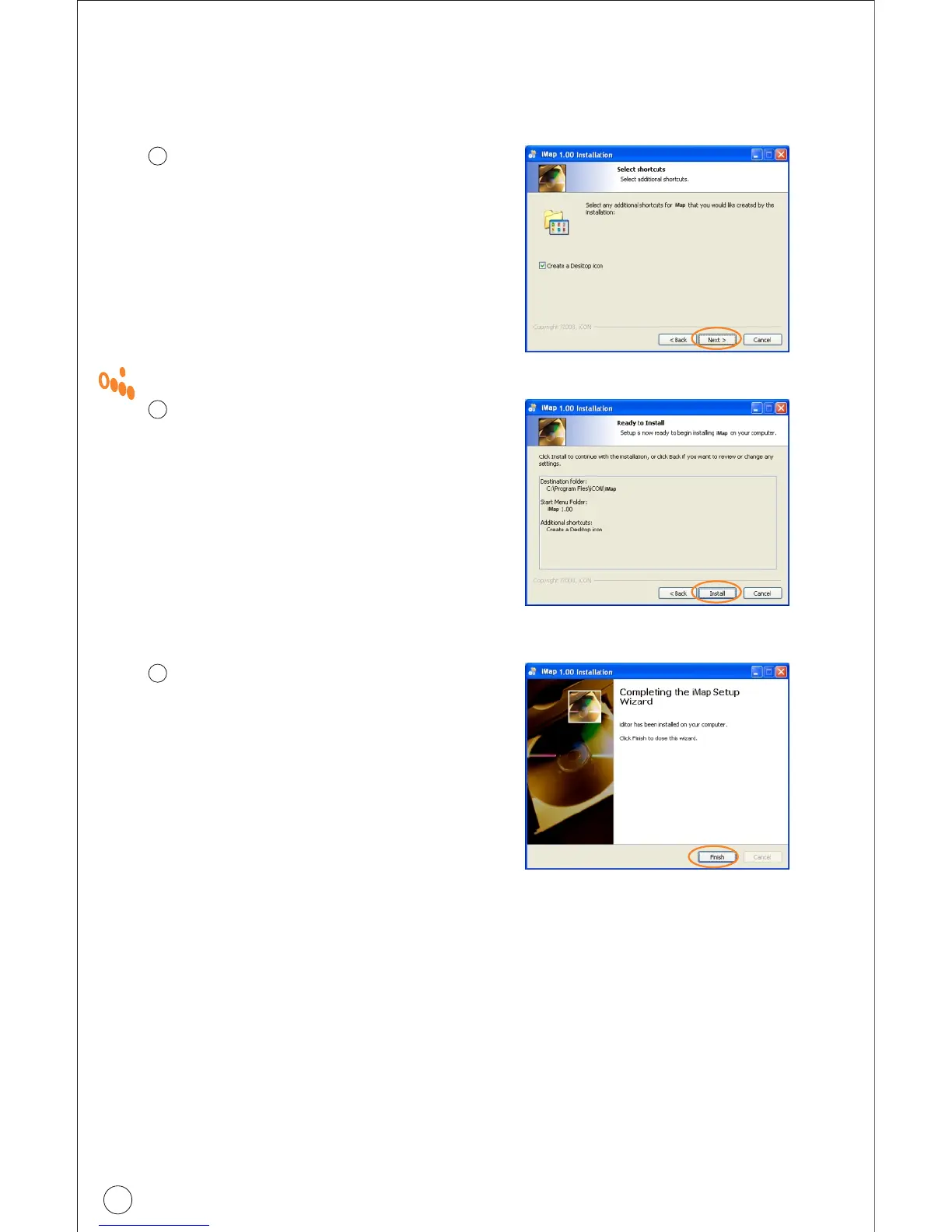
Create a shortcut on your desktop
Please untick the box if you do
not want to place a shortcut icon
TM
on your desktop for iMap ,
otherwise click "Next"
7
TM
iPad started to install
TM
The iMap installation has now
started, wait for it to finish. Then
click "Finish"
8
Installation finished
Click "Finish" to complete the
TM
iMap software installation.
TM
Installing iMap Software for Windows(continues)
Pa d
Diagram 5
Diagram 6
Diagram 7



 To Next Page