26
The iMAP
TM
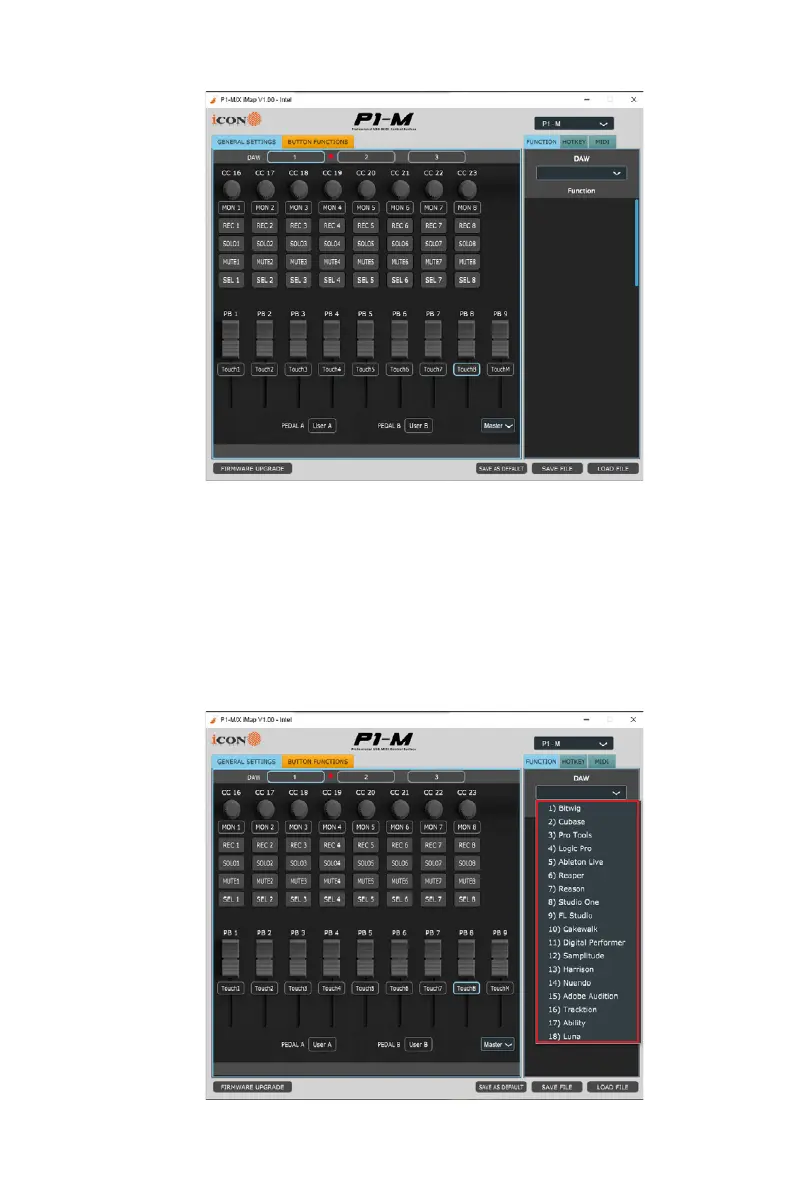
The intelligent design of the new, highly advanced iMap means that users can make
changes in real time - no need for 'sending data'. Users can load three DAWs of their
choice via the three buttons at the top of the iMAP.
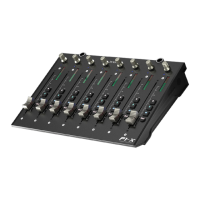
Simply click and load the DAW of your choice via the drop down box for each of the
three buttons 1, 2 and 3.
In this example, let's use Bitwig for our rst DAW, Cubase for our second and Logic
Pro as our third. First let's choose Bitwig.
Click button one and choose Bitwig from the drop down box.


 To Next Page