34
Other Functions in iMap
TM
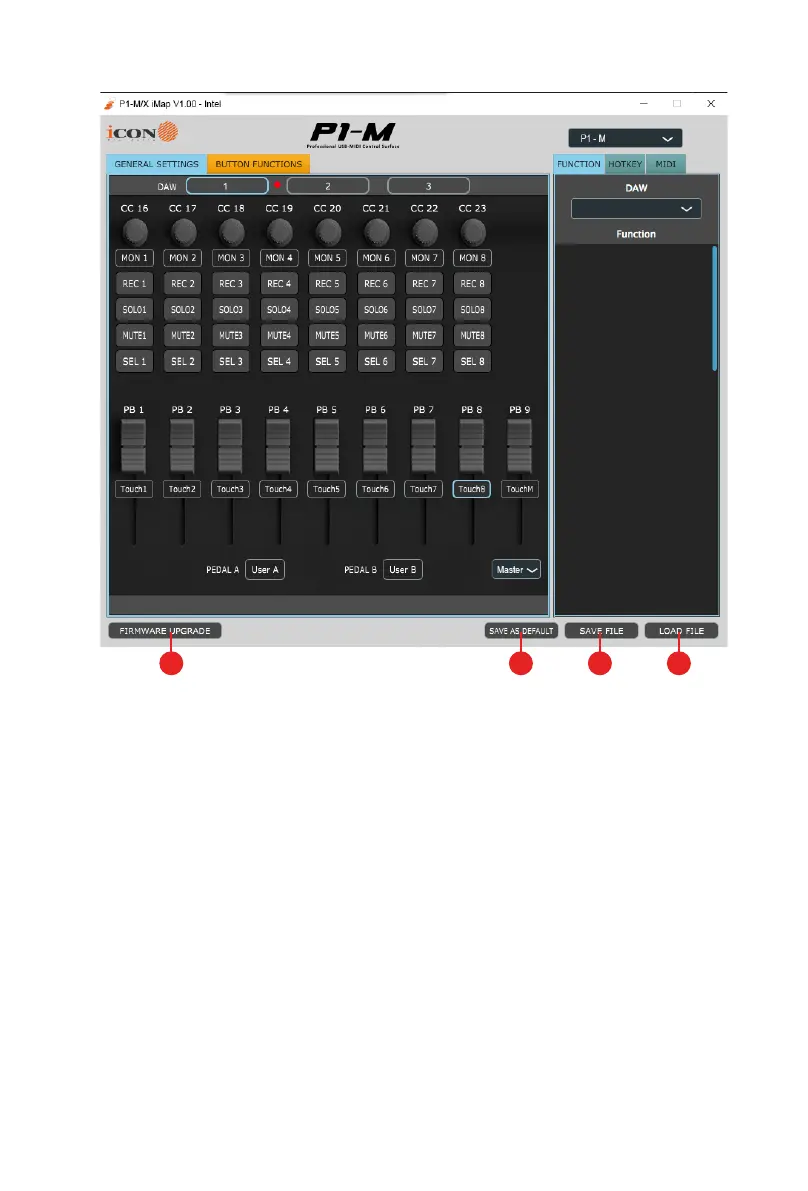
1. “Save le” button
Click this button to save your current settings for the P1-M. The le is an. “ imap”
le.
2. “Load le” button
Click this button to load a previously saved “. imap” setting le for your P1-M.
3. “Firmware Upgrade” button
Click this button to enter into the rmware upgrade window for P1-M. Please
refer to the rmware upgrade procedure, which follows.
4. "Lock" button
Click this button to lock the touchscreen settings in place.
1 23 4


 To Next Page