60
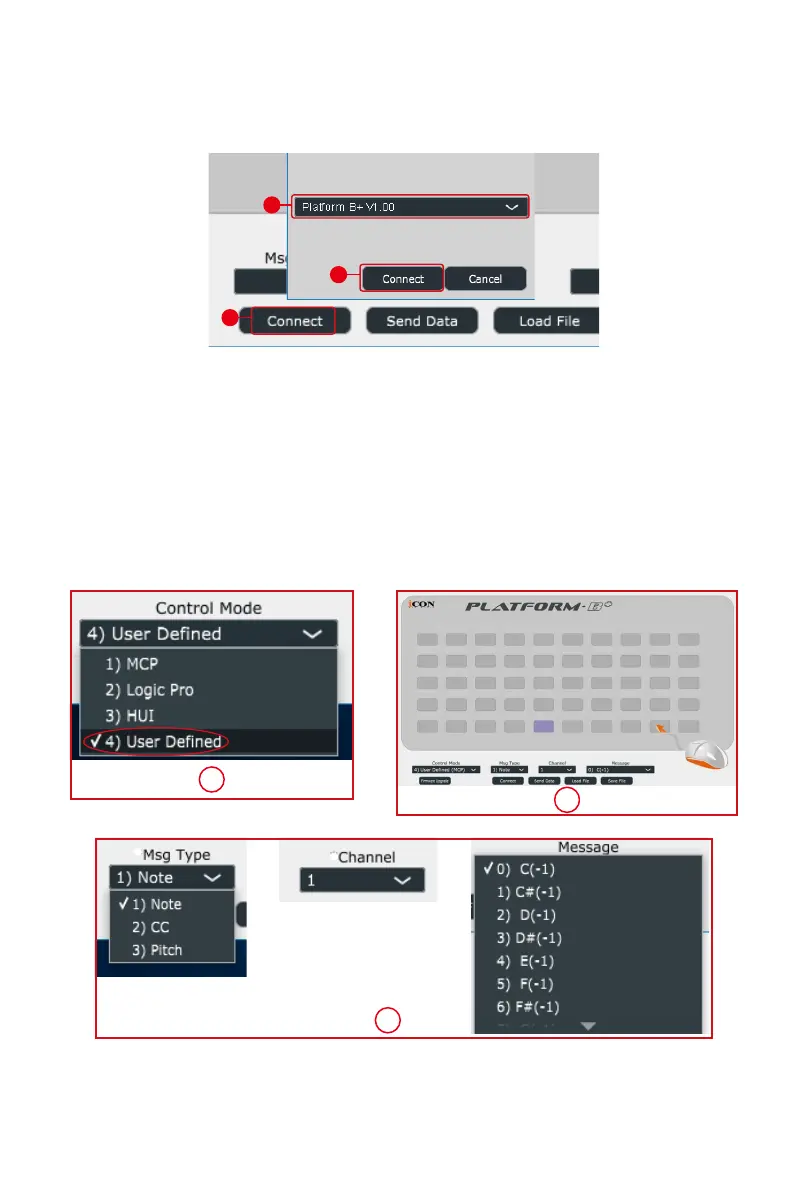
3. Select “Platform B+” at the pop-up menu as your MIDI out
device.
4. ①
Select the “User Dene” mode.
②
Then select the control
elements (the buttons) that you would like to assign a new
midi function.
③
After selecting a control element, select the
mapping value you want, from the pull down menu of "Msg
Type", "Channel", and "Message". Please see below for each
control element setting in User-Dened Mode.
5. After you have nished all setting, click “Send Date” button.
6. Close iMap.
2
3
1
1
2
3


 To Next Page