61
Control Element Setup in User-Dened Mode
iMap
TM
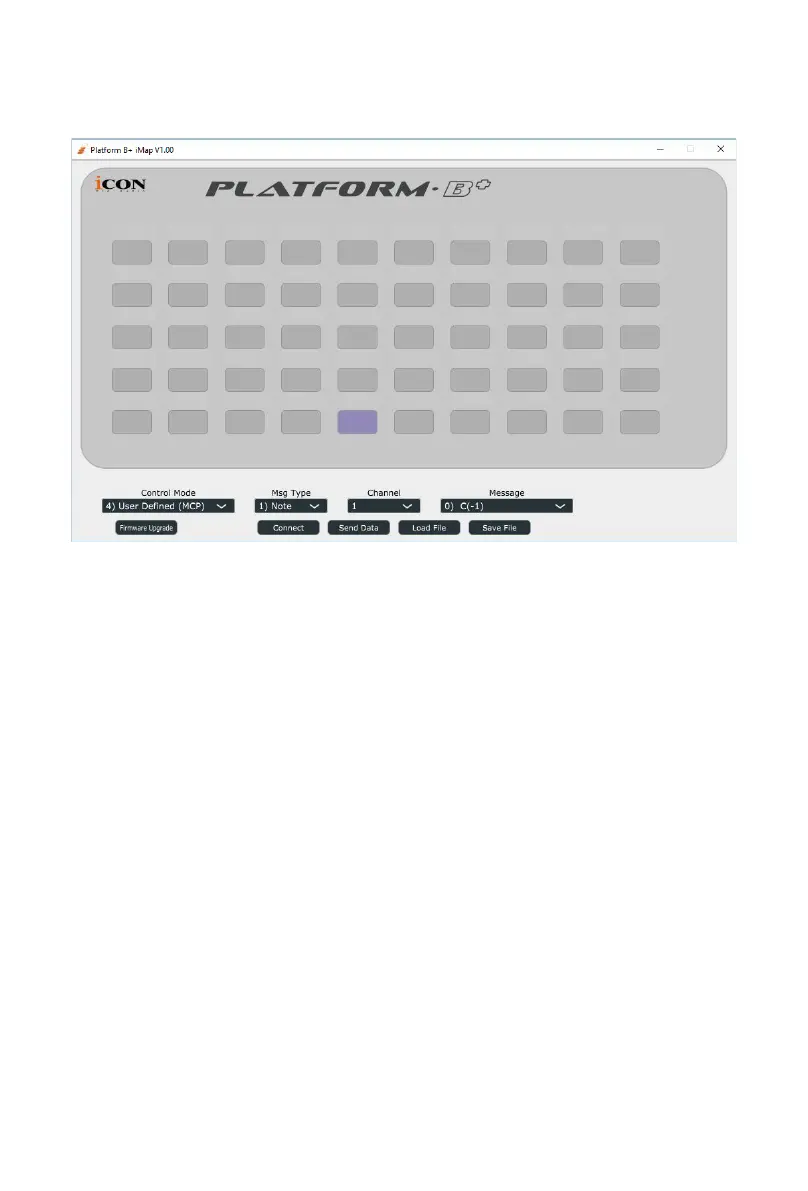
Platform B+ software panel
You may re-assign each button with different function via iMap. Follow the
procedures below for the assignment.
1. Connect Platform B directly to your PC/Mac with the USB connection.
2. Launch iMap software.
3. Click the “Connect” button and select “Platform B+ V1.00”, then click “OK”
4. Click a button to make an assignment; it should turn blue.
5. Select a “Control Mode” according to the DAW you are using.
6. Select a function from the drop down “Function” menu.
7. Repeat steps 4 & 6 to assign functions to all the other buttons.
8. Click the “Send Data” button after completing assignment.
Please refer to the appendix for the function list with different control modes.


 To Next Page