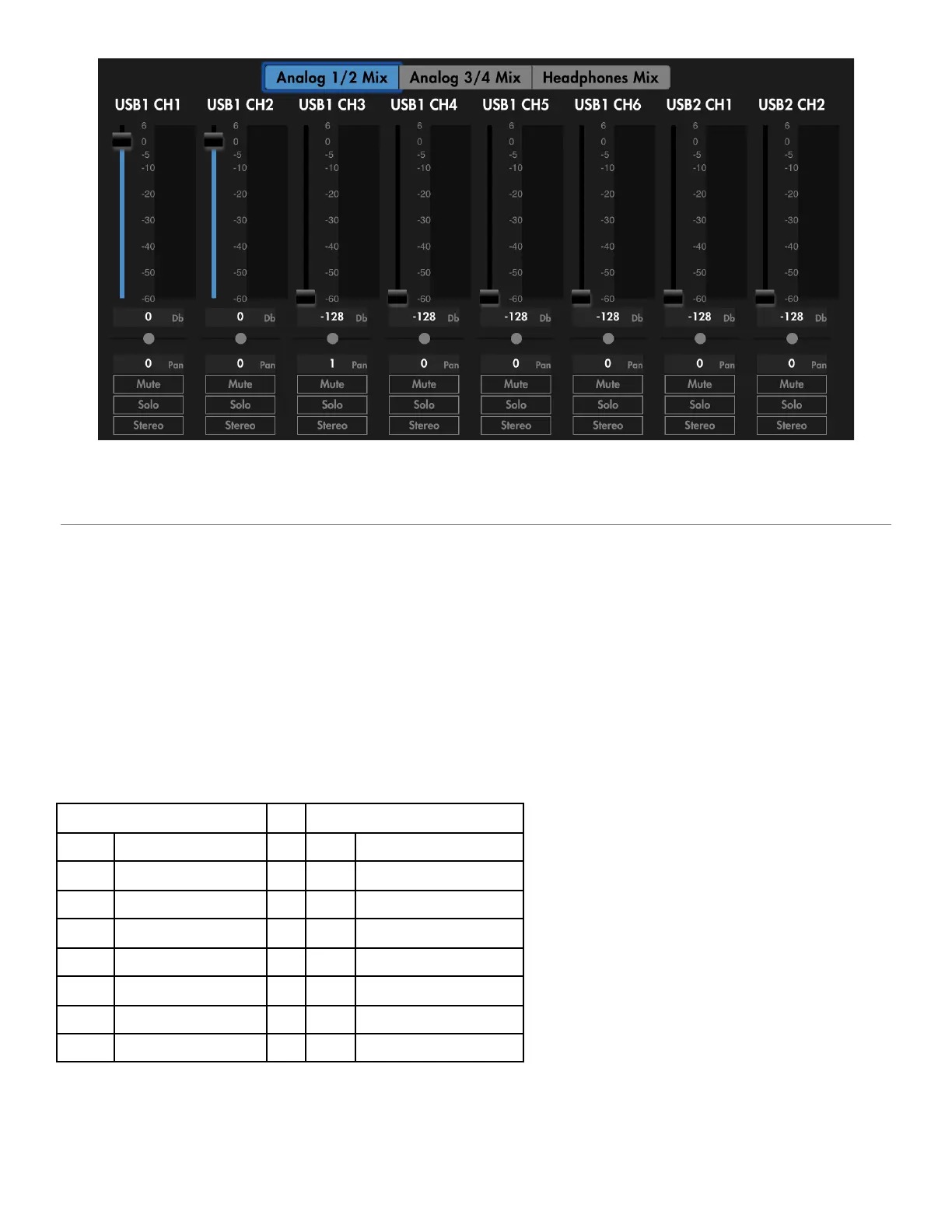
Play USB1 Analog output page, stereo unselected
Play USB 2
● This sets Audio inputs 1-4 to both USB ports 1 and 2 on their 1-4 inputs.
● USB Port 1’s outputs 1-2 to USB Port 2’s inputs 5-6.
● USB port 2’s outputs 1-2 to USB port 1’s inputs 5-6.
● The mix configuration is the main difference between Play USB1 and Play USB2, which can be
seen in the mixer settings: the analog inputs are not passed to Analog 1/2, Analog 3/4, or
Phones mix.
DAW input list for Play USB1 mode:
AUDIO4c User Guide v2021-0002 Page 15


 To Next Page