23
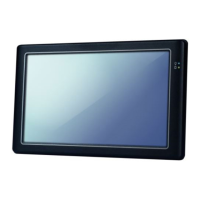
PMX-090T DM&P Vortex86MX+ Panel PC with 9” WSVGA TFT LCD
4. Go to the PCI/PnP and make the “PCI IDE BusMaster” is “Disable"
< XP professional /Home /Embedded and Windows 2000
installation note >
Please visit technical website to get more information: tech.icop.com.tw
<Enhance CF to run the UDMA2/4>
Please select ICOP “ICF Card” to supporting UDMA 2/4 Mode.
<How to boot up from the Micro SD card>
1. Get into the BIOS setup Utility
2. Go to the Advanced
3. Choose Primary IDE Pin Select: SD card
4. Press “F10” to save configuration changes and exit setup
Artisan Technology Group - Quality Instrumentation ... Guaranteed | (888) 88-SOURCE | www.artisantg.com


 To Next Page