- 45 -
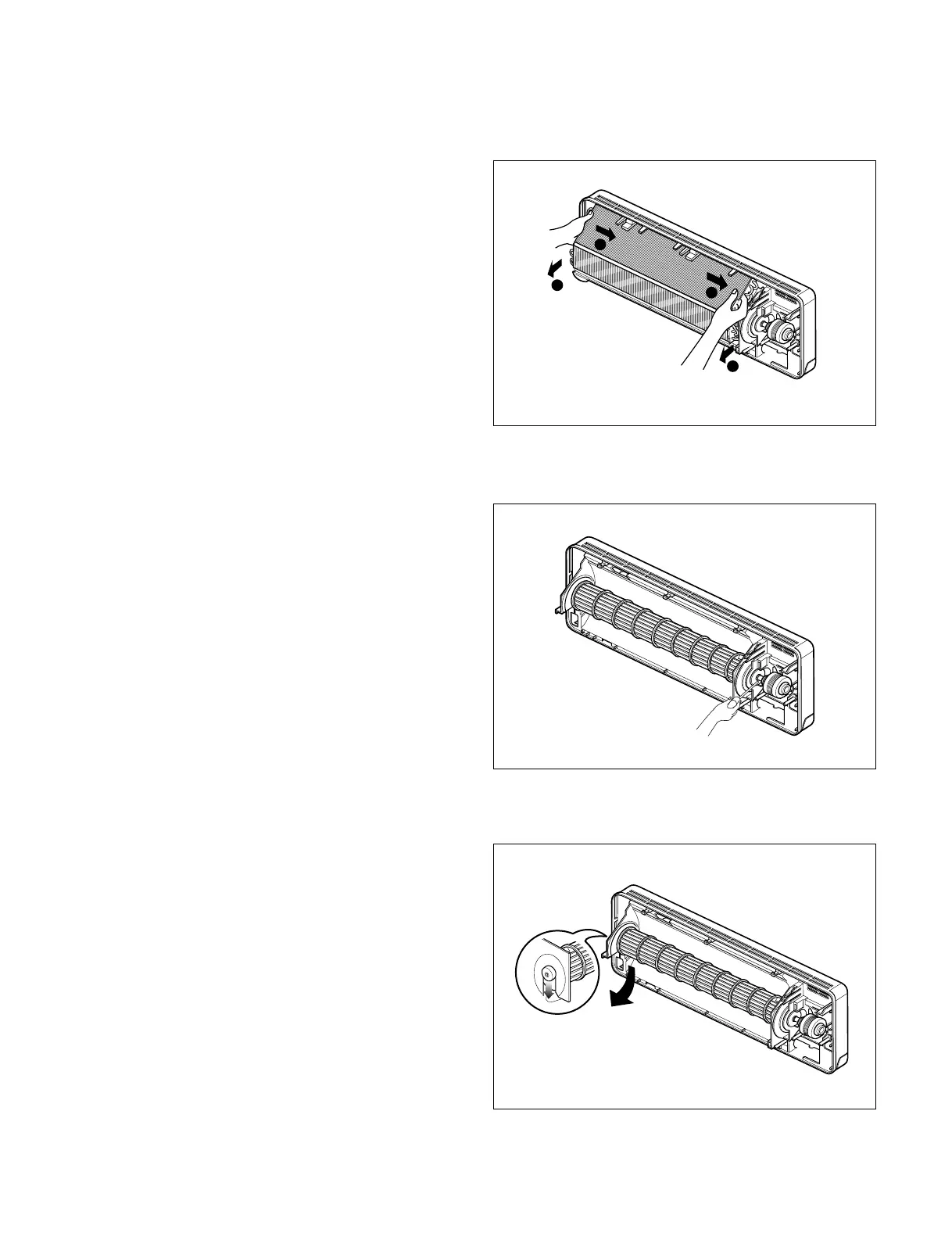
• Push right carefully in order to unhook the taps on
the right side of the chassis and pull the evapora-
tor toward you.
5. To remove the Cross-Flow Fan
• Loosen the screw securing the cross-flow fan to
the fan motor(do not remove).
• Pull the left end of the cross-flow fan with the
selfaligning bearing out the groove.
• Remove the cross-flow fan by sliding it out from
the shaft of fan motor.
6. To remove the Fan Motor
• Pick it up from the groove. (Do not remove a black
rubber as a spacer).



 To Next Page