© 2021 ICS®, Oregon Tool Inc. REV12232021 P/N 610794
536-E OPERATOR MANUAL
34
ENGLI SH
Operation
IMPORTANT
SYSTEM CLEAN-UP
• After cutting, run the power cutter for at least 15 seconds with the water on to
flush slurry and debris from diamond chain, guidebar and drive sprocket
•
•
water. Lubricate tensioner with waterproof grease
• After cleaning the power cutter, spray the entire power cutter body, chain,
power cutter will minimize rust and help reduce slurry build up
AFTER EACH USE
• Inspect drive sprocket for wear
the tops of the sprocket teeth
• Inspect and tighten all fasteners as necessary
•
•
• Check guidebar and chain for damage or excessive wear.
• Parts with damage or excessive wear should not be used or repaired, they should
be replaced.
•
or damage.
• If storing in temperatures below freezing, be sure use compressed air to blow out
all water from the tool.
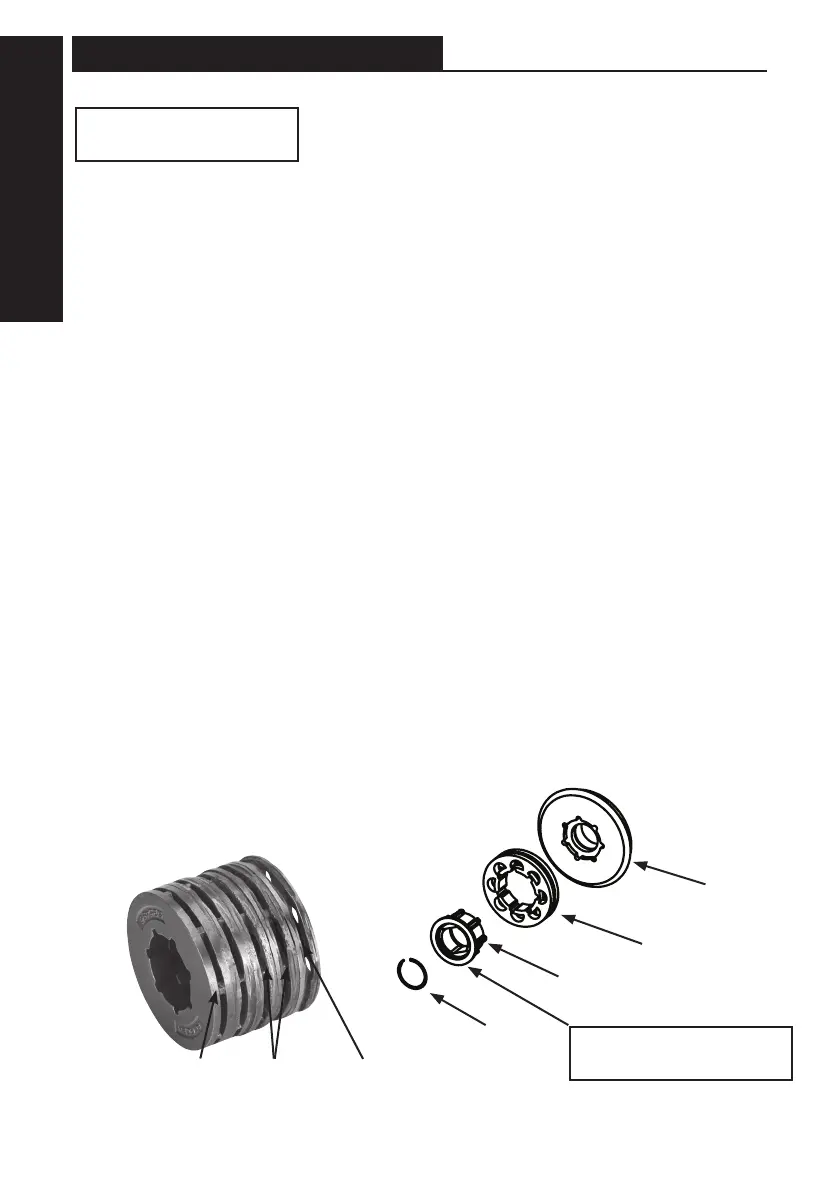
Power Cutter side
Shaft sling
labyrinth
Drive
Sprocket
Spline
Adaptor
Snap Ring
Flanged side facing out
IMPORTANT
• The drive sprocket is a wear item and
should be replaced every two to three
chains, or when the teeth become
pointed or if a groove cuts through top
of tooth.
• Inspect the sprocket for wear.
• Inspect drive shaft for wear.
DRIVE SPROCKET
replacing



 To Next Page