V SERIES USER’S MANUAL
19
Hints: In the software, please don’t set the work area
that exceeds the effect work area. Also please pay
attention to position between the original point and left
side of the cutter to prevent the bounded system takes
effect.
6.1.3 Back to the original point automatically
When turn on the machine, the carriage will back to the original point automatically.
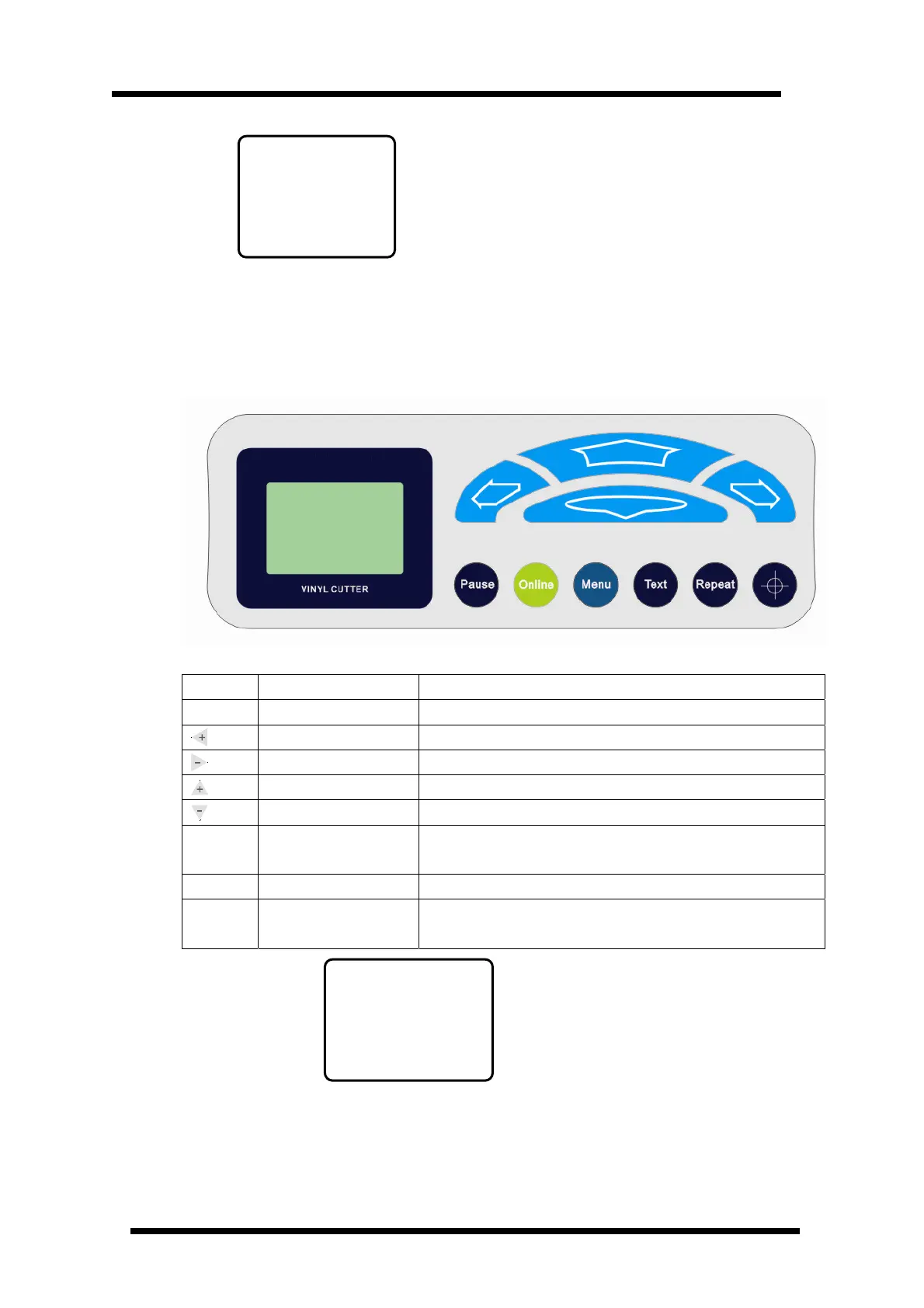
6.2 under Online mode, Keyboard Function Definition
※ First Level Menu Keyboard Definition ※
Button Function Description
Online
Online/Offline Press once to switch to offline status
Knife Force Increase Press once, the knife force increases by 1 , it totally has 200 steps
Knife Force Decrease Press once, the knife force decrease by 1 , it totally has 200 steps
Cutting Speed Increase Press once, the cutting speed will increase by 50mm/s
Cutting Speed Decrease Press once, the cutting speed will decrease by 50mm/s
Pause
Pause/Resume
If either speed or knife force is not optimized, press Pause once to
pause working, after adjusting, press once to resume working
Test
Knife drop/raise Press once for knife dropping and press again knife raising
Repeat
Repeat Last Time Work When the cutter finish working, press this key on offline status will
repeat the same job
Online default interface
ICUTTER
-USB-
v=500 mm
f=030
ICUTTER
SYS Err2
Ver141I



 To Next Page