V SERIES USER’S MANUAL
31
Appendix 2:
Vinyl cutter software setting
1 The machine should be set into online status before output.
2 Install necessary software, S series vinyl cutter support standard HPGL,DMPL drawing
command. It can be compatible with most of the softwares. If you want to require detailed
information ,please contact our technology department.
3 If you select serial interface when setting up the software ,please pay attention: The software
baud rate setting must be the same as computer’s baud rate setting ,in addition ,the software
communication port setting must be the same as computer’s communication port setting.
Setting of Flexi STARTER Icutter Edition
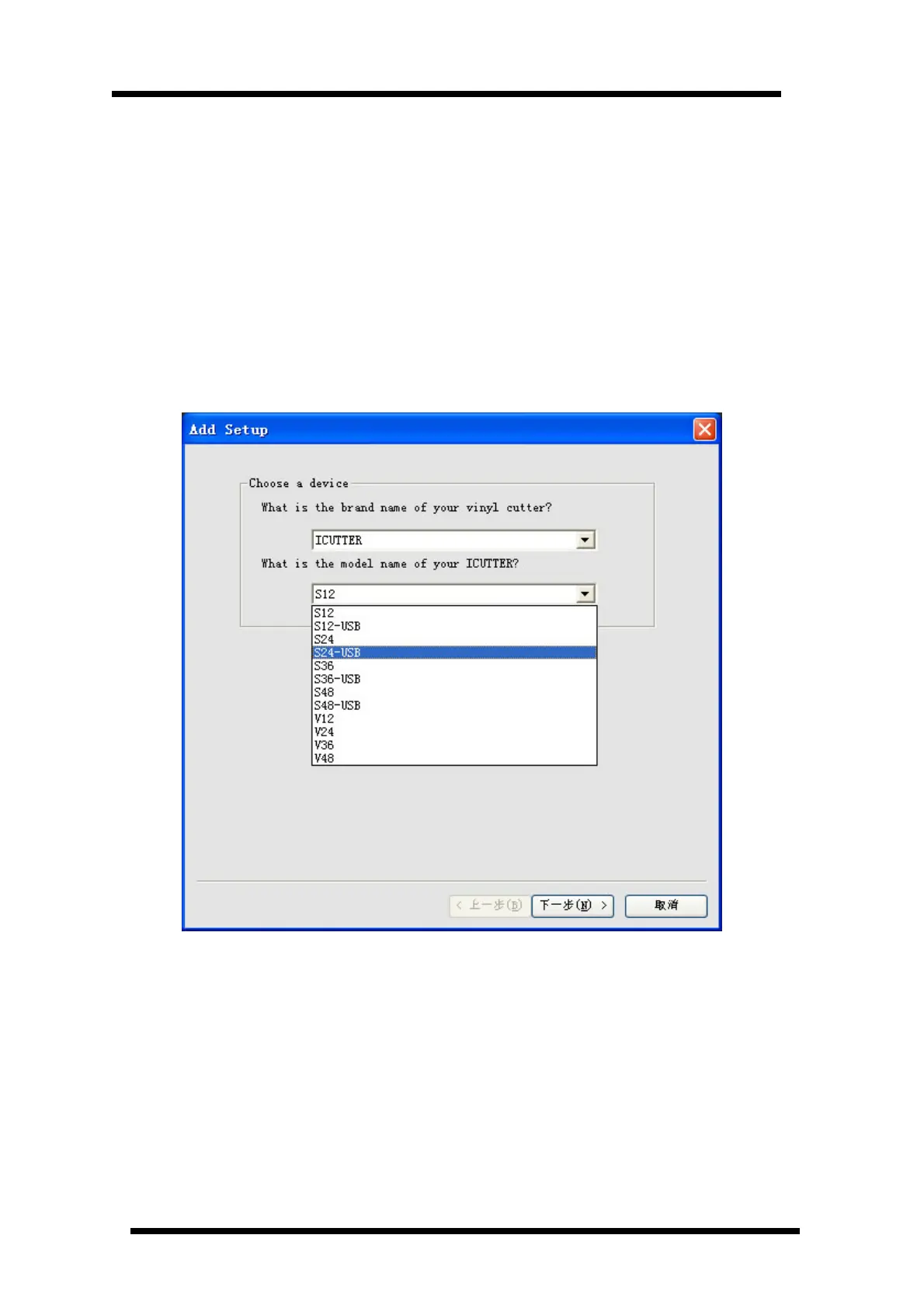
You should select Device name of SXX-USB when using USB cable as the communication
cable ,For example: If the machine model is S24 , you should select S24-USB
Click “Next” twice it will show as following : please select Icutter_ usb as the output port.



 To Next Page