20
V SERIES USER’S MANUAL
6.3 Offline Status Description
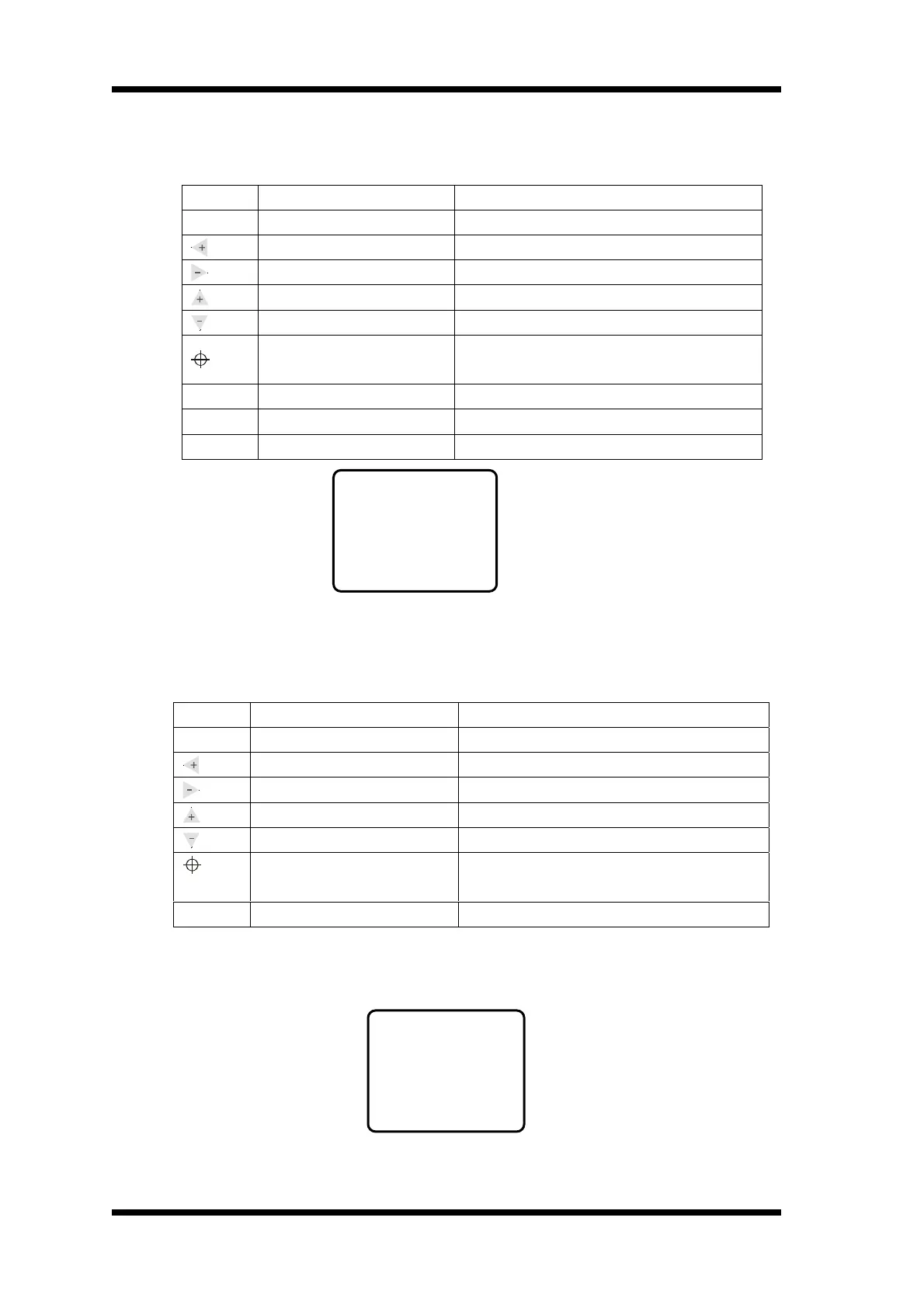
※ Under Offline mode, Keyboard Function Definition ※
Button Function Description
Online
Online/Offline Press once to switch to Icutter status
Y+, Left Direction Key Press and realize carriage move to left position
Y-, Right Direction Key Press and realize carriage move to right position
X+, Backwards Direction Key Press and realize main bearing move backwards
X-, Forwards Direction Key Press and realize main bearing move forwards
Original Position Setting Key
Press once will reset X,Y to “0”, the current
position will be the original position
Test
Draw a self test image Draw a tiny square or a test image
Pause
Pause/Resume
Menu
Menu Switch
Press once and enter into Setting menu
Offline default interface
Attention: The left and right herein refer to the person stands in front of the cutter. The object
is subject to the person’s direction.
※ Setting Mode Menu Definition ※
Br refers to baud rate (default parameter Br=38400), there’re six baud rates: 57600, 38400,
28800, 19200, 14400 and 9600. The baud rate setting must be the same as computer’s
communication port in use baud rate’s setting.
Setting menu default interface
Button Function Description
Menu
Menu Switch
Press once and enter into Set Test menu
Baud Rate Increase Press once and increase to a defined baud rate
Baud Rate Decrease Press once and decrease to a defined baud rate
Switch communication mode Switch USB port and COM port
Switch communication mode Switch USB port and COM port
Proportion Set Press 3 times consecutively ,then , press the menu
button ,you can enter into Set Per menu
Online
Online/offline Press once ,entering into online mode
Offline
X=+00000
Y=+00000
Setting
-USB-
Bv=38400



 To Next Page