32
V SERIES USER’S MANUAL
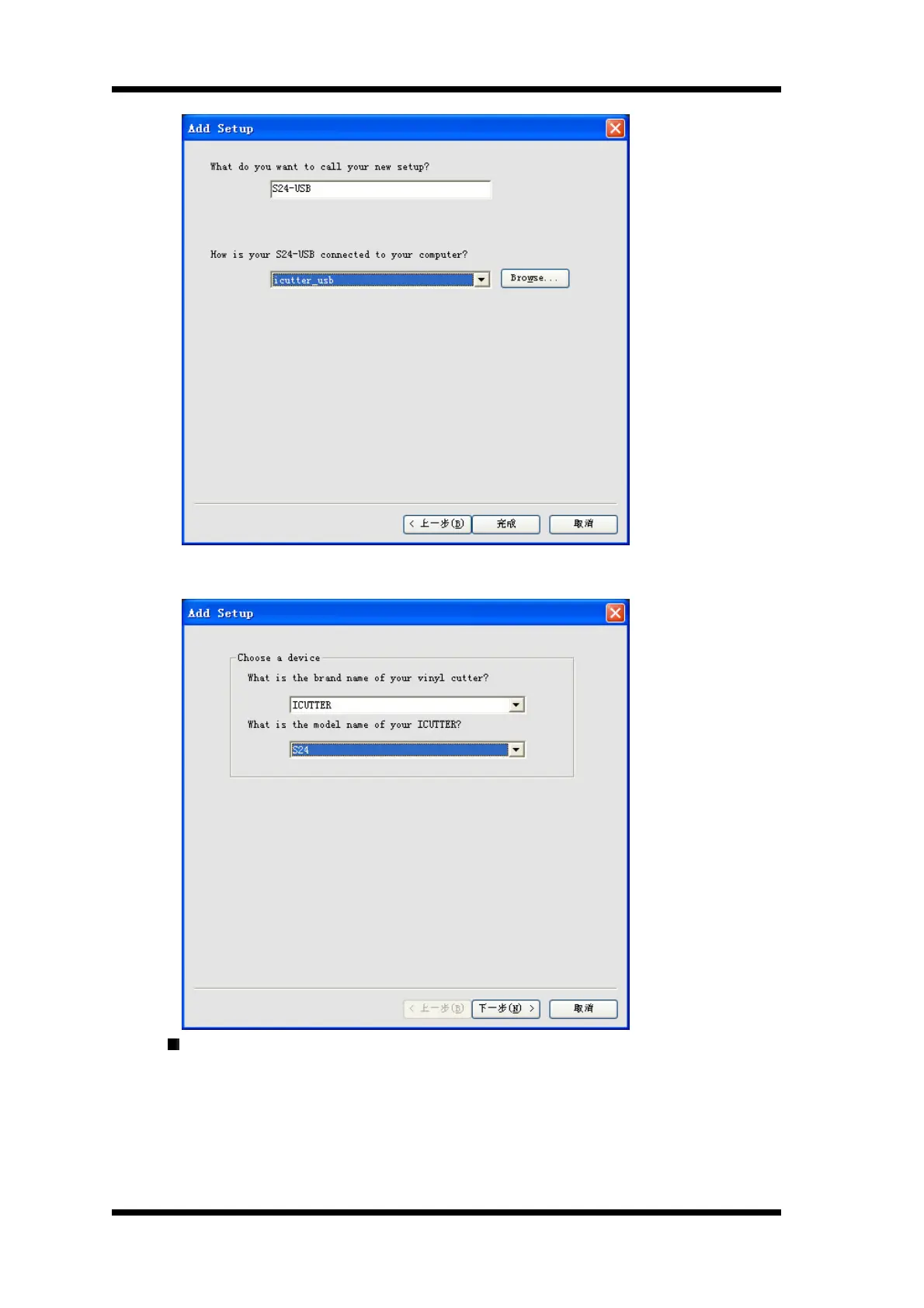
You shoule select Device name of SXX when using serial cable as the communication
cable ,For example: If the machine model is S24 , you should select S24
Click “Next” twice it will show as following : in this dialog box, you can set up communication
port , which is for connecting the computer and vinyl cutter, and Baud rate. Please select
“None” in the item of Flow control, and set other items according to the dialog box.
Communication port and baud rate should be set correctly ,otherwise the machine will not work.
Software baud rate should be identical with the machine .



 To Next Page