Id300 Short-Pulse Laser Source Operating guide
4
2 Getting started
2.1 Accessories supplied and Available
2.1.1 Accessories Supplied
Power cord
The type of power cord supplied with each unit is determined according to the
country of destination.
2.1.2 Accessories Available
Single-mode optical fibre patch cord
2.1.3 Supplied Manuals
Operating guide – this guide
2.2 Preparation for use and Safety
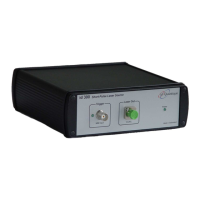
Before starting to use the id300 Short-pulse Laser Source (SPLS), it must be
unpacked and connected to a suitable power supply line. Refer to Specifications for a
description of such a power supply line. A power cord is supplied with the id300 SPLS.
When properly connected to a power supply line, the id300 SPLS can be switched on
using the ON/OFF switch on the rear panel. When switched ON, the green LED on the
front panel will turn on. The module is ready for operation.
The fibre patch cord ends connected to the id300 SPLS optical output port must be
kept clean at all times.
IMPORTANT
The input connector of the id300 SPLS cannot be cleaned or re-polished by the
user. In order to ensure minimum insertion losses, it is recommended to
connect before the first use of the detector an optical fibre patch cord to the
id300 SPLS optical input port. This patch cord should then be used for all
connections of the module to a device under test. In case of inappropriate
insertion losses, the connector of this patch cord can be easily cleaned or re-
polished by the user.
IMPORTANT
THE id300 LASER SOURCE IS A CLASS 1 LASER. DO NOT STARE INTO THE
BEAM OR VIEW DIRECTLY WITH OPTICAL INSTRUMENTS.
Caution – use of controls or adjustments or performance of procedure other
than those specified herein may result in hazardous radiation exposure.
CLASS 1 LASER PRODUCT
CLASSIFIED PER IEC 60825-1, Ed 1.2, 2001-08


 To Next Page