25: DATA LINK COMMUNICATION
25-8 « FC4A MICROSMART USER’S MANUAL »
Data Link Slave Station
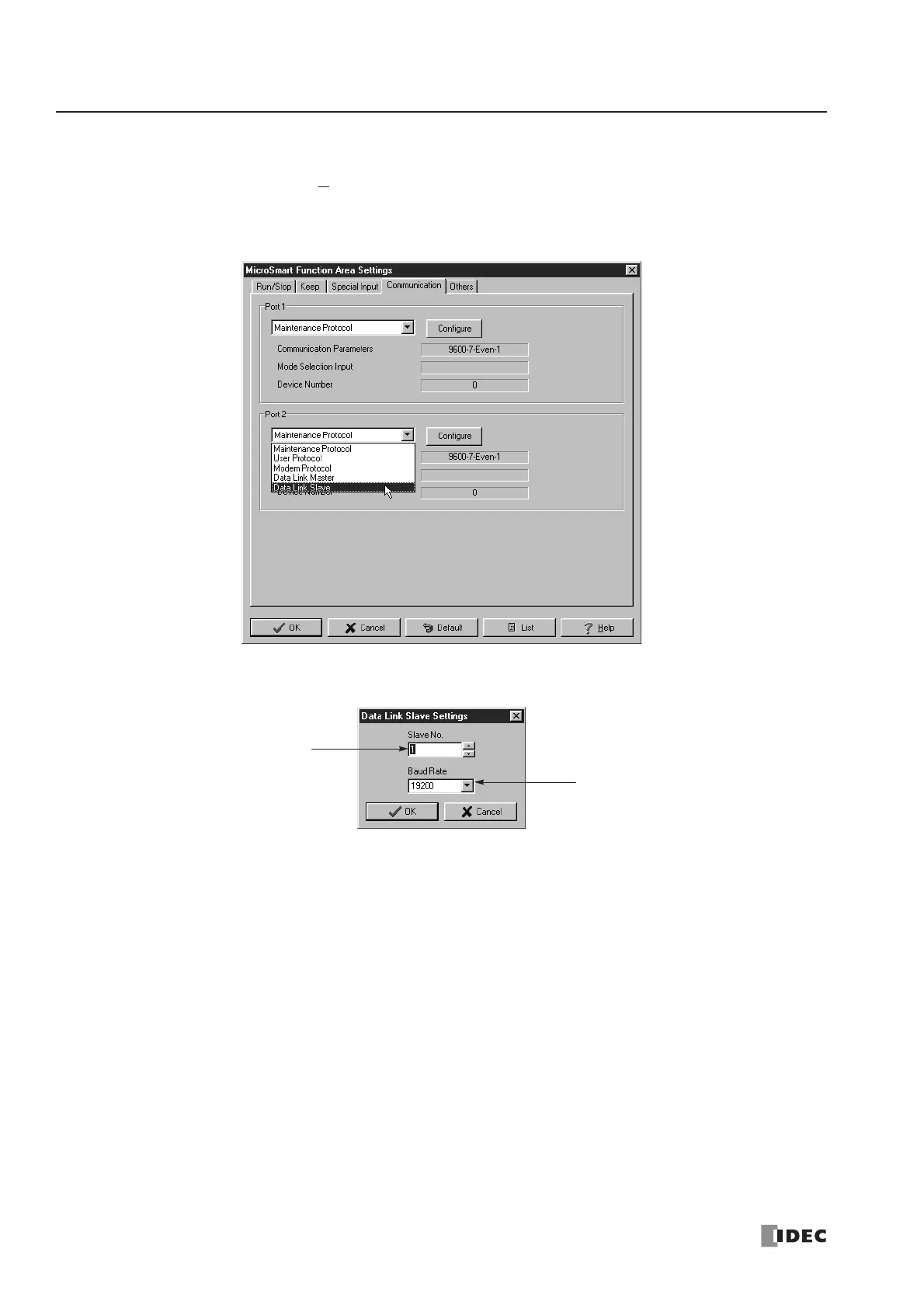
1. From the WindLDR menu bar, select Configure > Function Area Settings. The Function Area Setting dialog box
appears.
2. Click the Communication tab, and select Data Link Slave in the Port 2 pull-down list.
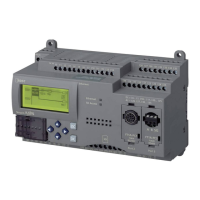
3. The Data Link Slave Settings dialog box appears. Select a slave station number and baud rate.
4. Click the OK button.



 To Next Page