28: AS-INTERFACE MASTER COMMUNICATION
« FC4A MICROSMART USER’S MANUAL » 28-7
Power Supply
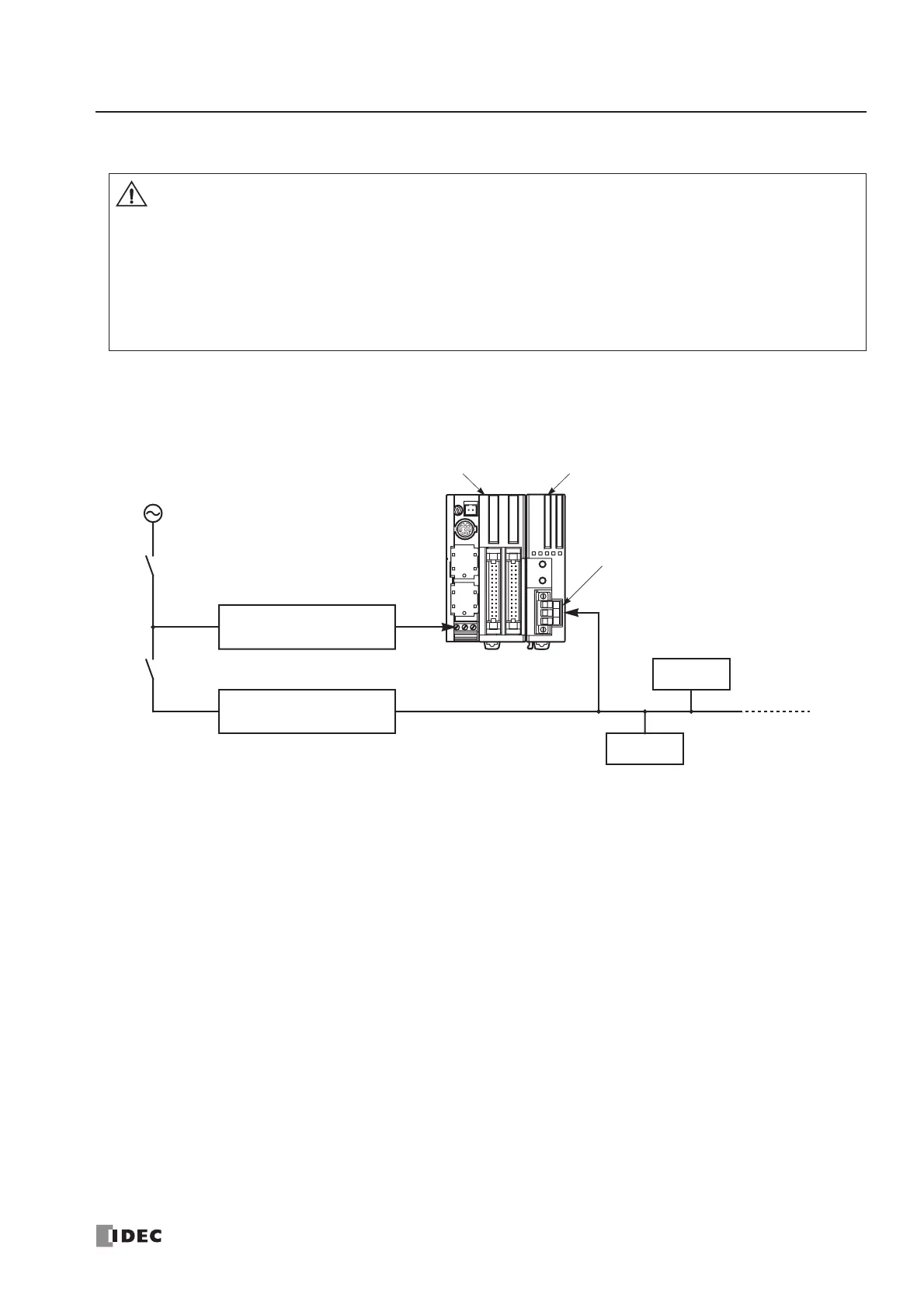
Power Supply Wiring Diagram
A recommended power supply wiring diagram is shown below. Use a common power switch for both the CPU module
power supply and AS-Interface power supply to make sure that both power supplies are turned on and off at the same time.
Note: A failed slave can be replaced with a new slave with address 0 without turning off the power to the CPU module and
the AS-Interface line. But, if power has been turned off before replacing the slaves, install a new slave with address 0 and
take one of the following steps, because the AS-Interface master module has to be initialized to enable communication.
• Disconnect the AS-Interface cable connector and turn on both power supplies. Five seconds later, connect the AS-Interface
cable connector.
• Turn on the CPU module power supply first. Five seconds later, turn on the AS-Interface power supply.
• When turning off the power to the CPU module, also turn off the AS-Interface power supply. If the
CPU module is powered down and up while the AS-Interface power remains on, AS-Interface com-
munication may stop due to a configuration error, resulting in a communication error.
• Turn on the AS-Interface power supply no later than the CPU module power supply, except when
slave address 0 exists on the network. The two power supplies may be turned off in any order.
• Immediately after power-up, the CPU module cannot access slave I/O data in the AS-Interface mas-
ter module. Make the user program so that slave I/O data are accessed after special internal relay
M1945 (Normal_Operation_Active) has turned on. See page 28-24.



 To Next Page