29: TROUBLESHOOTING
« FC4A MICROSMART USER’S MANUAL » 29-21
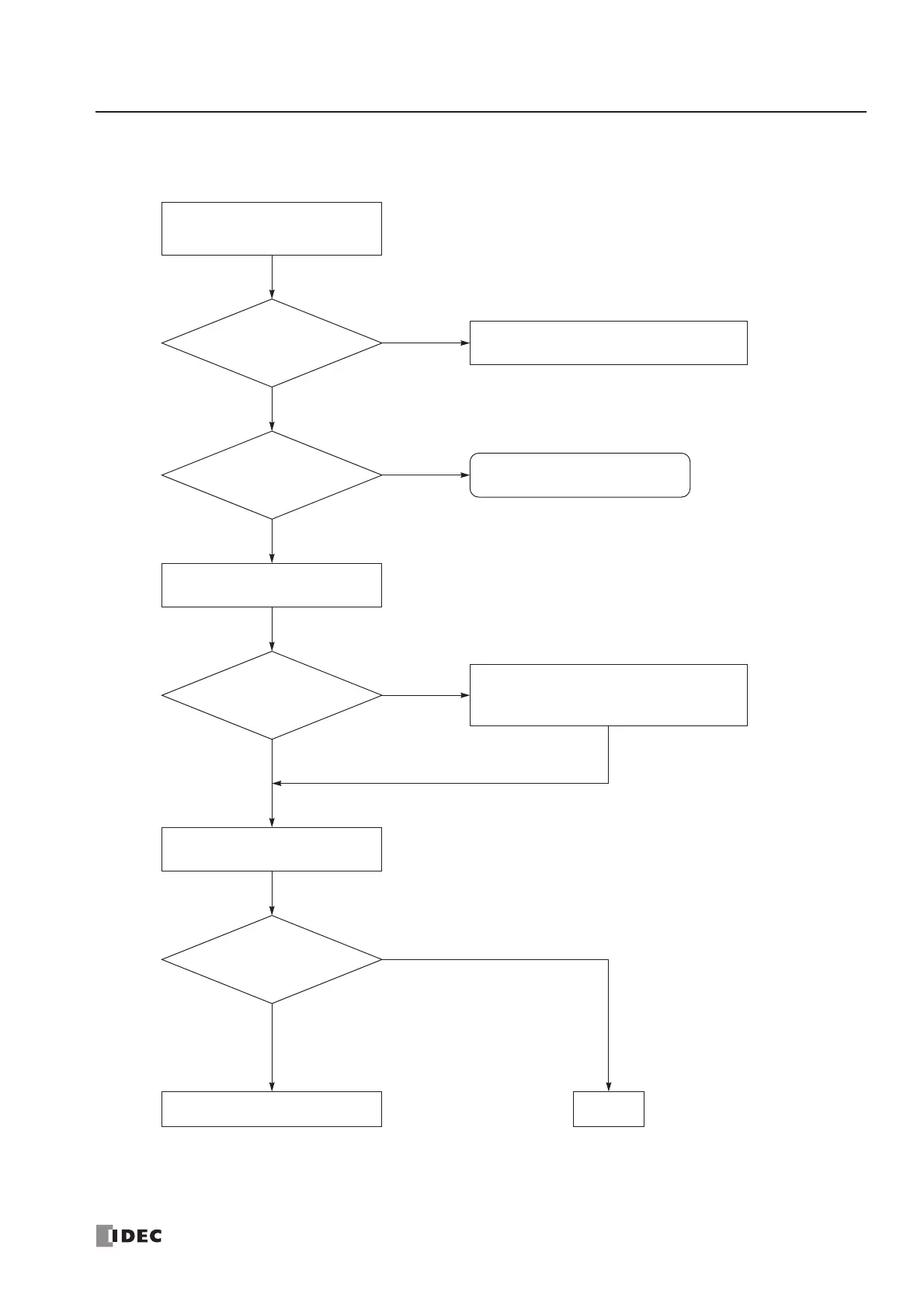
Troubleshooting Diagram 14
Call IDEC for assistance.
YES
Is the ERR LED on?
Is “Calendar/clock
error” displayed?
YES
NO
The calendar/clock does
not operate correctly.
See Troubleshooting Diagram 3,
“The ERR LED is on.”
Read the error data using
WindLDR (see page 29-1).
Is the calendar/clock
operating normally?
Clear the error code (see page 29-2).
The clock data is broken. Set the calendar/
clock using WindLDR (see page 15-5).
Monitor the PLC status using
WindLDR.
YES
NO
END
YES
NO
Is the clock cartridge
installed correctly?
Install the clock cartridge correctly (see
page 2-67).



 To Next Page