@2020 iDFTECH
8
The remote controller has been pre-set by the factory and has been specically coded to your drone. Please do
not adjust or modify the settings on the remote control, including the ne-tuning buttons as this may result in the
drone and remote not being paired, causing the drone/remote to not work.
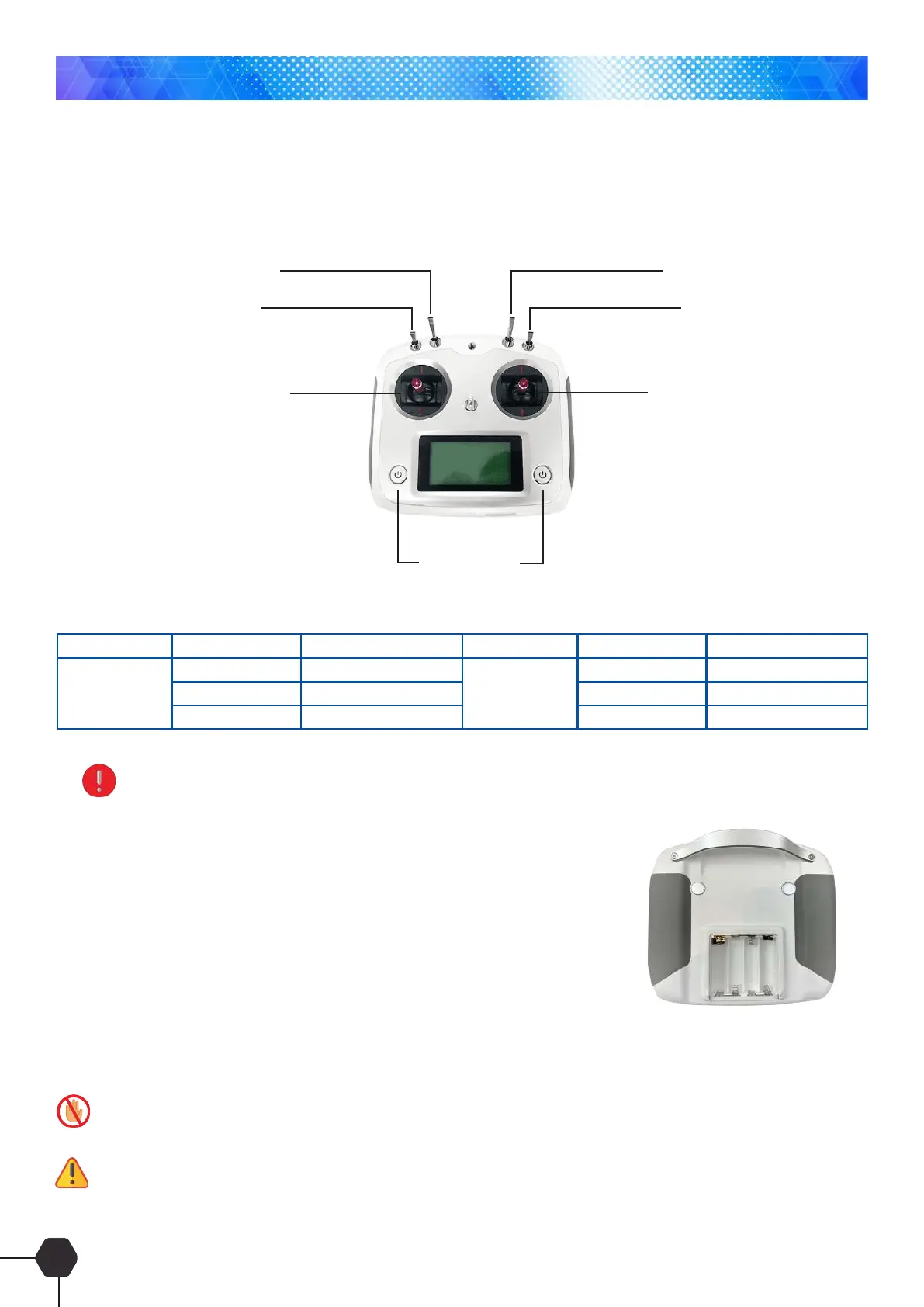
Flight mode switch (SWB)
Gimbal reservation mode
Intelligent direction (SWC)
Bait clasp (Caster) (SWD)
Throttle/direction
Aileron/lift
Power on/off
Switch Position Function Switch Position Function
Up
Middle
Down
SWB SWC
GPS mode
Attitude mode
Return mode
Up
Middle
Down
Off
Navigation lock
Return point lock
Remote switch description:
SWB: Flight mode switch
SWC: IOC switch (Intelligence Direction Control)
Note: All dial switches must be set to the top, otherwise the remote control with display a warning.
Pay attention to distinguish the front and back of the drone by the red marks on the 2 arms of representing the front.
Remote Controller Battery Installation
Remove the battery cover on the back of the remote controller and insert
4 (AA) batteries into the battery compartment. Pay special attention to the
polarity of the batteries, then install the battery compartment cover. Before
turning on the remote controller ensure all switches are in their default state
(All dial switches must be set to the top).
If after turning the remote controller on you hear a sound like dripping, this indicates that the battery voltage is too low,
please replace the remote-control batteries immediately.
Always turn the remote control on before you connect the battery or turn on the quadcopter, and likewise when shutting down
- remove the quadcopter’s battery or turn off the quadcopter before you turn the remote controller off.
The picture of the remote control below is the left-hand throttle setup
Once switches are in their correct location power on the remote controller and the remote controller battery
indicator will display the battery levels. The Drone battery levels are not displayed on the remote controller and
are displayed on the APP via mobile phone or tablet.
Remote Controller



 To Next Page