Operator Manual
Aspect 100-4T and ISR
L100-2843 Rev. E www.imagediagnostics.com 16
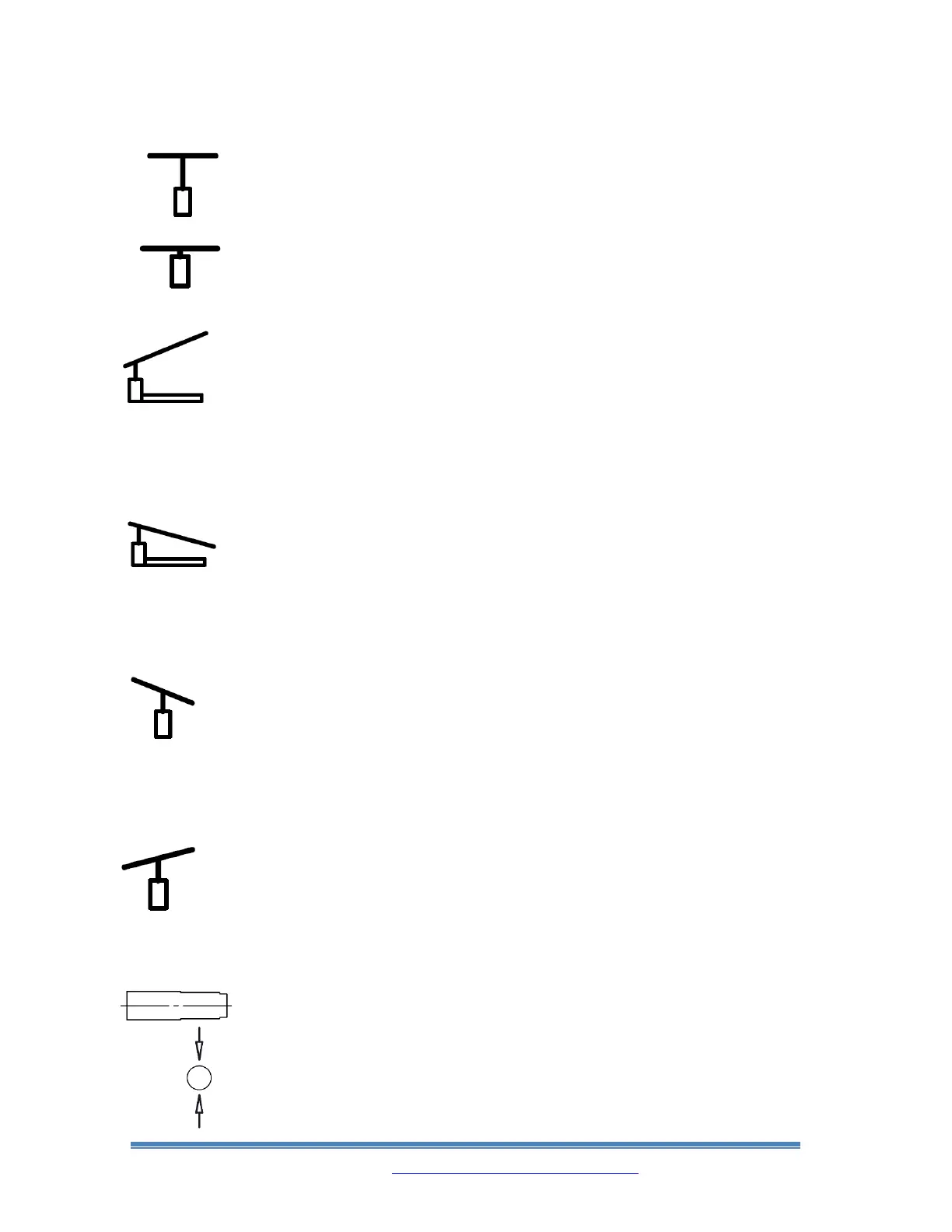
Continually pressing down on the Rocker Switch to
the right of this symbol will raise the Tabletop
vertically.
Continually pressing down on the Rocker Switch to
the right of this symbol will lower the Tabletop
vertically.
Continually pressing down on the Rocker Switch to
the right of this symbol will tilt up the imaging end
of the Tabletop in a Trendelenburg direction.
When the Tabletop reaches a level position, motion
will stop for 1 second. When the Rocker Switch is
pressed down if the Tabletop is already in a level
position, it will take 1 second for motion to begin.
Continually pressing down on the Rocker Switch to
the right of this symbol will tilt down the imaging
end of the Tabletop in a Trendelenburg direction.
When the Tabletop reaches a level position, motion
will stop for 1 second. When the Rocker Switch is
pressed down if the Tabletop is already in a level
position, it will take 1 second for motion to begin.
Continually pressing down on the Rocker Switch to
the right of this symbol will roll the Tabletop in a
clockwise direction if looking down the length of
the Table from the pedestal end. When the Tabletop
reaches a level position, motion will stop. The
Rocker Switch will need to be released and pressed
down again for the motion to begin again.
Continually pressing down on the Rocker Switch to
the right of this symbol will roll the Tabletop in a
counter-clockwise direction if looking down the
length of the Table from the pedestal end. When the
Tabletop reaches a level position, motion will stop.
The Rocker Switch will need to be released and
pressed down again for the motion to begin again.
When using the Panhandle knob to pan the tabletop
laterally, the light in this symbol will illuminate
green when the tabletop is centered from side to side
(crossways).



 To Next Page