If connecting straight from the modem to a PC, use a crossover cable.
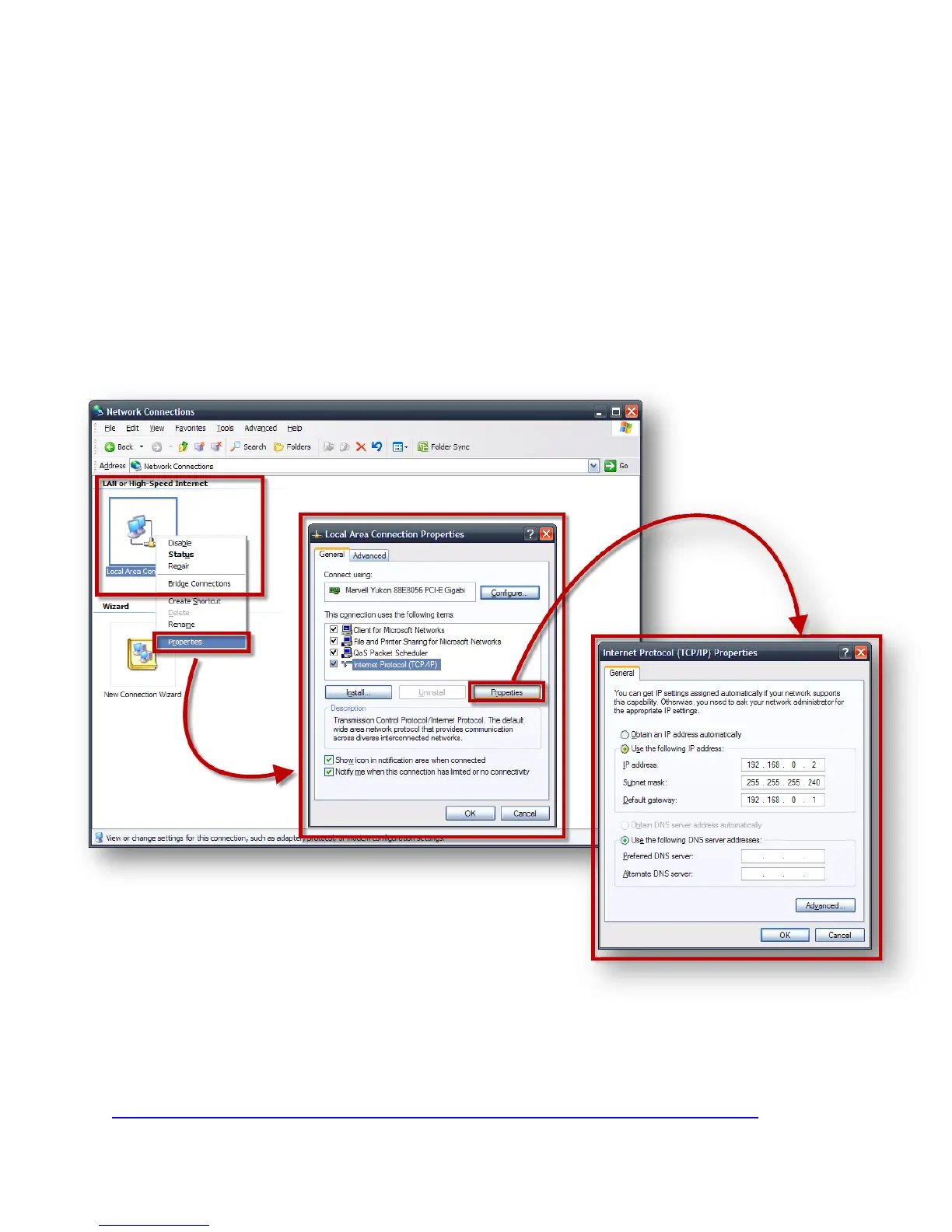
b) Set up the PC with the following default IP addresses
IP Address: 192.168.0.2
Subnet Mask: 255.255.255.240
Default gateway: 192.168.0.1
To do this in Windows XP go to Start > Control Panel > Network
Connections:
If you are having issues doing this with windows 7, follow the step by step guide
below:
http://windows.microsoft.com/en-US/windows7/Change-TCP-IP-settings



 To Next Page