Table of Contents
8
Overview
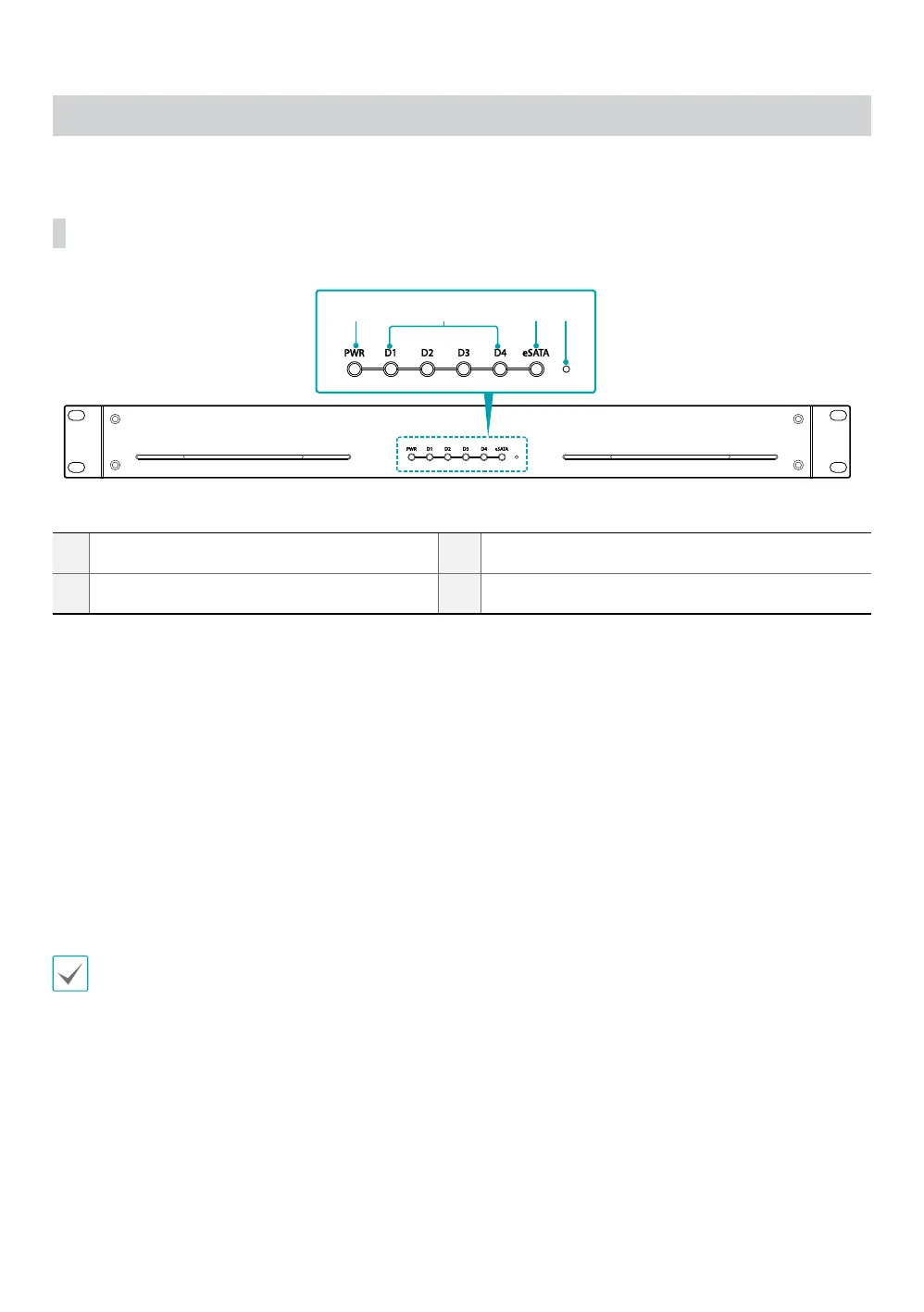
Front Panel
3 41 2
1
PWR (Power LED)
2
D1 to D4 (HDD/RAID mode LED)
3
eSATA (eSATA LED)
4
Setup Button
1 PWR (Power LED)
Lit when the system is operating.
2 D1 to D4 (HDD/RAID mode LED)
Displays the RAID mode or HDD status depending on the RAID option switch settings.
For more information, refer to the Part 3 - Conguration
3 eSATA (eSATA LED)
Blue LED is lit when the unit is connected to a NVR.
4 Setup Button
Initializes RAID or mutes audio warnings. If the button is locked using the RAID option switches on the rear panel,
you cannot initialize the RAID or mute audio warnings.
System status indicated by audio warnings can be identied by the frequency of beeps per second.
• Once per second: FAN error has occurred.
• Twice per second: RAID rebuilding has started.
• Three times per second: HDD error has occurred.
• Five times per second: RAID initialization has started.



 To Next Page