Table of Contents
9
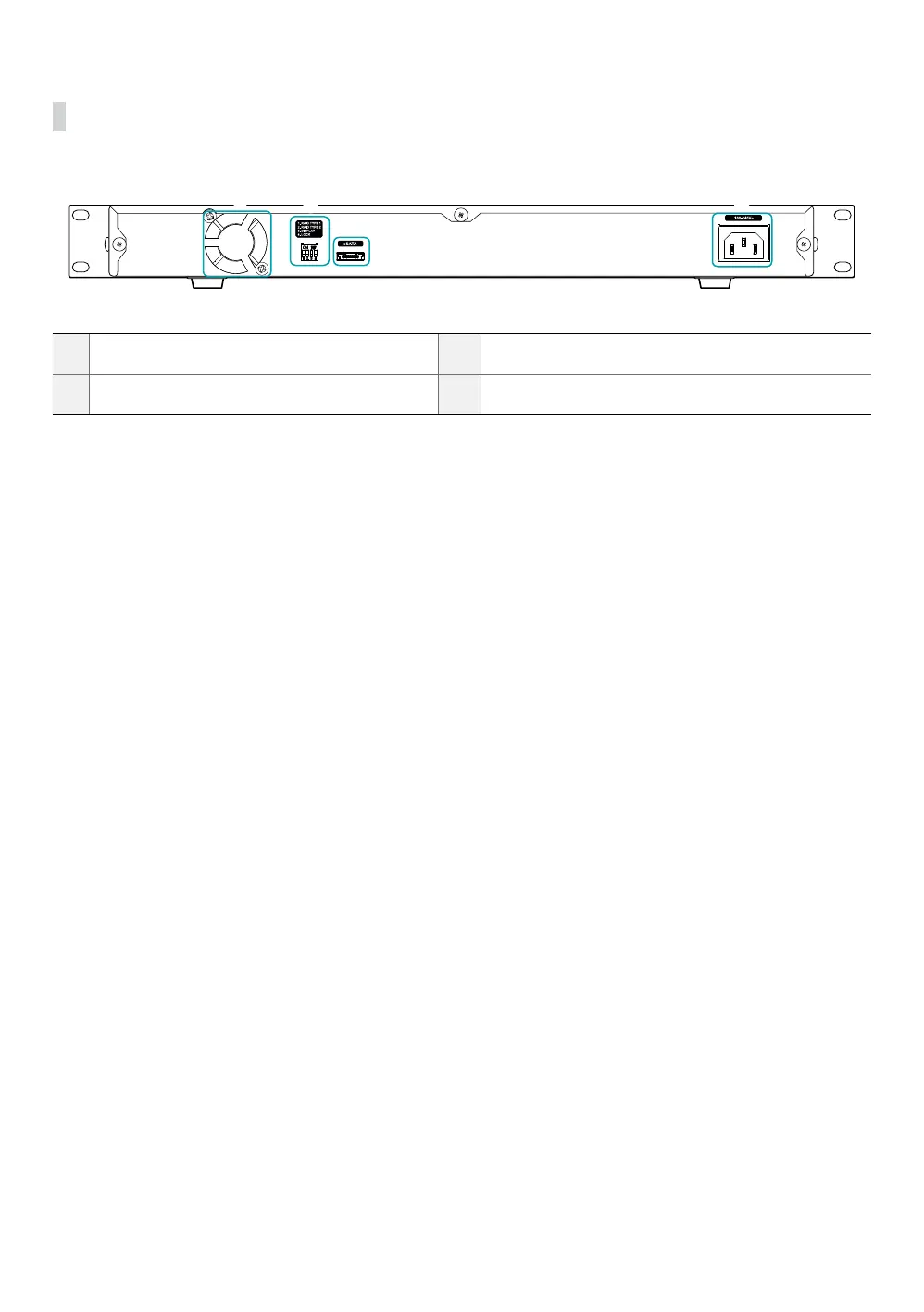
Rear Panel
3
4
1
2
1
Cooling Fan
2
RAID Option Switch
3
eSATA Port
4
Power Connector
1 Cooling Fan
Maintains the unit at an optimal temperature.
2 RAID Option Switch
Congures RAID setting. For more information, refer to the Part 3 - Conguration
• 1. RAID TYPE 1 / 2. RAID TYPE 2: Congures the RAID modes.
• 3. DISPLAY: Congures the display mode of the D1 to D4 LED indicators on the front panel. If set to ON (up),
RAID mode is displayed. If set to OFF (down), HDD status is displayed.
• 4. LOCK: Locks (ON) or unlocks (OFF) the Setup button on the front panel. When the Setup button is locked, you
cannot initialize RAID or mute audio warnings. When the Setup button is locked, pressing the Setup button will
turn the Power LED o and releasing the Setup button will turns the Power LED back on.
3 eSATA Port
For transferring data
4 Power Connector
For connecting the power cable



 To Next Page