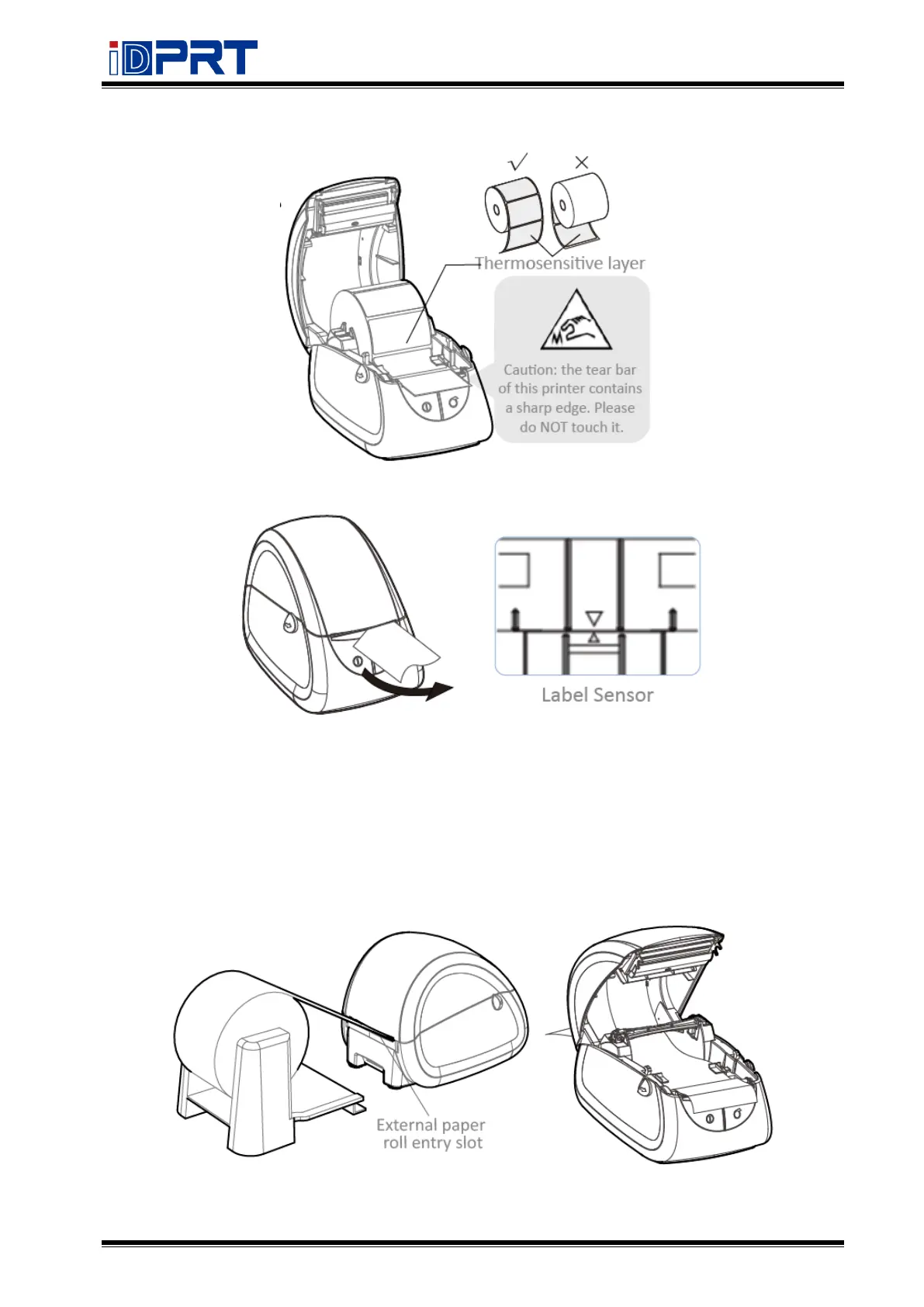
4. Pull some paper out, adjust the paper guide to fix the paper.
5. Close the cover and tear off the excess paper.
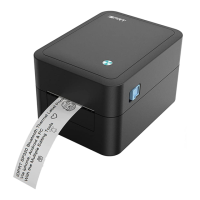
Note: When the printer is not printing on black mark label, please position the sensor in the
middle.
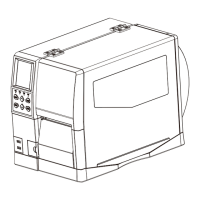
3.1.2 External Paper Roll
When you use fanfold paper or big roll paper, please refer to the graph below to assemble the
external roll mount and adjust the paper guide to fix the paper.


 To Next Page