Chapter 9 Linux Driver Installation
9.1 Manual Information
This Linux Driver Installation Manual provides information on installation and usage of the
printer’s Linux Driver according to PC operating system (OS).
We maintain ongoing efforts to enhance and upgrade the functions and quality of all our
products. As follows, product specifications and/or user manual content may be changed
without prior notice.
9.2 Operating System (OS) Environment
The following operating systems are supported for usage:
⚫ Linux (64bit/32bit)
9.3 Linux Driver Installation
Warning: Under different operating systems, the screen has slight difference. Please
operate it according to the tips. Take Linux (64 bit) as example.
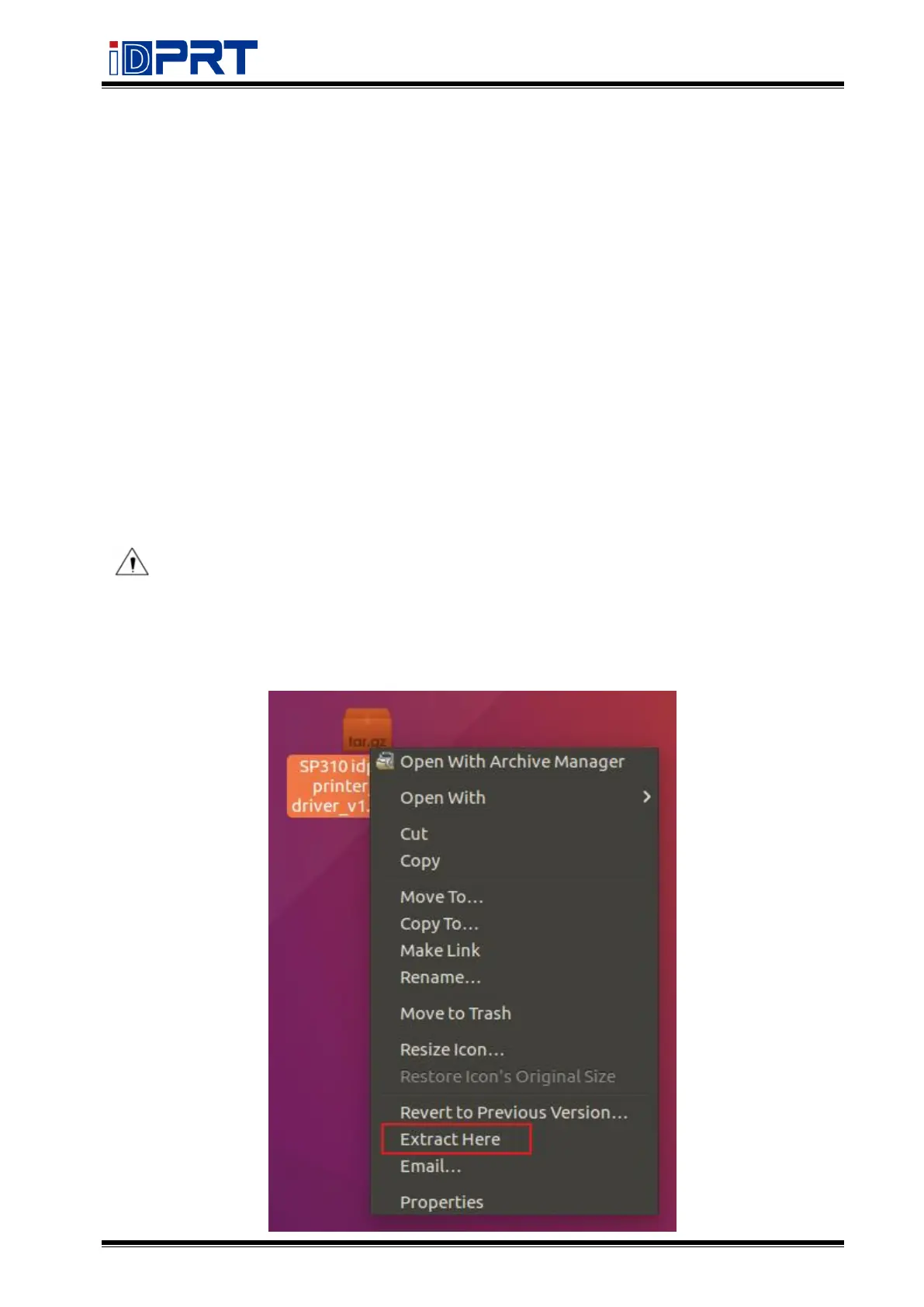
1.Unzip the installation package, right-click and select "Extract Here".



 To Next Page