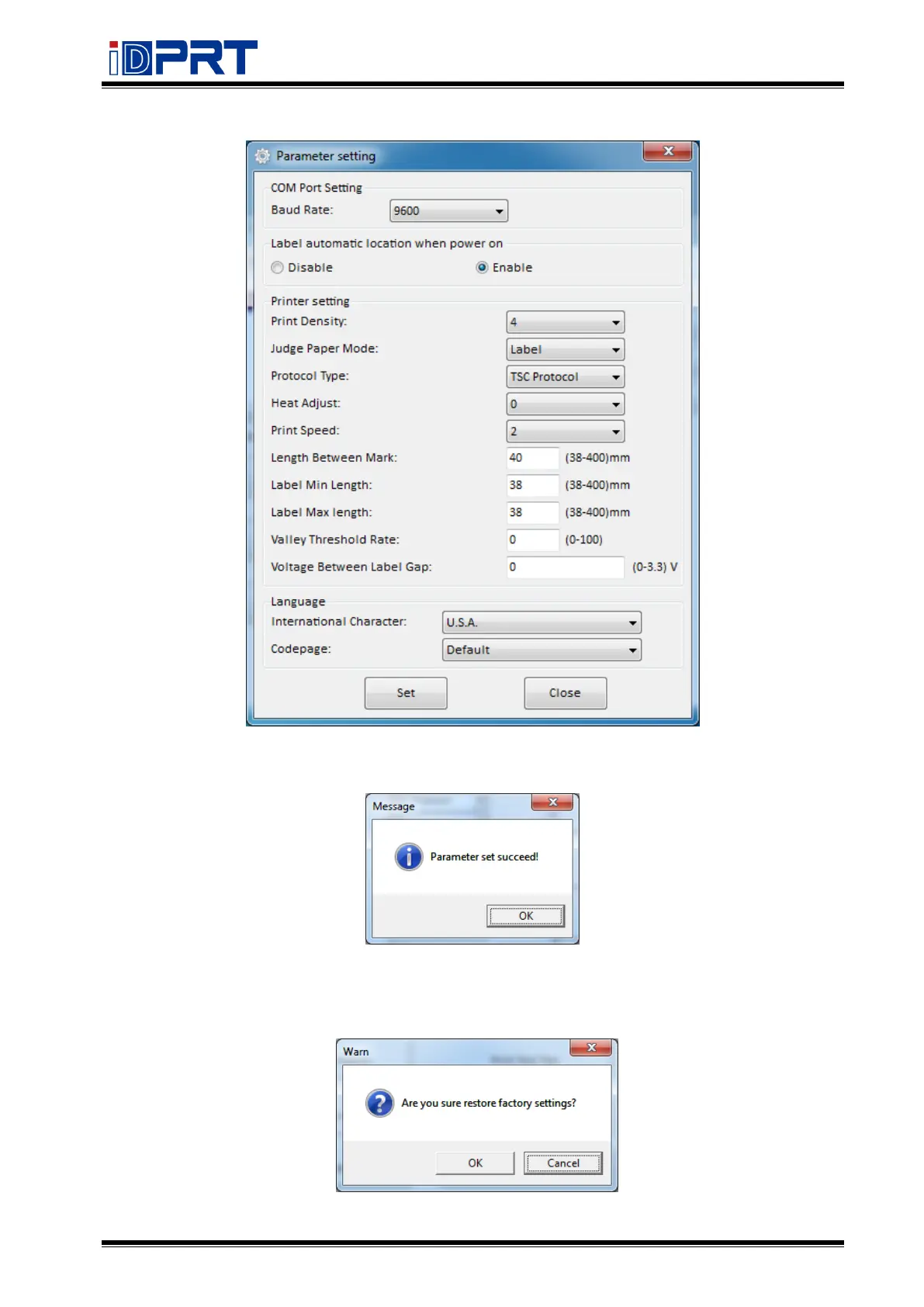
●Click “Parameter Setting” to set the interface, language, and print according to your needs.
●Click “Set” save all the above settings, then click “ok” back to the main menu.
(5) Click “Restore Factory Settings”, click “OK” to restore factory settings, click “Cancel” to
cancel restore factory settings.


 To Next Page