2
Method 2: Using a Wi-Fi connecon
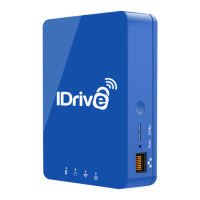
1. Plug in the AC adapter to an available electrical outlet. Press
and release the power buon, and the light above the Wi-Fi
symbol will glow aer a few seconds.
2. From the device you wish to backup, connect to IDrive One’s
Wi-Fi network, IDriveOne-5G-XXXX (if available). Otherwise,
connect to IDriveOne-2G-XXXX. The default password is
11111111.
3. Open a web browser, and visit 10.10.10.254.
4. Click or tap the Login buon. The default username is ‘admin.’
No password is required, but we recommend establishing one
aer logging in.
5. Go to Sengs>Network>Internet.
6. From the available network names, select the wireless network
that provides your internet access. Enter your network
password if required.
7. Click or tap Save buon and close the window.
1
We highly recommend changing your IDrive One Wi-Fi Network Password, and the password for the
Administrative Controls. See our FAQ at idrive.com for details'.


 To Next Page