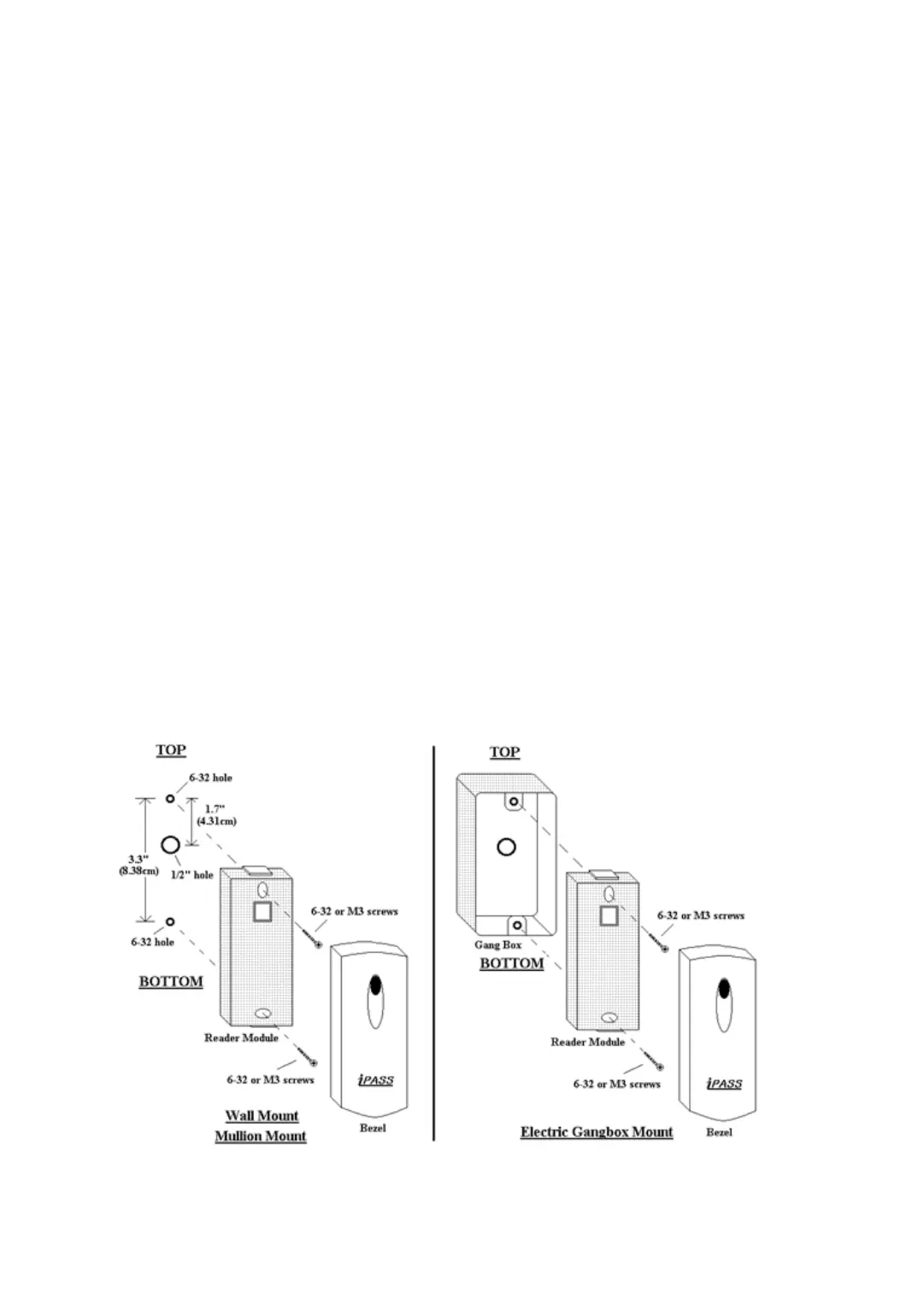
Installation
7
p.10
1. Mullion/Wall Mount
Drill two 6-32 or M3 holes 3.3"(8.38cm) apart in vertical and drill one 1/2" hole for the r
eader
cable 1.7"(4.31cm) apart from the top hole.
(Skip this step, if you have installed an electric gang box.)
2. Put reader cable into the center hole and install the reader module by using two 6-32 o
r M3 screws (Not included).
3. Put bezel on to the reader module. Then push bezel until you hear the locking sound.
4. To detach the bezel, hold both sides of the bezel, push the bezel to the bottom, and pu
ll the bezel forward.


 To Next Page