8
6. Installation
6-1. Drilling Screw Holes
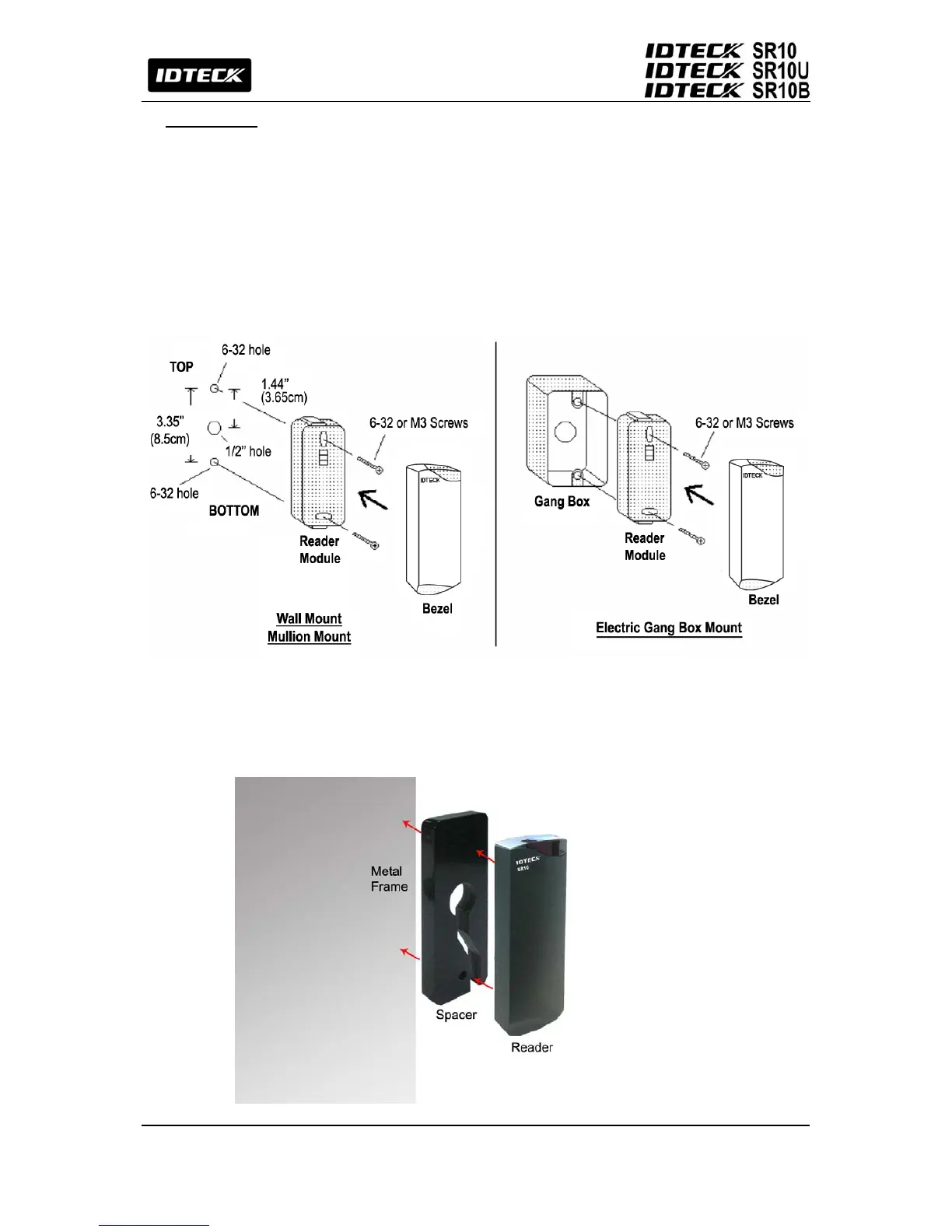
Drill two 6-32 or M3 screw holes 3.35" (8.5cm) apart vertically, and drill one 1/2" hole for the
reader cable 1.44" (3.65cm) apart from the top hole.
6-2. Installing the Reader Module
Put the reader cable into the center hole and hold the reader module using two 6-32 or M3 screws.
6-3. Snapping the Bezel into Place
Put the bezel on the reader module, then press it until it clicks into place.
.
6-4. Installation Considerations
1. When installing a reader on a metal wall
The read range may get reduced if the reader is installed on a metal surface. To prevent
such a read range reduction, install a Spacer between the metal surface and the reader.


 To Next Page