10
MICROWAVE COOKING
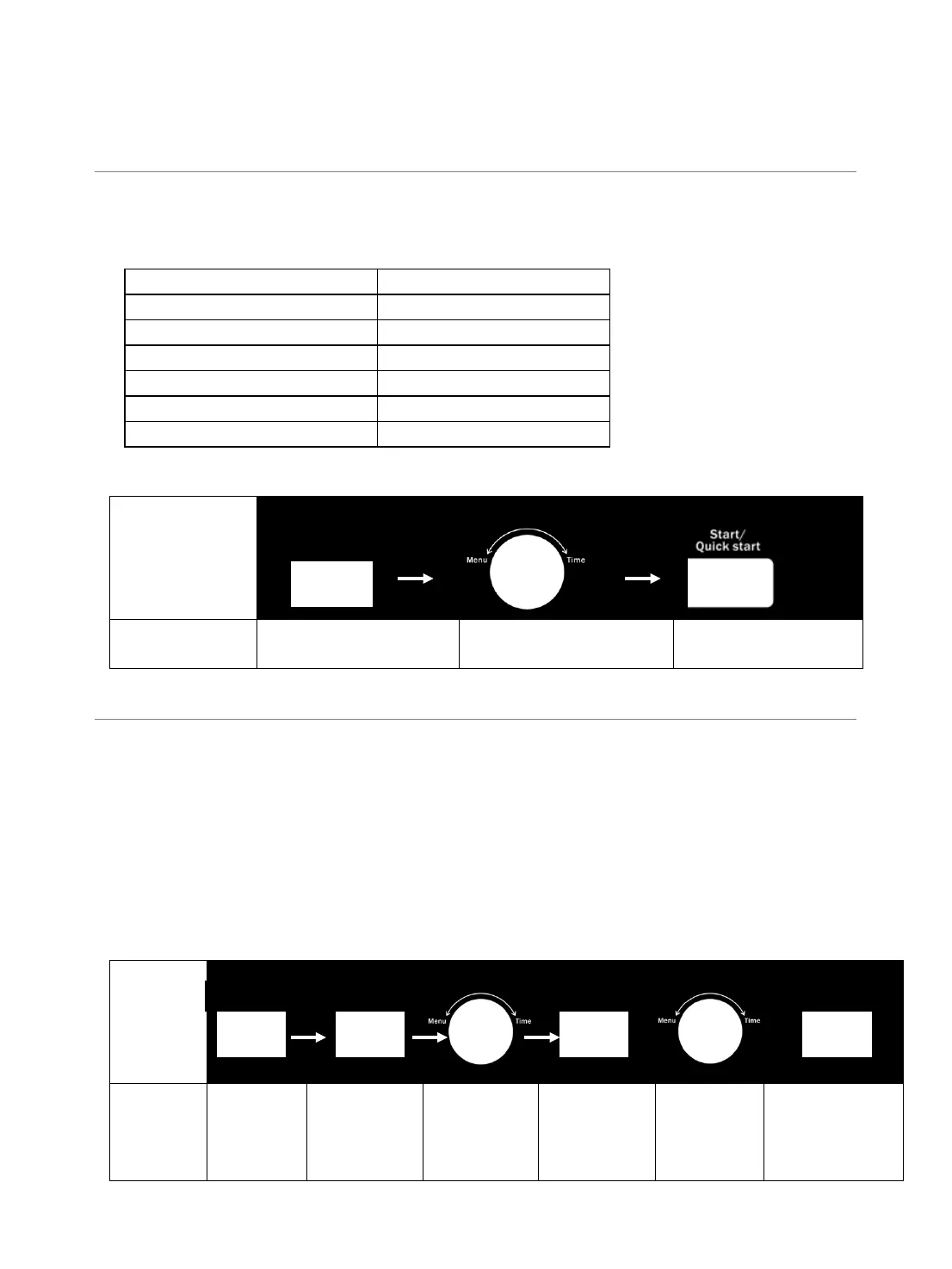
1. Press POWER LEVEL pad a number of times to set microwave cooking power level.
2. Turn MENU/TIME knob to enter cooking time. The longest cooking time is 95 minutes.
3. Press START/QUICK START pad to confirm.
Press POWER LEVEL pad to set a cooking power level:
NOTE: During cooking, you can check the cooking power level by pressing POWER LEVEL pad.
Microwave
Cooking
1
2
3
Select the desired Power
Rotate the set time Press Start
PRESET
This function allows the oven to start in a later time.
1. In standby mode, set a cooking program (except express cooking, smart choice, auto defrost and
speed defrost).
2. Press PRESET pad once.
3. Turn MENU/TIME knob to set hour digit.
4. Press PRESET pad once.
5. Turn MENU/TIME knob to set minute digit.
6. Press PRESET pad to confirm.
NOTE: After has been set the function, you can check the preset time by pressing PRESET pad once,
you can also cancel the preset program by pressing PAUSE/CANCEL pad when the preset time showing.
Microwave
Cooking
1
2
3 4
5 6
Select the
cooking
program
Press
PRESET
once
Turn
Menu/time
knob to set
Press
PRESET
once
Turn
Menu/time
knob to set
Press PRESET
to confirm


 To Next Page