EasyManua.ls Logo

iFIT PRO-FORM TRAINER 9.0 - User Manual

iFIT PRO-FORM TRAINER 9.0
40 pages
Print Icon
To Next Page IconTo Next Page
Loading...
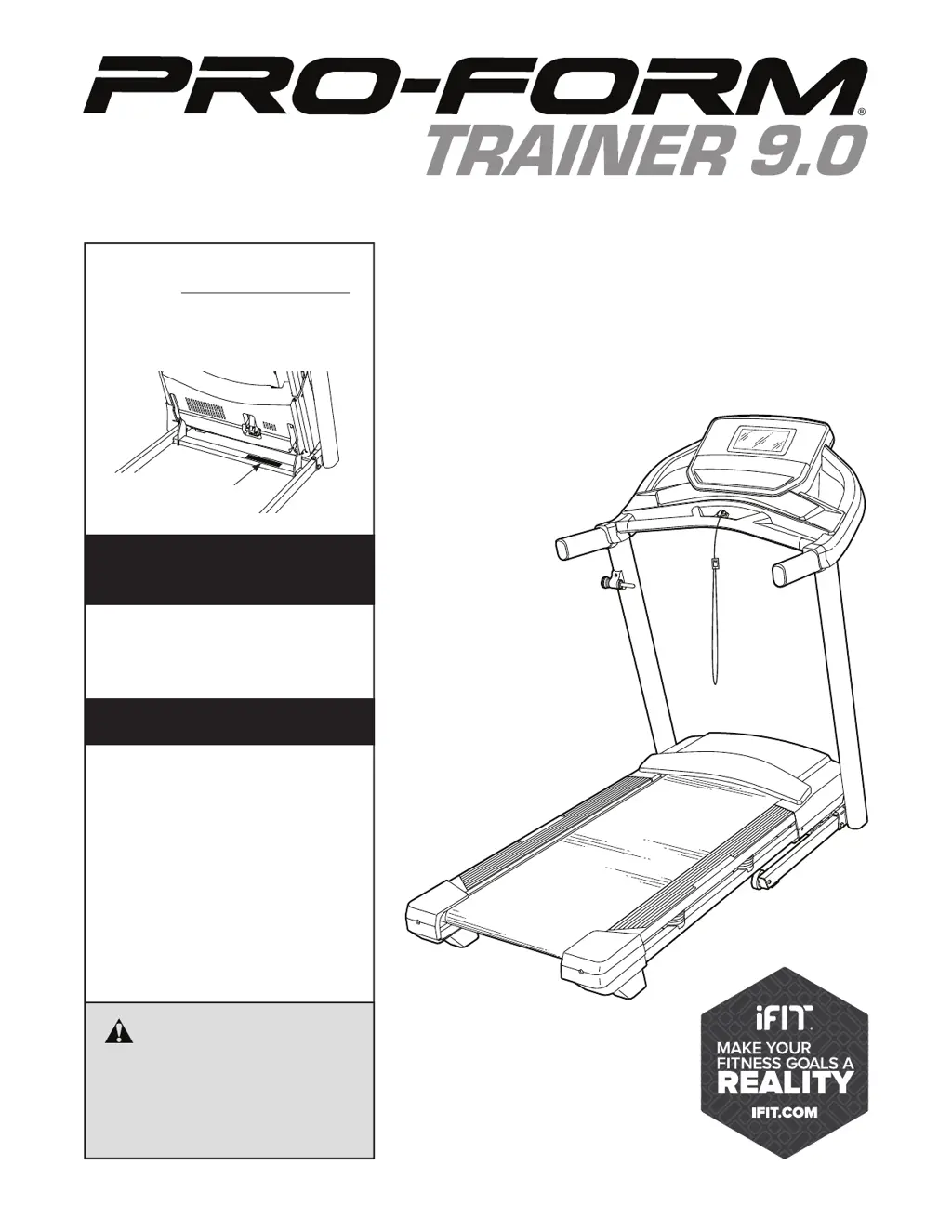
USER’S MANUAL
proform.com
Model No. PFTL69921.2
Serial No.
Write the serial number in the space
above for reference.
Serial Number
Decal
To register your product and
activate your warranty today,
go to my.proform.com.
For service at any time, go to
support.proform.com.
Or call 1-888-533-1333
Mon.–Fri. 6 a.m.–6 p.m. MT
Sat. 8 a.m.–12 p.m. MT
Please do not contact the store.
REGISTER YOUR
PRODUCT
CUSTOMER CARE
CAUTION
Read all precautions and
instructions in this manual before
using this equipment. Keep this
manual for future reference.

Questions and Answers

  • P
    peter47Jul 27, 2025
    What to do if iFIT PRO-FORM TRAINER 9.0 power does not turn on?
    • N
      Nancy CooperJul 28, 2025
      First, ensure the power cord is properly connected to a surge suppressor, and the surge suppressor is plugged into a grounded outlet. If using an AFCI-equipped outlet and the circuit breaker trips, you may need an arc filter (see the manual's front cover for purchase information). Also, make sure the key is inserted into the console after plugging in the power cord. Finally, check the power switch on the treadmill frame; if it's tripped (protruding), wait five minutes, then press it back in to reset it.
  • M
    Mario GarciaAug 1, 2025
    Why does my iFIT PRO-FORM TRAINER 9.0 Fitness Equipment turn off during use?
    • K
      Kyle SmithAug 1, 2025
      The iFIT Fitness Equipment may be turning off due to several reasons. Check the power switch; if it has tripped, wait five minutes before pressing it back in. Also, ensure the power cord is securely plugged in; if it is, unplug it, wait five minutes, and plug it back in. Another solution is to remove and reinsert the key from the console. If the issue persists, please refer to the front cover of this manual for further assistance.
  • S
    Sarah GrantAug 5, 2025
    What to do if iFIT PRO-FORM TRAINER 9.0 displays of the console do not function properly?
    • J
      Jeremy ChristianAug 5, 2025
      If the console isn't booting up or freezes, a factory reset might help. This requires two people: first, turn the power switch off. Locate the reset port on the console, and using a bent paper clip, press and hold the reset button inside it. Have someone else turn the power switch on. Keep holding the reset button until the console turns on, completing the reset. If it doesn't automatically turn off and back on, use the power switch to do so manually.
  • J
    jennifer04Aug 10, 2025
    What to do if iFIT Fitness Equipment walking belt slows when walked on?
    • M
      Matthew JonesAug 10, 2025
      The walking belt may slow down if it is overtightened. To resolve this, remove the key and unplug the power cord. Using the hex key, turn both idler roller screws counterclockwise, 1/4 of a turn. Also, do not apply silicone spray or other substances to the walking belt or the walking platform unless instructed by an authorized service representative. If the walking belt still slows when walked on, see the front cover of this manual.
  • D
    Dr. Dennis Hansen IIIAug 13, 2025
    How to center the walking belt on iFIT PRO-FORM TRAINER 9.0?
    • K
      Kimberly AndersonAug 14, 2025
      If the walking belt rubs against the foot rails, it may become damaged. First, remove the key and unplug the power cord. If the walking belt has shifted to the left, use the hex key to turn the left idler roller screw clockwise 1/2 of a turn; if the walking belt has shifted to the right, turn the left idler roller screw counterclockwise 1/2 of a turn. Repeat until the walking belt is centered.
  • C
    codyfigueroaAug 18, 2025
    How to fix iFIT PRO-FORM TRAINER 9.0 incline that does not change correctly?
    • I
      ibullockAug 18, 2025
      To resolve the issue of the incline not changing correctly, calibrate the incline system.
  • H
    Hannah BurnsAug 22, 2025
    How to connect iFIT Fitness Equipment to wireless network?
    • P
      ptaylorAug 22, 2025
      To connect your iFIT Fitness Equipment to the wireless network, first ensure that the wireless settings on the console are correct. Also, verify that the settings for your wireless network are accurate. If you still have questions, go to support.iFit.com.

Summary

Warning Decal Placement

Important Precautions

Extended Service Plans

Before You Begin

Part Identification Chart

Assembly

Connecting the Power Cord

Turn On Power

Use Touch Screen

Console Setup

Manual Mode Operation

Featured Workouts

Draw-Your-Own-Map Workout

iFit Workouts

Console Settings

Wireless Network Connection

Optional Heart Rate Monitor

FCC Information

Folding and Moving the Treadmill

Fold Treadmill

Instructions for folding the treadmill for storage.

Move Treadmill

Guidance on how to safely move the folded treadmill.

Lower Treadmill for Use

Instructions for unfolding the treadmill to prepare for use.

Maintenance and Troubleshooting

Maintenance

Routine cleaning and upkeep procedures for the treadmill.

Troubleshooting

Solutions for common treadmill operational problems.

Exercise Guidelines

Exercise Intensity

Finding the correct heart rate zones for fat burning and aerobic exercise.

Measure Heart Rate

Method for taking a manual heart rate reading.

Workout Guidelines

Recommendations for warming up, training, and cooling down.

Exercise Frequency

Advice on how often to perform workouts for best results.

Suggested Stretches

Part List

Ordering Replacement Parts

Limited Warranty

iFIT PRO-FORM TRAINER 9.0 Specifications

General IconGeneral
BrandiFIT
ModelPRO-FORM TRAINER 9.0
CategoryFitness Equipment
LanguageEnglish

Related product manuals