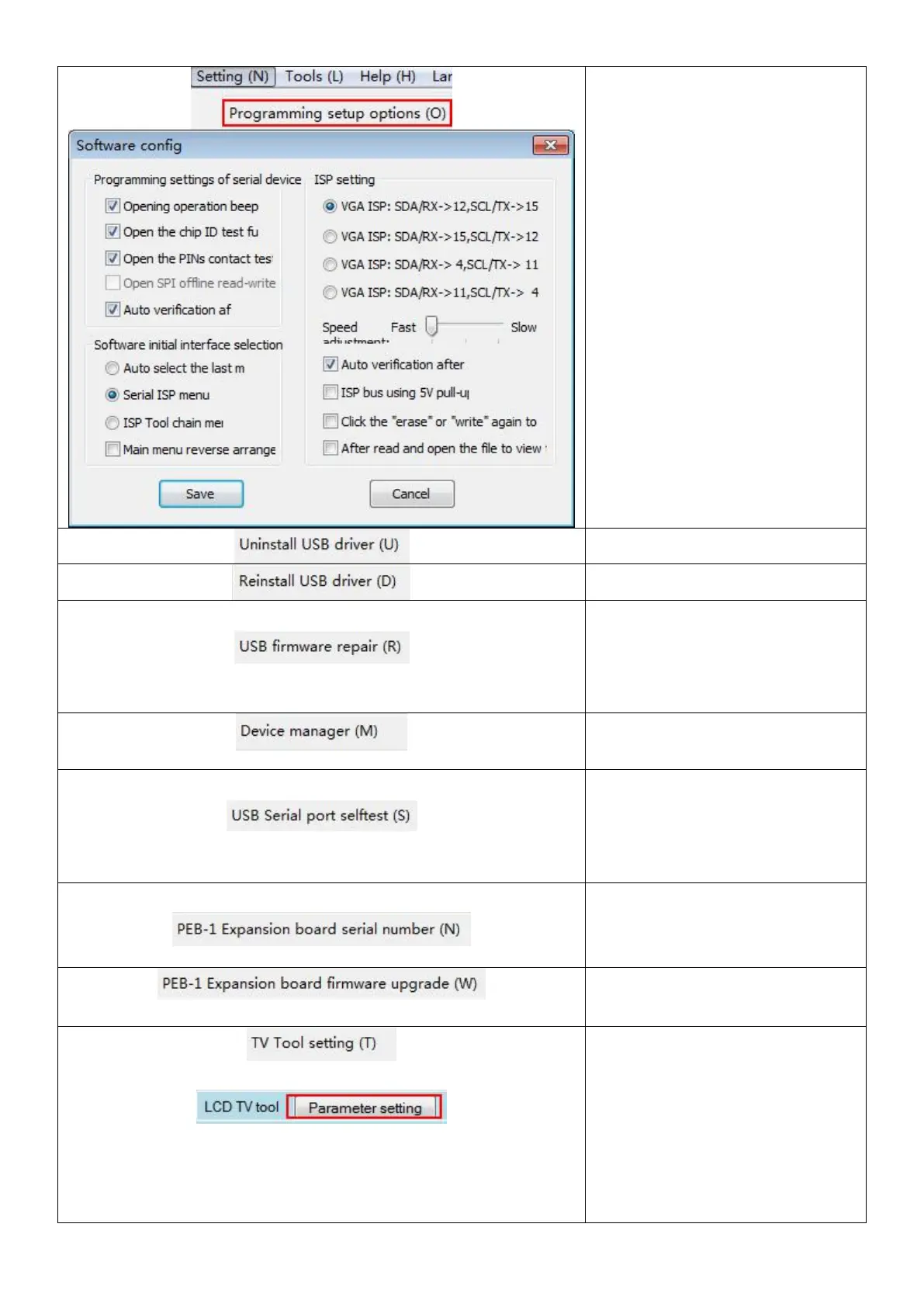
Click this icon and following
menu appears.
ISP Setting:change the line
sequence connecting VGA ISP.
Speed adjustment:can adjust the
speed when writing.
Uninstall the programmer driver
Reinstall the programmer driver.
When the programmer shows
that serial number can be
used,please try to repair the
programmer firmware.
Check the device manager
quickly.
Click to self-test if the serial port
works well,it need to short circuit
the corresponding pin with VGA
port when testing.
After insert the PEB-1 expansion
board.click this icon to check the
serial number of the PEB-1.
Upgrade the firmware of the
PEB-1 expansion board.
Set the line sequence and BIT rate
when flashing,click one of these
two icons the following menu will
appear.



 To Next Page