
 Need help?
Do you have a question about the Iflight COMMANDO 8 Lite and is the answer not in the manual?
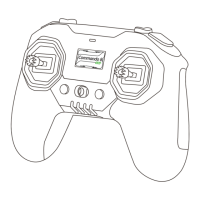
FPV remote control with self-developed system, Hall Sensor Gimbal, ELRS 2.4GHz 100mW RF module, and extensibility.
Short press to check battery; short press then long press to power on or off the remote.
Details LED indicators for battery levels, flashing states, and low battery warnings.
Use 10W+ USB chargers, follow safety precautions for Li-ion battery charging.
Step-by-step guide for installing an optional external antenna on the remote control.
Procedure for binding the remote control to the receiver, indicated by LED status.
Instructions to enter wired flashing mode for the RF module using specific button presses.
Instructions to enter wired flashing mode for the mainboard using specific button presses.
Connect the remote control to a computer via USB-C to automatically enter simulator mode.
Guide to swapping the left and right gimbal functions and adjusting resistance.
How to switch between gimbal modes (Mode 1-4) using the DIP switch.
 General
| Brand | Iflight |
|---|---|
| Model | COMMANDO 8 Lite |
| Category | Controller |
| Language | English |

 To Next Page