BasicController / BasicController
plus
8
4 Installation
4.1 General installation instructions
4.1.1 Protection
The achievable protection rating of the device depends on the accessories used
and the mounting position�
Protection Accessories Installation position Art. no.
IP 20 – freely selectable –
IP 54 cover with cable seal cable connection from the
bottom
e�g� EC0401
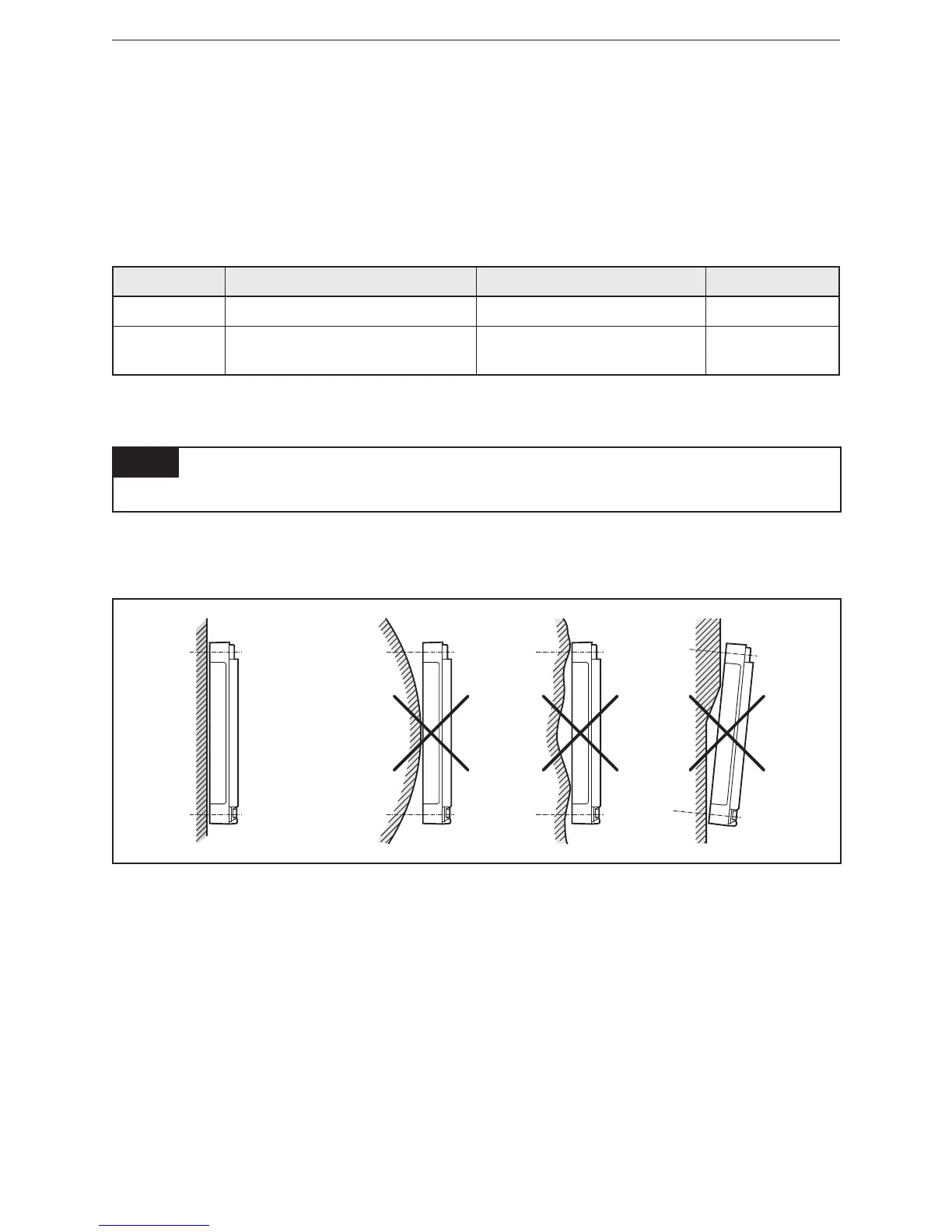
4.1.2 Mounting surface
NOTE
The housing must not be exposed to any torsional forces or mechanical stress�
► Mount the device on a flat surface�
► Use compensating elements if there is no flat mounting surface available�
Mounting surface
4.2 Fastening
► Insert the enclosed tubular rivets from the back of the module in the 4 fixing
holes�
► Fix the module using 4 washers and M4 screws�
Tighten the screws alternately crosswise�



 To Next Page