53
ifm Programming Manual BasicDisplay CR0452 v03.02 05 / 2018
ifm function elements ifm function elements for the device CR0452
>
CAN_ENABLE
7492
Unit type = function block (FB)
Unit is contained in the library ifm_RawCAN_NT_Vxxyyzz.LIB
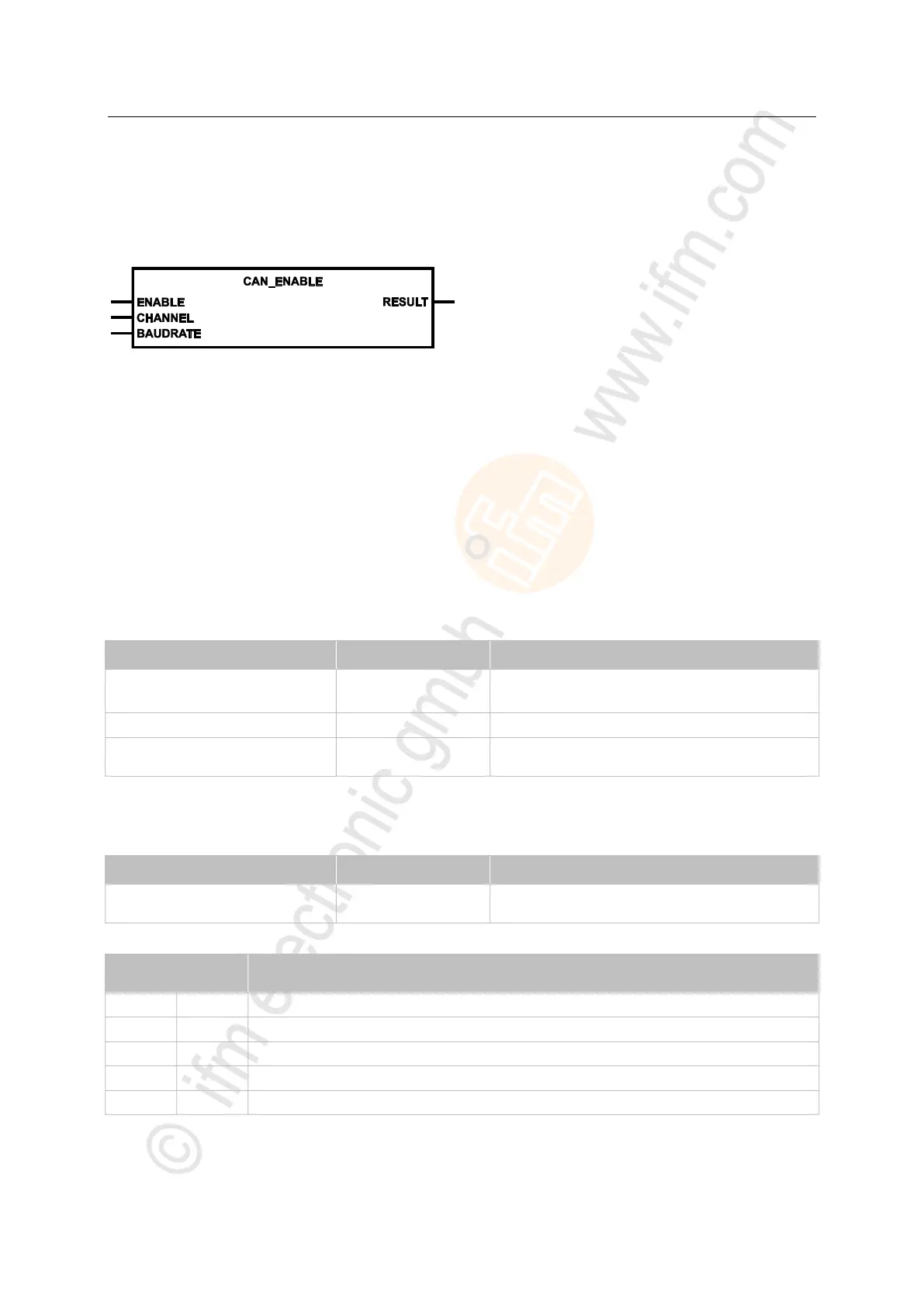
Symbol in CODESYS:
>
Description
7494
With CAN_ENABLE the CAN hardware is initialised. Without this call no other calls are possible in
RAW-CAN or they return an error.
In order to change the baud rate the following procedure is required:
► Maintain the function block on ENABLE=FALSE for the duration of one cycle.
> All protocols are reset.
> Re-initialisation of the CAN interface and the CAN protocols running on it. Any information
available for cyclical transmission is lost as well and must be newly created.
> At renewed ENABLE=TRUE, the new baud rate is adopted.
>
Parameters of the inputs
7495
TRUE: enable CAN interface
FALSE: disable CAN interface
CAN interface (1...n) depending on the device
Baudrate [kbits/s]
permissible = 20, 50, 100, 125, 250, 500, 1000
>
Parameters of the outputs
8530
feedback of the function block
(possible messages → following table)
Possible results for RESULT:
FB execution completed without error – data is valid
Error: setting is not possible


 To Next Page